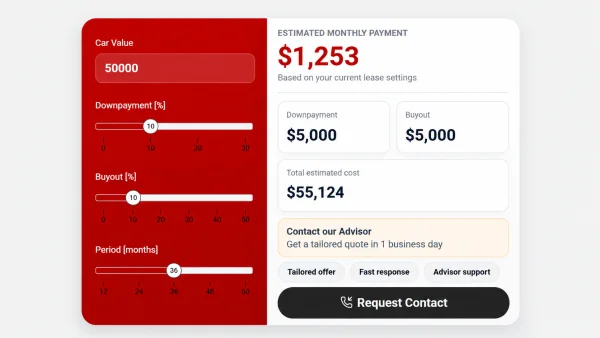
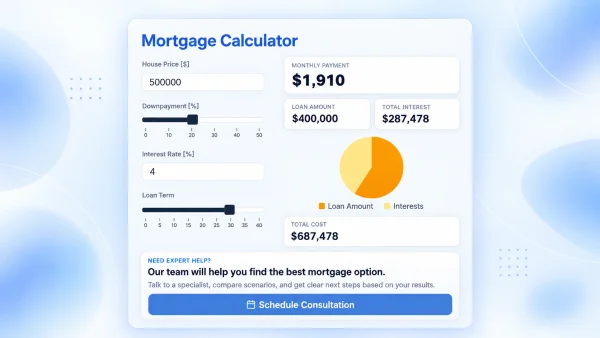
If you run a dealership, credit union, bank, or auto finance brokerage, an auto loan calculator on your site does more than show a monthly payment—it keeps shoppers engaged and gives your team a reason to follow up. This auto-loan-calculator template is built for that outcome: clear U.S.-style estimates plus a path to schedule a call with an advisor.
Use it as-is or treat it as a starting point for a custom auto loan calculator branded to your rates, fees, and sales process—no need to commission a one-off widget from scratch.
Why business owners embed this template
Shoppers already compare payments elsewhere. Putting a calculator on your domain keeps that comparison with you, builds trust, and turns anonymous traffic into named leads. The schedule-a-call step is designed so high-intent visitors leave contact details without leaving your site.
- More qualified conversations — callers arrive with a price, APR, term, and estimated payment already in mind.
- SEO that compounds — a useful on-page calculator supports landing pages targeting phrases like auto loan calculator and custom auto loan calculator.
- Faster go-live — embed with Calcopolis instead of waiting on a custom build.
- Your brand, your rules — adjust defaults, copy, styling, and fields to match how you sell.
What the calculator estimates
The template follows common U.S. dealership financing patterns: vehicle price, trade-in, down payment, state sales tax (often financed), APR, and term in months. Shoppers see an estimated monthly payment, amount financed, interest, and cash due at signing—plus short notes on details that are easy to miss even if they have borrowed before.
Automations you can connect
When someone requests a call, you can route the submission into your existing stack:
- Save Lead — store contacts in Calcopolis for your team to work.
- Email notifications — alert sales or send a confirmation to the customer.
- Webhooks — push payloads to Zapier, Make, n8n, or an internal endpoint.
- HubSpot — create or update CRM contacts and kick off sequences.
- Google Sheets — append rows via Google Apps Script for a lightweight ops view.
How to use it
Publish the calculator on a financing, inventory, or pre-approval page, connect the automations your sales process needs, then refine copy and branding. Need a deeper fit (dealer fees, lender-specific APR tiers, multi-location tax)? Start from this template and evolve it into your own custom auto loan calculator.