Quote Calculator Builder for Better Quote Requests
Stop preparing every quote from scratch. Build an online form that asks the right project questions, calculates a preliminary estimate when useful, and gives your team the details needed to prepare a tailored offer.
Build with AI or the visual editor. Review your quote flow before publishing.
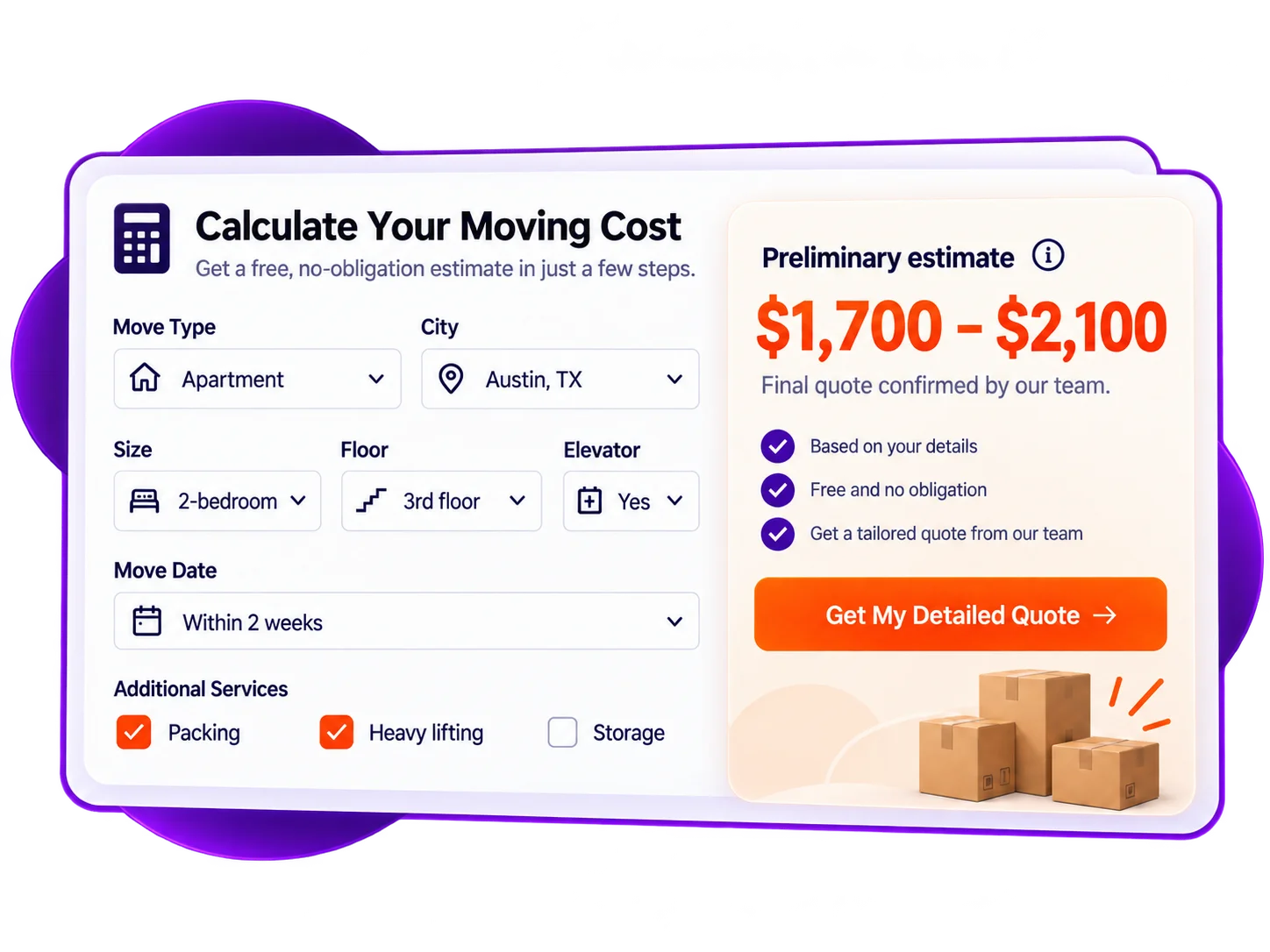
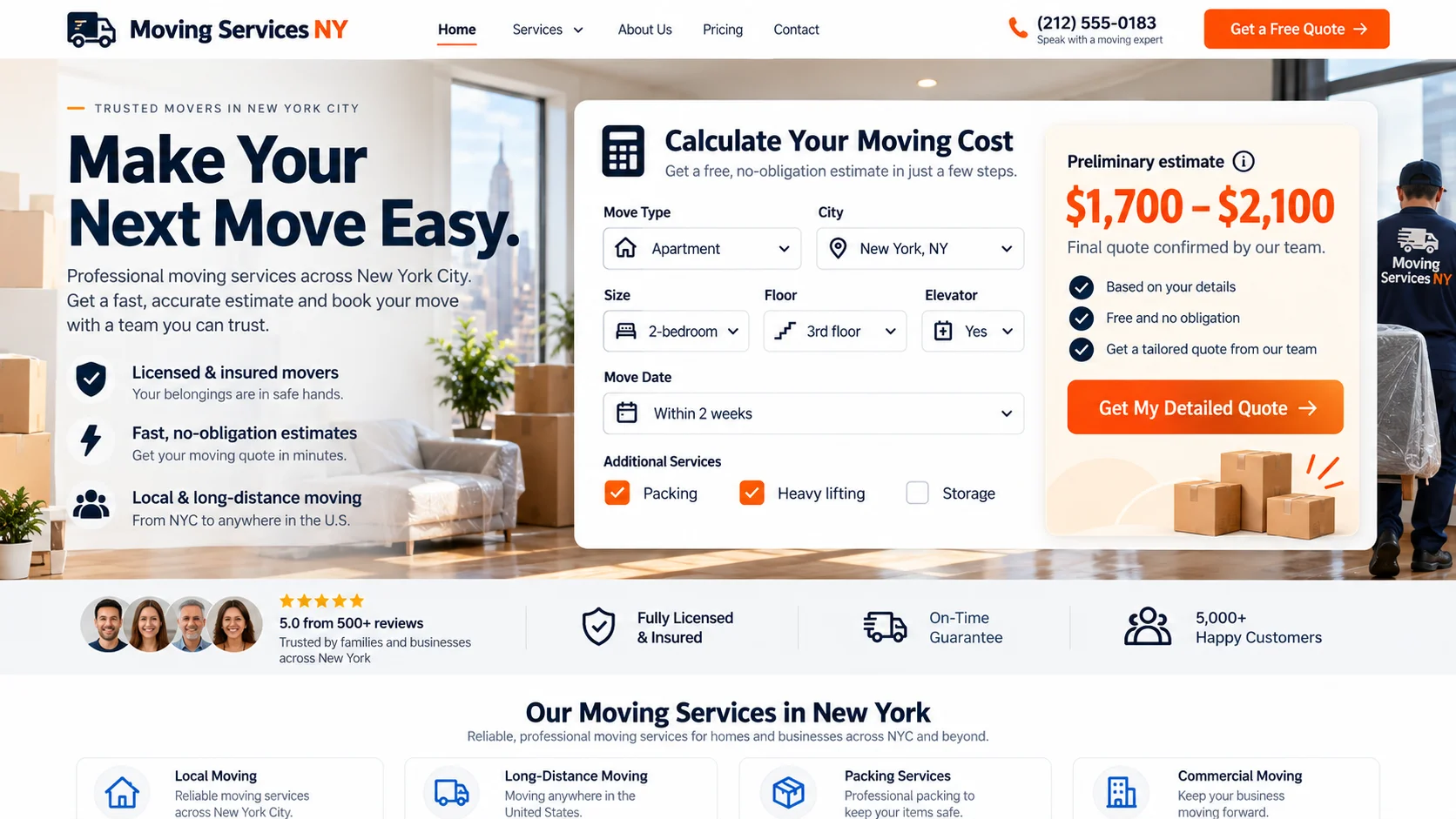
Try a Moving Quote Request From the Customer's Side
Change the home size, floor, moving distance, and extra services. See how the preliminary estimate responds, then continue to the request step. This is what a complete inquiry can look like before your team reviews it.
AI ASSISTED, YOUR RULES
Describe Your Quote Process. Then Make It Your Own.
Tell Calcopolis what information your sales team needs, and use AI to draft the form. Refine the questions, calculations, and layout in the visual Builder until they match how you actually prepare quotes.
- Start with your workflow — Describe the job details, optional services, and contact information you need instead of starting with a blank form.
- Revise with a request — Ask AI to adjust a question, add an option, or change the estimate logic; then inspect the result.
- Fine-tune visually — Review every step, field, formula, and label in the Builder before the form goes live.
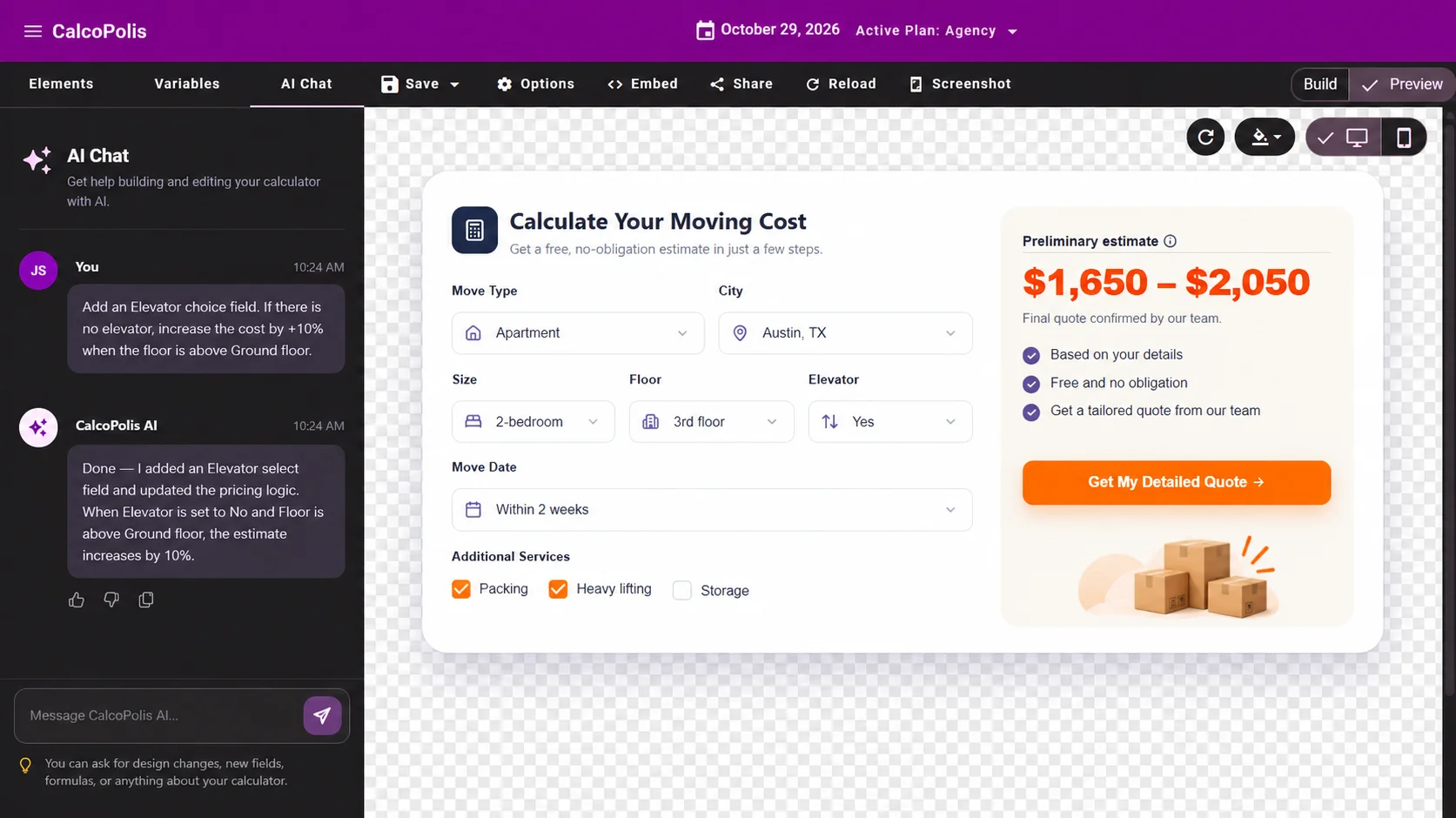
From Your Quoting Rules to a Form on Your Website
Describe the jobs you quote
Start with an AI request or a blank form in the Builder. List the details you normally need before you can prepare an offer.
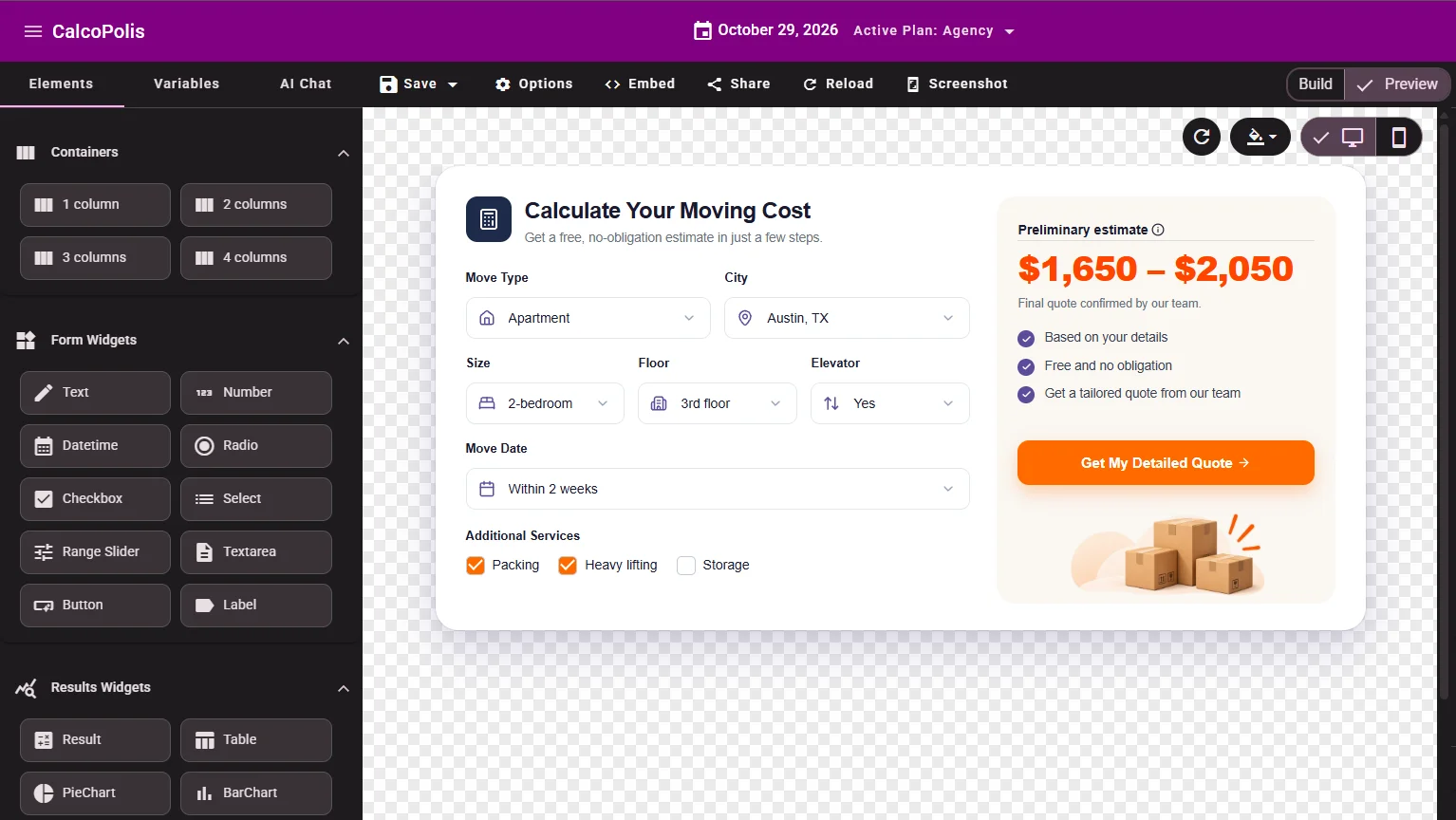
Build the questions and estimate
Arrange the form into steps. Add relevant follow-up questions, formulas for preliminary costs, and a contact step. Test the flow with sample jobs.
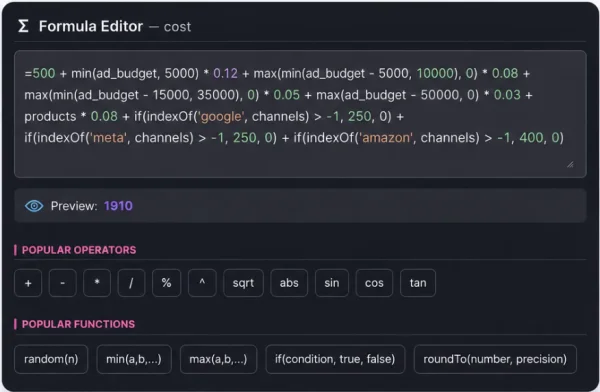
Publish and receive requests
Embed the form on your website. Save each submitted brief and set up the handoff your team needs to review it and respond.
Spend Less Time Chasing the Details Behind Every Quote
Receive a usable project brief
Ask about scope, constraints, and preferences before the first sales conversation. Your team starts with answers instead of another round of basic questions.
Reduce repetitive quote preparation
Use the same questions and preliminary calculation rules across inquiries. Spend less effort rebuilding the first estimate for similar jobs.
Follow up with more context
See what the prospect needs and which options they selected. Decide what requires clarification or approval before sending a final offer.
Build a Quote Request Form With Calculations and Context
GUIDED PROJECT INTAKE
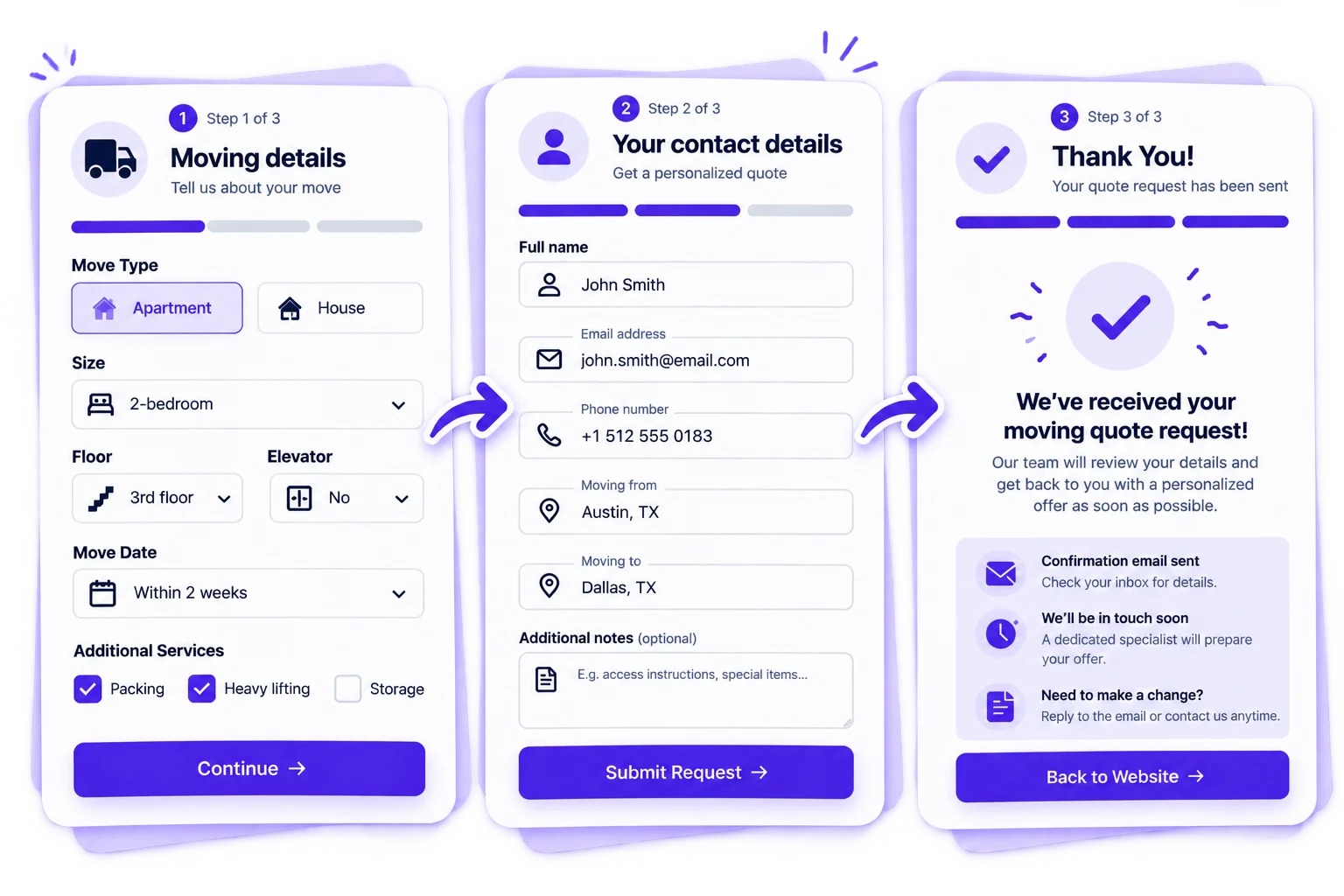
Ask the Right Questions, One Step at a Time
Use a multi-step quote form to gather the job details in a sensible order. Conditional questions help keep each request focused on the customer's actual needs.
- Split a long project brief into manageable steps.
- Show relevant follow-up questions based on earlier answers.
- Require essential fields before a request is sent.
PRELIMINARY CALCULATIONS
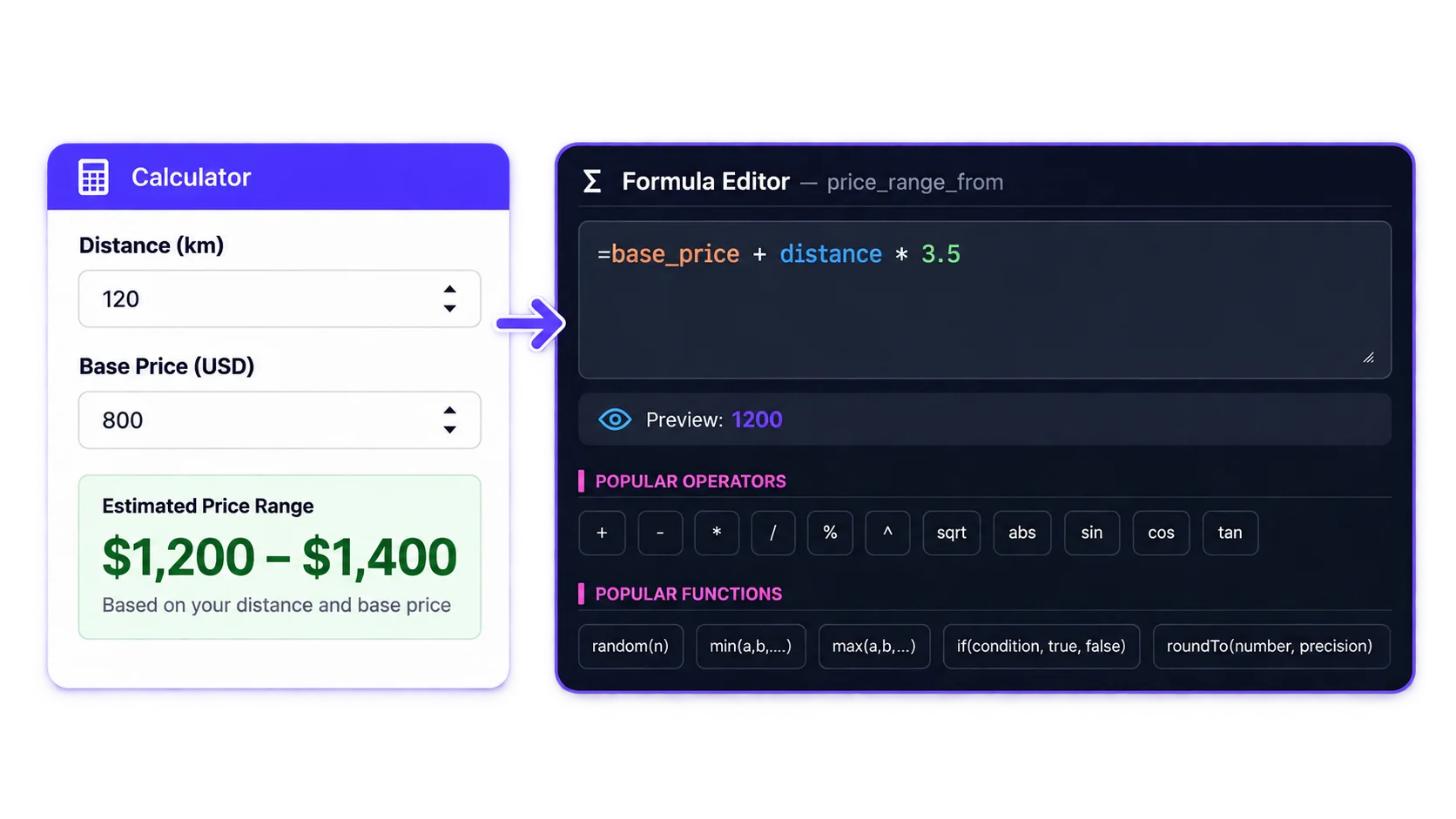
Calculate an Estimate Without Committing to a Final Price
Turn the customer's selections into a starting figure using your formulas. Display a clearly labeled estimate—or collect the inputs for a private quote when a public number would be misleading.
- Calculate from size, quantity, distance, and selected extras.
- Apply different rules to different types of jobs.
- Keep the result explicitly subject to review.
LEAD HANDOFF
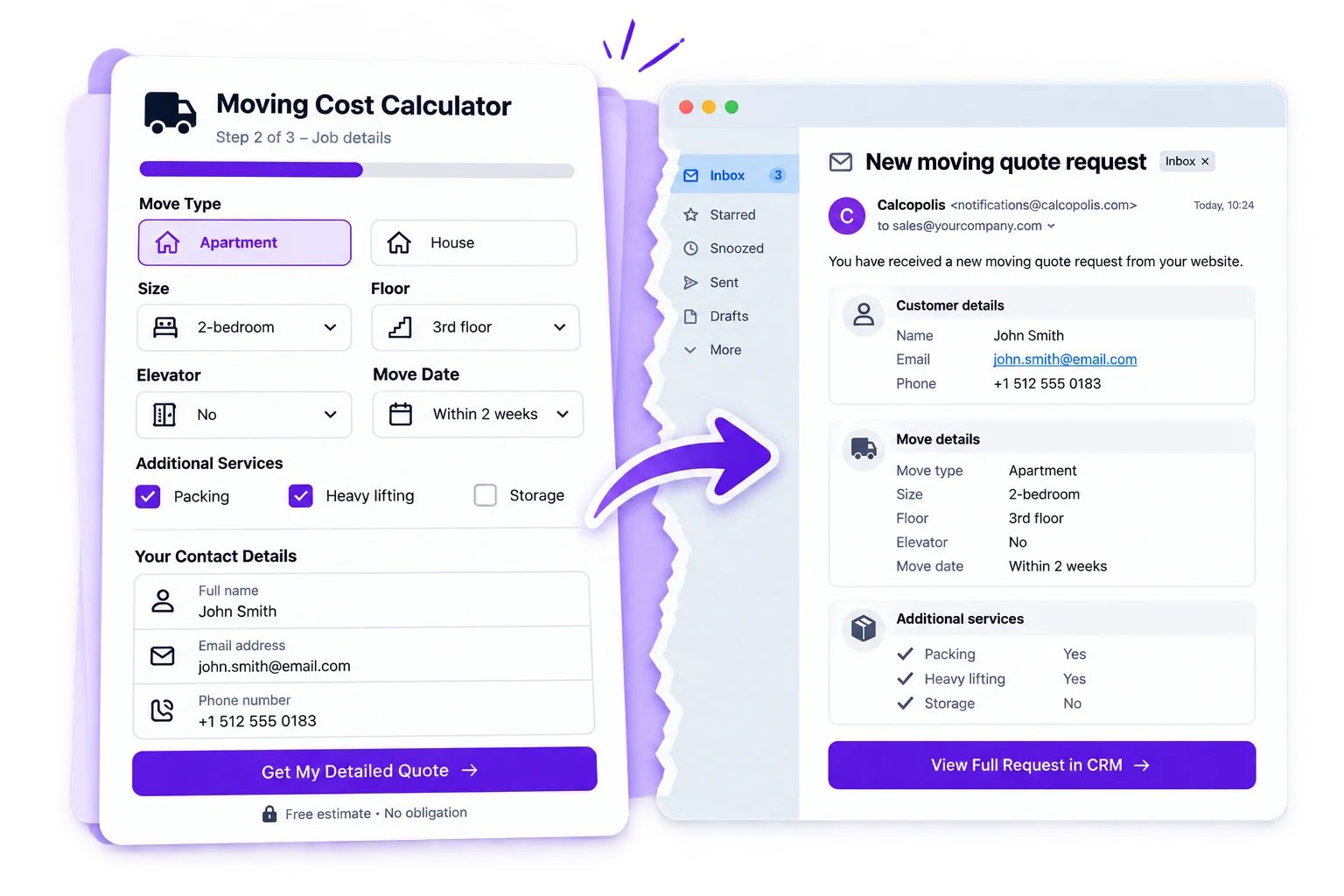
Deliver a Complete Request to Your Sales Team
Capture contact information alongside the job details and calculated values. Save the request for follow-up, notify the right person, and connect a configured workflow when another system needs the data.
- Keep the customer details and quote inputs together.
- Set up team email notifications for submissions.
- Route data through webhooks to a CRM or automation tool on eligible plans.
Build Quote Forms for Jobs That Need More Than a Price List
Moving companies
Ask about property size, floors, travel distance, and optional help before a coordinator confirms the moving quote.
Home renovation services
Collect room dimensions, work type, materials, and site conditions so an estimator can review the scope before pricing the project.
Event catering teams
Gather guest count, service style, dietary requirements, and event details before preparing a tailored proposal.
From Your Website to a Quote-Ready Sales Handoff
Embed your form where customers ask for a quote. When they submit it, save their answers and preliminary estimate in Calcopolis, then notify your team. On eligible plans, a configured webhook can pass those details to a CRM or another quoting workflow. Your team reviews the request and decides the final offer.
Quote Calculator Builder: Frequently Asked Questions
Can I create an online quote form without coding?
Yes. Calcopolis is an online quote form builder with AI-assisted drafting and a visual editor. You can refine the fields, calculation rules, and layout before publishing.
Does the customer have to see a final price?
No. You can show an indicative estimate, or collect the project details without displaying a number. Your team can review the request and send the final quote separately. If you need a calculator that publishes a final price immediately, see the Pricing Calculator Builder.
Can I make an instant quote calculator that still needs approval?
Yes. Calculate a preliminary amount from the customer's answers, label it as an estimate, and add a request step so your salesperson can confirm the final offer.
Can the quote request form have calculations and conditional questions?
Yes. Combine formulas, multi-step questions, and conditional visibility. For example, a moving form can ask about stairs only when the customer selects a floor above ground level.
What happens to the information after someone requests a quote?
You can save contact details and the related calculation inputs as a lead in Calcopolis. You can also configure email notifications so your team knows a new request has arrived.
Can I connect the form to my CRM?
Yes, through a configured webhook or automation workflow on eligible plans. You can pass the collected project details to your existing sales tools rather than retyping each request.
Stop Starting Every Quote From an Empty Inbox
Give customers a guided way to describe the job, and give your team the information it needs to prepare the right offer.