Build client-ready calculators faster
Create custom pricing calculators, quote forms, ROI tools, and lead generation forms for your clients — without building everything from scratch.
Calcopolis helps freelancers deliver more valuable website projects, finish faster, and offer advanced calculator functionality with formulas, automations, analytics, and integrations.
- Faster delivery than custom development
- Embed calculators on any website
- Advanced formulas and conditional logic
- Lead capture, webhooks, CRM, email alerts
- Custom CSS and JavaScript when needed
Custom calculators are profitable — but painful to build from scratch
Clients love interactive calculators because they make websites more useful, more persuasive, and better at generating leads. But building them manually often means too much custom JavaScript, validation, styling, backend handling, emails, spam protection, and integrations.
Calcopolis gives you a ready-made foundation so you can focus on the client’s business logic and deliver faster.
- Rebuilding similar forms again and again
- Too much time spent on validation, layout, and edge cases
- Client wants formulas, emails, CRM, PDFs, or spreadsheets
- Simple form plugins are not flexible enough
- Fully custom development kills your margin
Deliver better client projects in less time
Use Calcopolis as your calculator engine. Build the interactive tool visually, add formulas, style it to match the client’s website, connect automations, and embed it where needed.
Perfect for websites that need more than a contact form
Pricing Calculators
For agencies, consultants, SaaS tools, local services, and custom offers.
Quote Forms
Multi-step forms that collect project requirements and generate an estimated price.
ROI Calculators
Great for B2B clients who need to prove value before a sales call.
Savings Calculators
Useful for solar, energy, insurance, finance, health, and service businesses.
Product Configurators
Let users choose options and instantly see price changes.
Lead Generation Tools
Capture high-intent leads with calculated results and submission data.
Internal Tools
Build private calculators for sales teams, support teams, or operations.
Add high-value calculator services to your offer
Instead of selling only a website, landing page, or basic form, offer your clients a tool that helps them sell, quote, qualify leads, and automate work.
Business angle: A calculator can be a separate paid service, a premium add-on, or a recurring maintenance opportunity.
- “Custom quote calculator for your website”
- “ROI calculator for your sales funnel”
- “Interactive pricing form with email notifications”
- “Lead generation calculator connected to CRM”
- “Website calculator with Google Sheets automation”
- “Calculator redesign and conversion optimization”
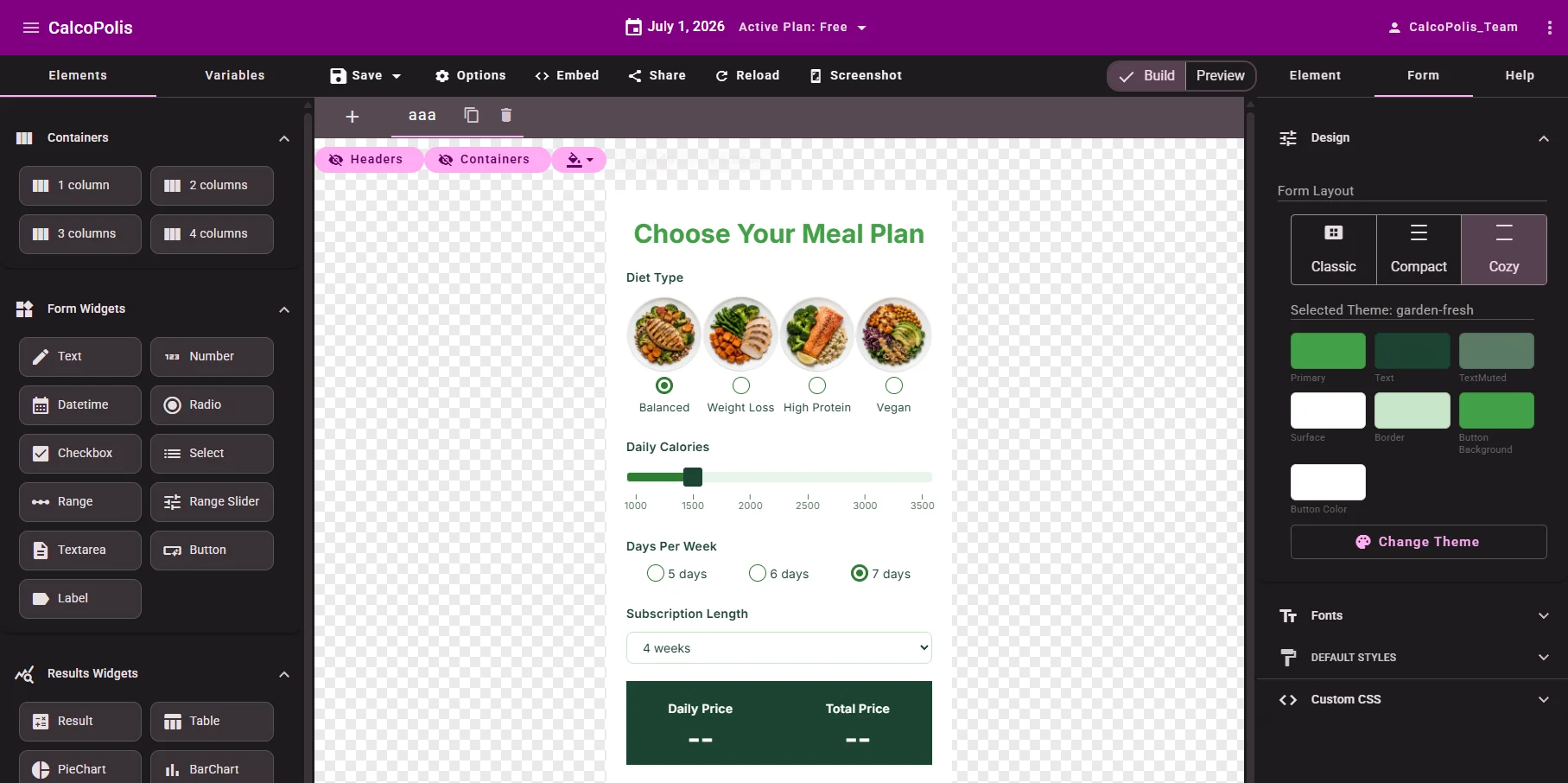
Visual builder
Build the structure visually. Customize the details when needed.
Start with the visual editor to create the form layout, fields, steps, and result sections. Then customize the design with themes, CSS, and advanced settings when the project requires more control.
- Drag-and-drop calculator editor
- Multi-step forms
- Mobile and desktop preview
- Ready-made skins and templates
- Custom colors, fonts, and CSS
Freelancer angle: Move faster on standard work, but still keep enough flexibility for custom client projects.
Formula engine
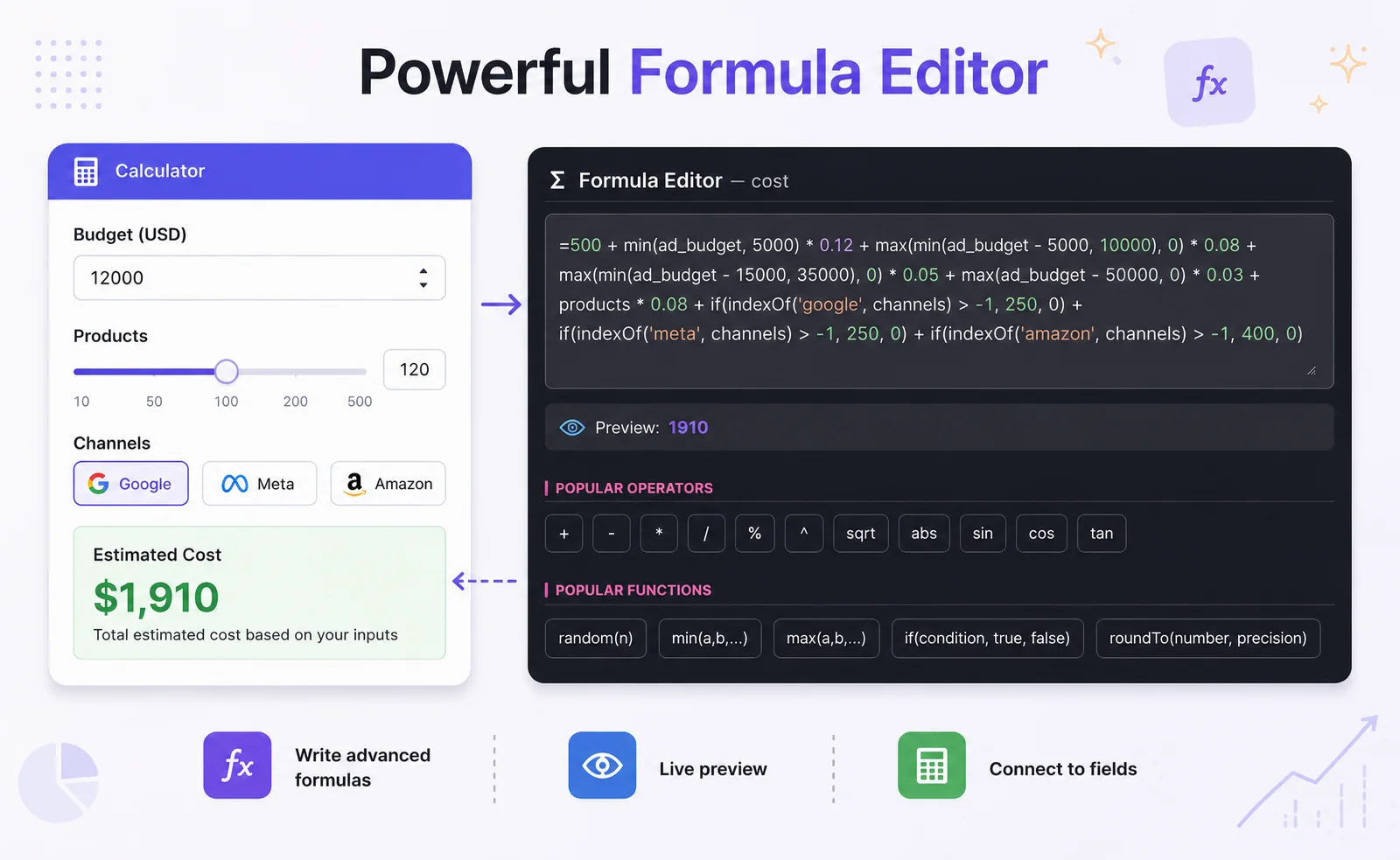
Handle real client pricing logic without hardcoding everything
Use the formula engine to model pricing, discounts, taxes, packages, ROI, savings, margins, conditional rules, and custom calculations.
- Excel-like formulas
- Conditional if/then logic
- Reusable calculated variables
- Built-in functions
- Live result updates
Freelancer angle: When the client changes pricing later, you can update formulas instead of rewriting custom code.

Custom code
Go beyond no-code when the project needs it
Calcopolis is fast for no-code building, but it does not lock you out when you need more technical control. Add custom JavaScript for special workflows, external data, advanced logic, or unique client requirements.
- Custom JavaScript support
- Read and update form variables programmatically
- Connect with external APIs
- Extend calculator behavior
- Combine visual building with developer control
Freelancer angle: You can serve both simple clients and more demanding technical projects.
Automation
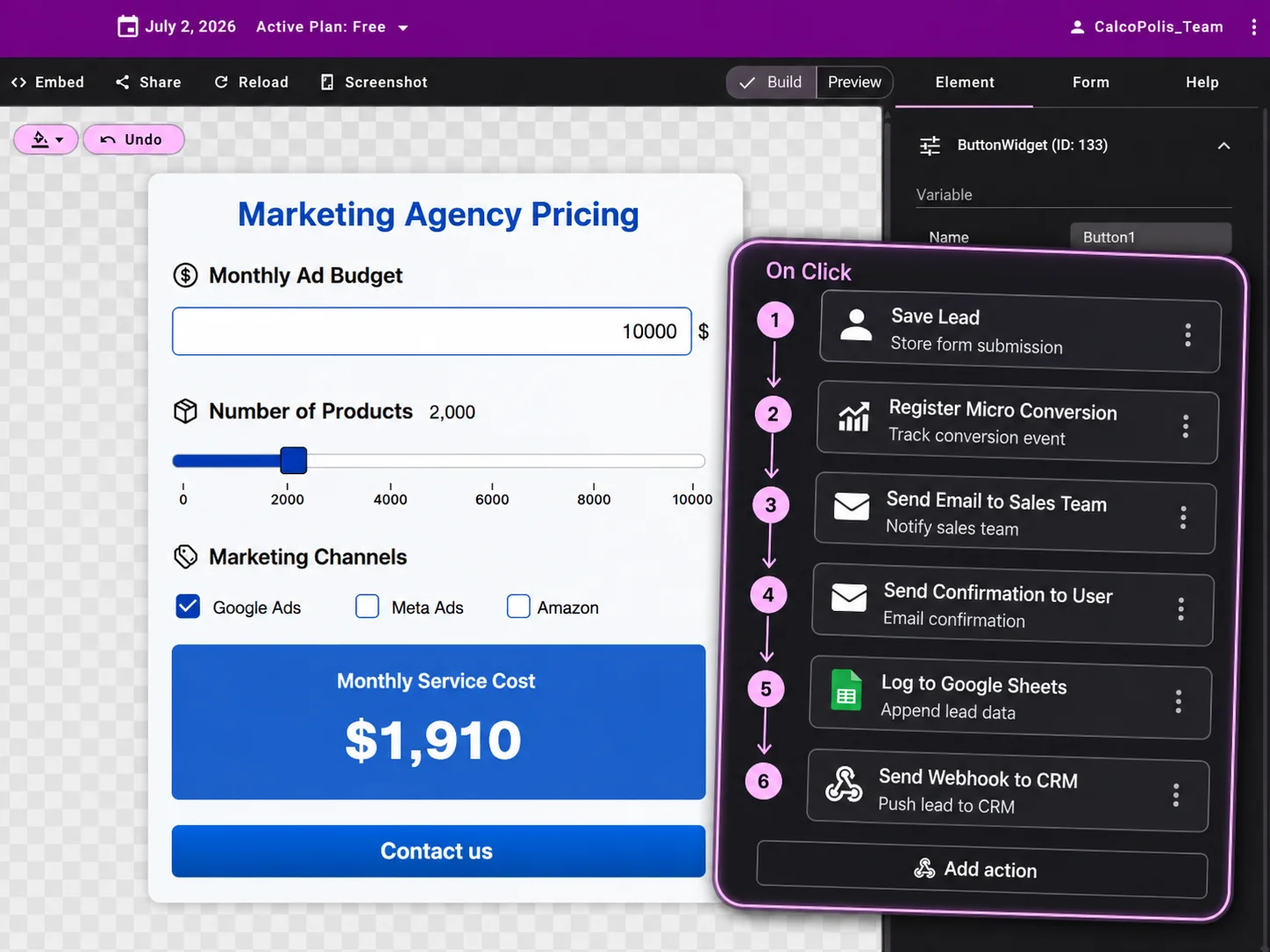
Offer more than a form — offer a workflow
After a visitor submits the calculator, Calcopolis can trigger actions automatically: send emails, notify the client’s team, update spreadsheets, create CRM records, or start external automation workflows.
- Email alerts
- Google Sheets
- Webhooks
- CRM connections
- n8n, Zapier, Make, Google Apps Script
- Payment gateway integrations
Freelancer angle: Automation makes your service more valuable and easier to sell at a higher price.

Lead generation
Help clients capture better leads
A visitor who completes a calculator gives much more context than a normal contact form. The client can see selected options, estimated price, budget, result values, and contact details.
- Lead forms inside calculators
- Store submissions in dashboard
- Send lead notifications
- Push leads to CRM or database
- Protect forms with reCAPTCHA
Freelancer angle: You can position calculators as conversion tools, not just website features.
Charts & results
Make client websites more persuasive
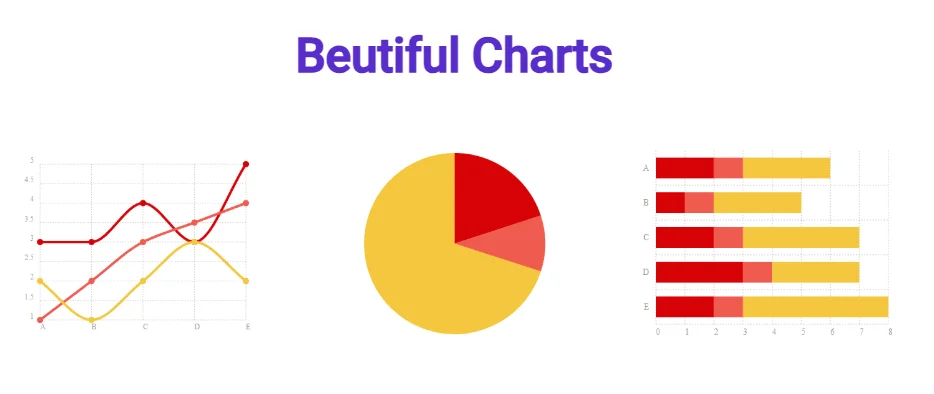
Use live results and charts to make numbers easier to understand. Show price breakdowns, ROI, savings, comparisons, or package differences in a visual way.
- Pie, bar, line, area, and doughnut charts
- Live updates
- Custom labels and colors
- Clear result sections
- Better presentation for complex offers
Freelancer angle: Interactive visuals make the final project feel more premium.

Embed & delivery
Embed calculators into client websites easily
Publish calculators as embeddable widgets and place them on landing pages, service pages, WordPress sites, custom websites, or client portals.
- Website embed
- Secure calculator hosting
- SSL support
- Sandboxed calculator code
- Backend formula protection
Freelancer angle: You can deliver functionality without hosting a custom app for every client.
Analytics
Show clients measurable results
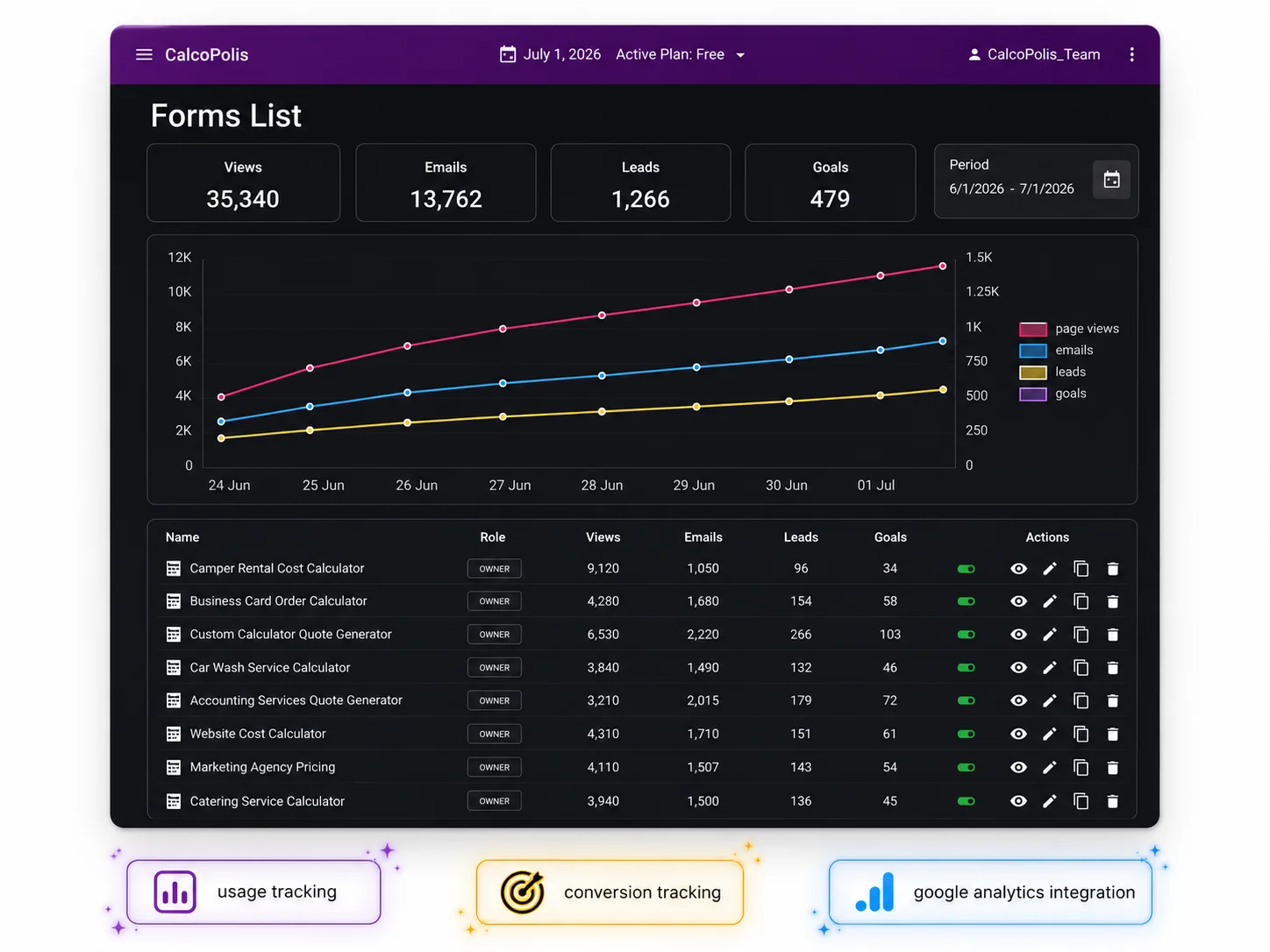
Track usage, submissions, and conversion performance so clients can see whether their calculator is working.
- Usage reports
- Submission tracking
- Conversion insights
- Google Analytics integration
- Performance over time
Freelancer angle: Analytics help you sell optimization, redesigns, and ongoing improvements.
Maintenance
Update client calculators without touching the whole website
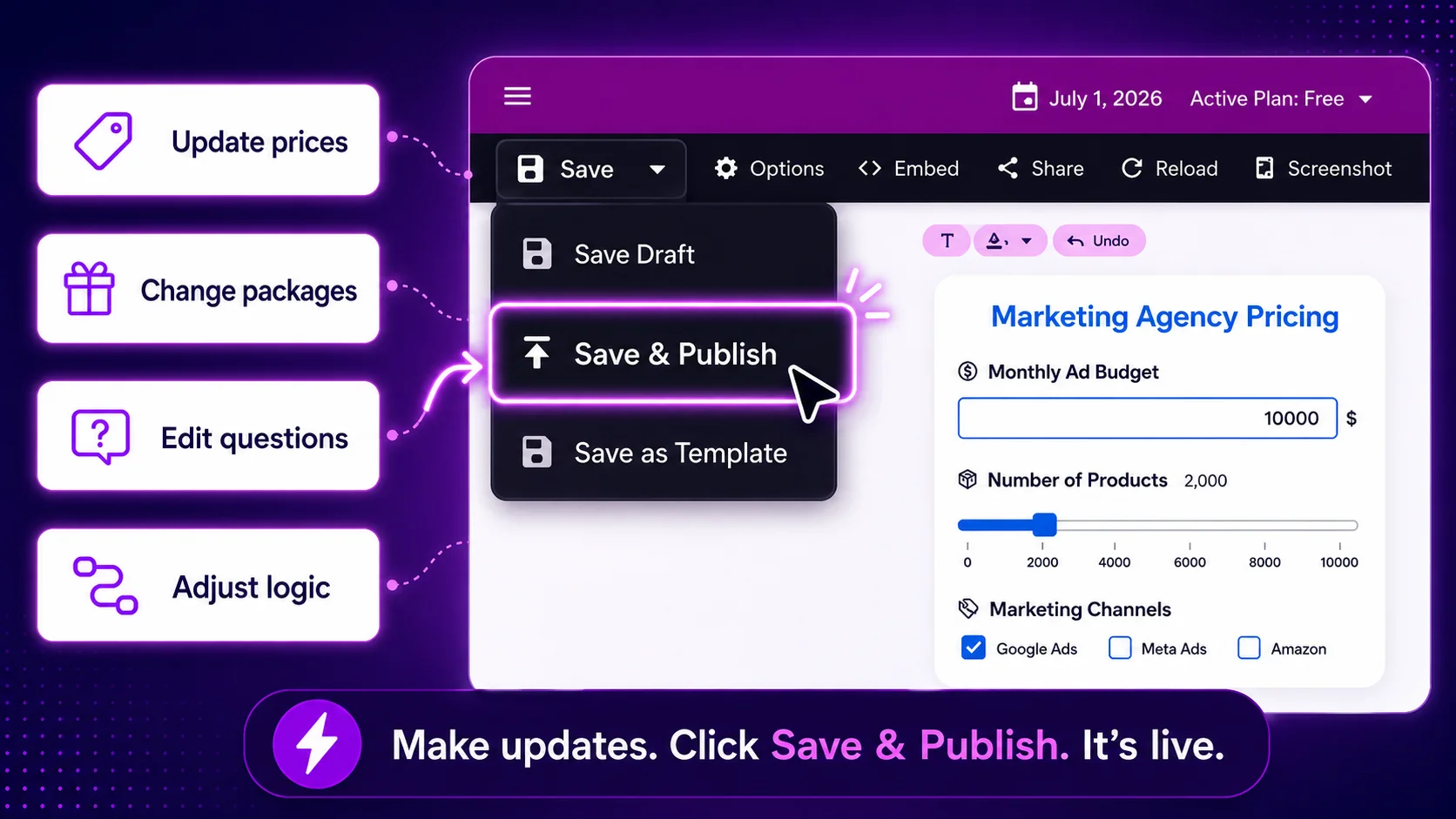
When the client changes prices, packages, questions, or logic, you can update the calculator without rebuilding the entire page.
- Easier long-term support
- Faster client revisions
- Less fragile than custom-coded one-off tools
- Better for recurring service packages
- Reusable patterns for future projects
Turn calculators into a profitable freelance service
Calculators are easy for clients to understand because they directly support sales, quotes, and lead generation. That makes them a strong upsell for websites, landing pages, SEO projects, and paid ad funnels.
- Fixed-price calculator setup
- Premium website add-on
- Lead generation package
- Calculator + automation package
- Monthly maintenance
- Conversion optimization service
Example package names
What you can offer your clients
Basic Calculator Setup
Simple calculator with fields, formulas, and website embed.
Quote Calculator
Multi-step form with pricing logic and lead capture.
ROI / Savings Calculator
Interactive sales tool for B2B or service clients.
Calculator Automation Package
Calculator connected to email, Google Sheets, CRM, or webhook.
Custom Calculator Development
Advanced formulas, custom CSS, JavaScript, API logic, and integrations.
Build faster. Charge more. Deliver better calculator projects.
Use Calcopolis to create professional calculators for client websites without starting from zero every time.