Build calculators that help your business sell more
Create interactive pricing, quote, ROI, savings, and lead generation calculators for your website — without hiring a developer.
Turn visitors into qualified leads, give customers instant answers, and help your team save time on repetitive quotes and calculations.
- No coding required
- Embed on your website
- Capture leads and send quotes
- Automate follow-ups and internal workflows
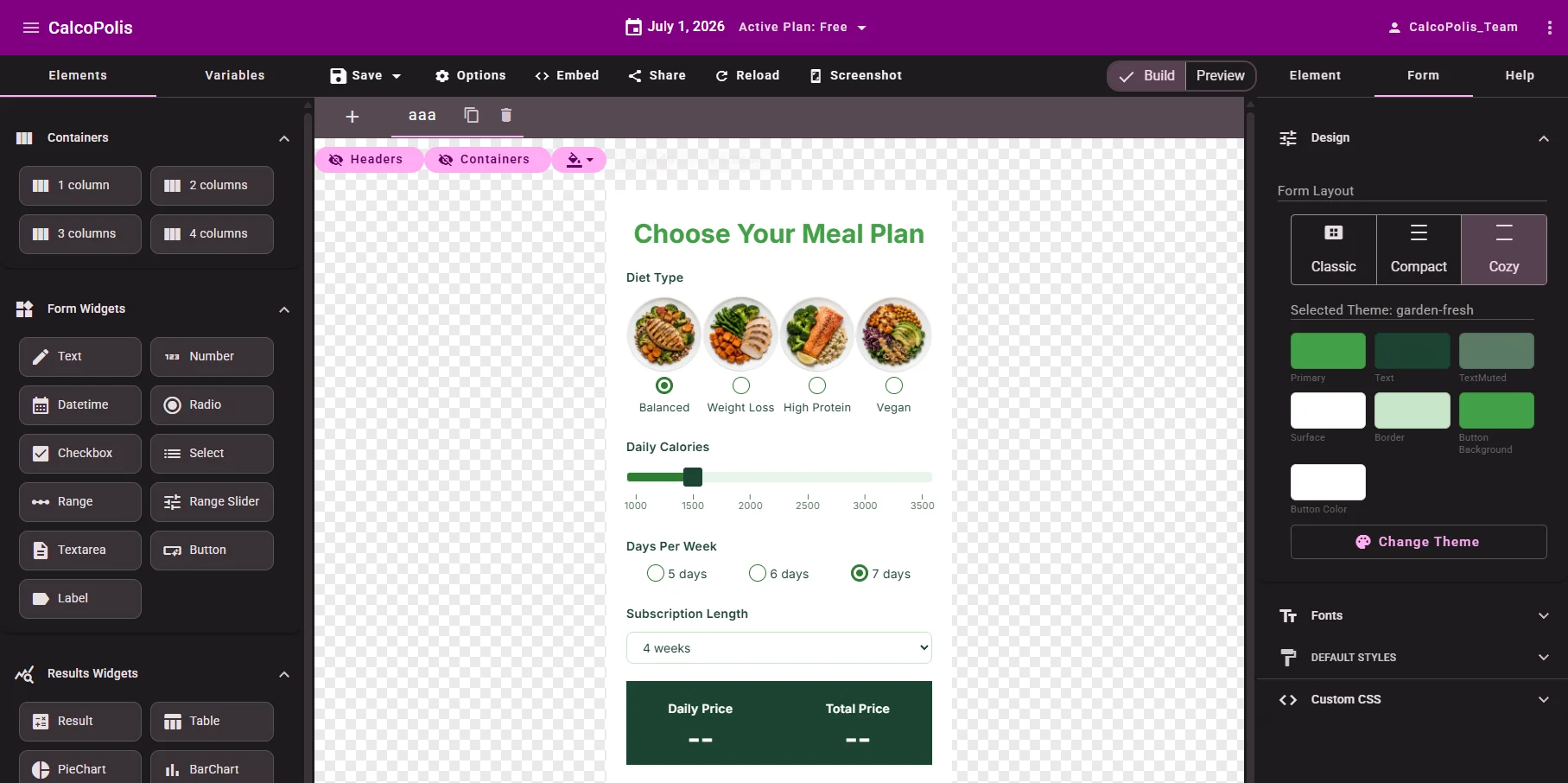
Your customers want answers before they contact you
Most small business websites ask visitors to “get in touch” before showing any useful information. But today, people want to estimate price, savings, ROI, or service options immediately.
With Calcopolis, you can give them a simple interactive calculator that answers their questions — and captures their contact details when they are ready to move forward.
- Too many visitors leave without contacting you
- Your team repeats the same pricing explanations every day
- Manual quotes take time and slow down sales
- Static pricing pages do not adapt to each customer
- Leads often arrive with too little information
Use calculators to get more leads, better inquiries, and faster sales
A calculator helps your customers understand your offer before they speak to you. They can choose options, see estimated costs, compare packages, calculate potential savings, and submit their details when they already understand your value.
Create calculators for real business goals
Whether you sell services, products, subscriptions, or custom projects, Calcopolis helps you turn complex decisions into simple interactive tools.
Pricing Calculator
Show customers a clear price estimate based on their choices.
Quote Calculator
Let visitors configure a service and request a custom quote.
ROI Calculator
Help prospects understand how much they can gain by choosing your offer.
Savings Calculator
Show potential savings in a simple, visual way.
Lead Generation Form
Collect contact details from visitors who already calculated their result.
Internal Business Tool
Give your employees a reliable tool for pricing, qualification, or order intake.
Built for business owners, not developers
You do not need to understand code, databases, or complex software. Calcopolis gives you a visual editor where you can build, edit, and publish calculators yourself — or give the tool to an employee who understands your pricing and sales process.
- Build calculators visually
- Update prices and formulas without a developer
- Create multi-step forms for complex offers
- Keep control over how your business logic works
- Publish calculators directly on your website
Visual editor
Design your calculator in minutes
Use the visual editor to add fields, arrange sections, preview the design, and adjust how your calculator looks on desktop and mobile.
- Drag-and-drop widgets
- Live preview
- Mobile and desktop layouts
- Multi-step calculator forms
- Custom colors, fonts, and themes
Business angle: Create a professional-looking calculator faster than building a custom tool from scratch.
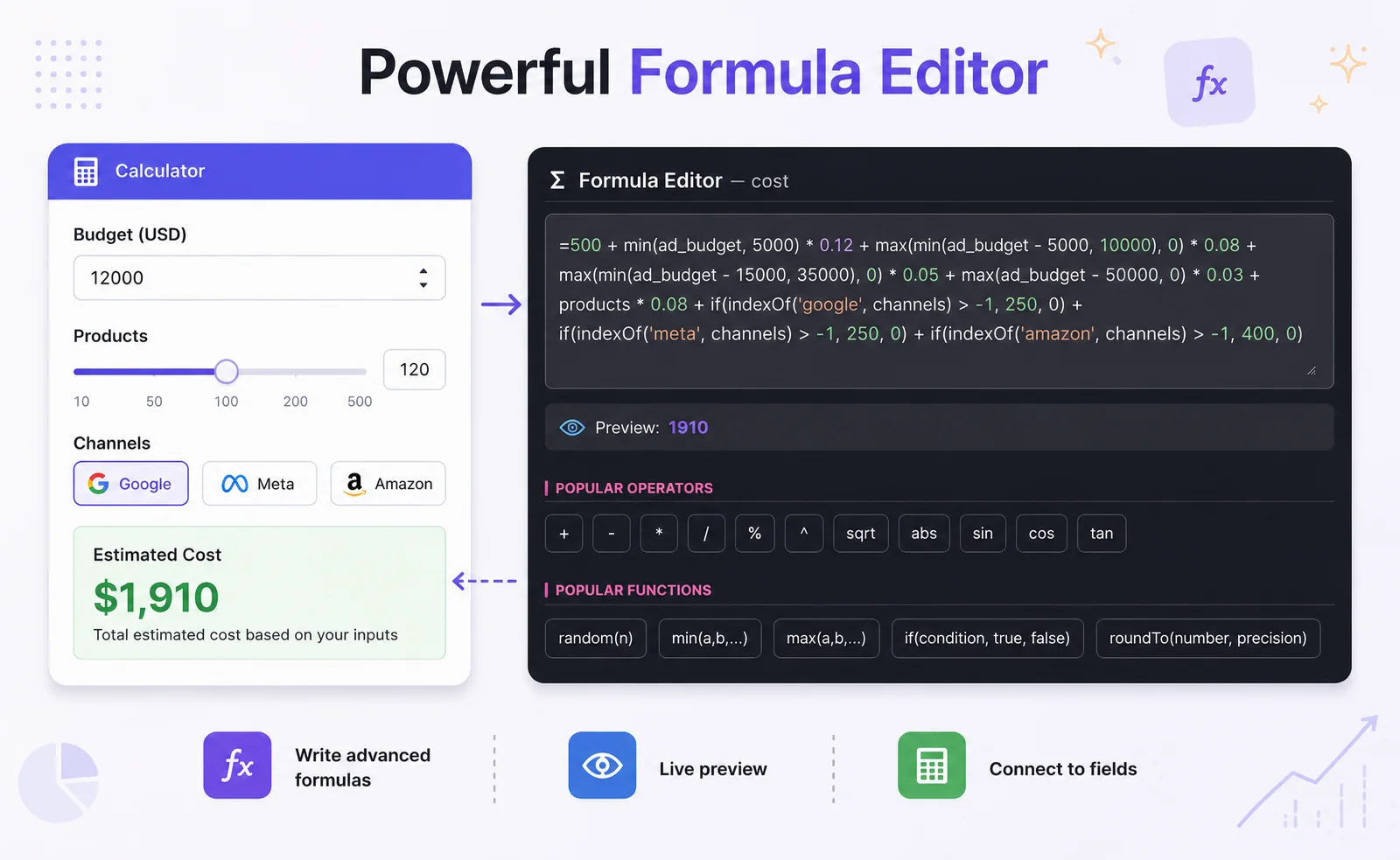
Formula engine
Turn your pricing logic into a working calculator
Add formulas for prices, discounts, margins, taxes, ROI, savings, package rules, or custom business logic.
- Excel-like formula syntax
- If/then conditions
- Tiered pricing
- Discounts and surcharges
- Reusable formulas
Business angle: Your calculator can reflect how your business actually prices services — not just show a simple fixed price.
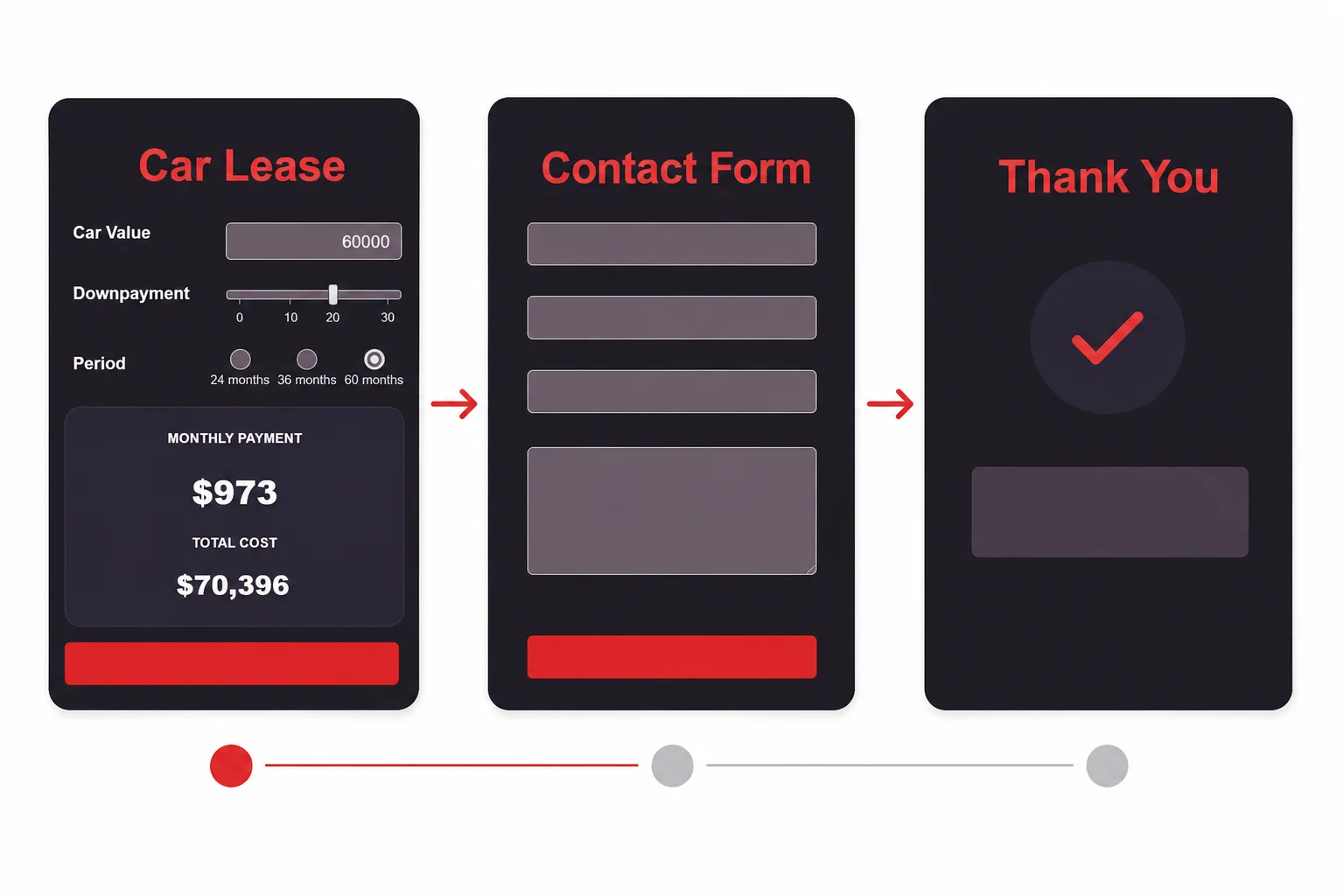
Multi-step forms
Make complex quotes feel simple
Instead of overwhelming visitors with one long form, split your calculator into clear steps. Ask only what matters at each stage and guide people toward the result.
- Step-by-step flow
- Conditional logic
- Progress indicators
- Better experience on mobile
- Ideal for quotes and lead forms
Business angle: A simpler flow means more people finish the calculator and submit their details.
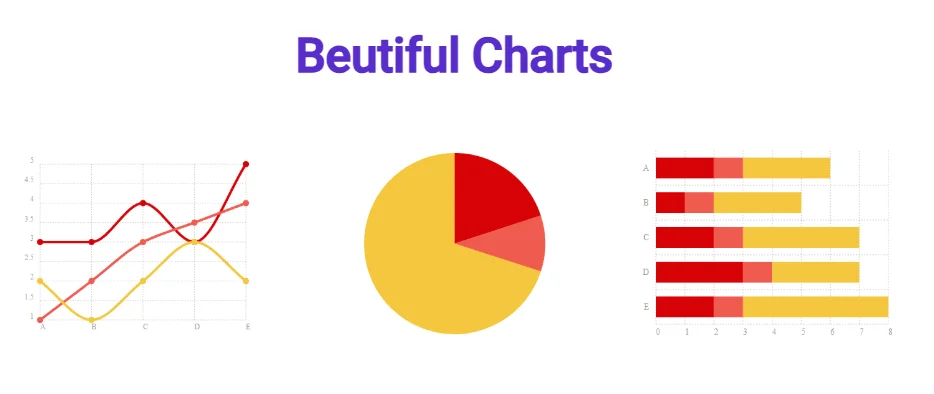
Results & charts
Show results people instantly understand
Display prices, savings, ROI, comparisons, and cost breakdowns in a clear visual way. Charts update live as users change their answers.
- Pie charts
- Bar charts
- Line charts
- Cost breakdowns
- Live result updates
Business angle: Clear numbers build trust and make your offer easier to buy.

Lead generation
Capture leads when visitors are most interested
Someone who just calculated a price, savings, or ROI is not a cold visitor. They already understand the value of your offer. Use that moment to collect contact details, send a quote, or invite them to book a call.
- Lead forms inside calculators
- Store leads in the dashboard
- Send email notifications
- Offer PDF quotes or reports
- Push contacts to your CRM or database
Business angle: Get leads that arrive with context: selected options, budget, needs, and calculated result.
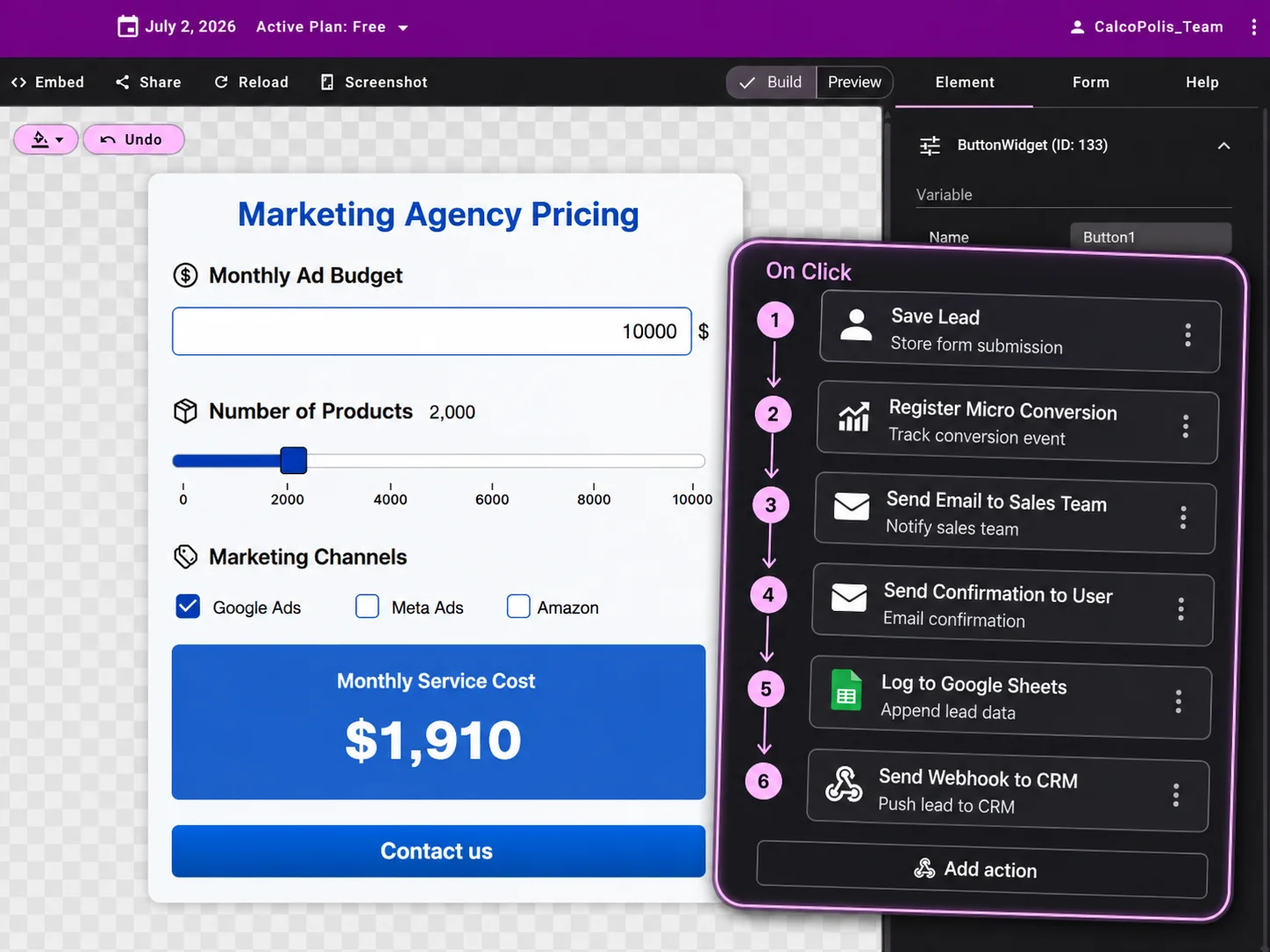
Automation
Automate what happens after submission
When someone submits a calculator, Calcopolis can trigger the next step automatically: notify your team, save data to a spreadsheet, create a CRM record, send an email, or start a workflow.
- Email alerts
- Google Sheets
- Webhooks
- CRM integrations
- n8n, Zapier, Make, Google Apps Script
- Payment gateway connections
Business angle: Your team spends less time copying data and more time closing deals.

Internal tools
Give your team a smarter way to quote and qualify customers
Calcopolis is not only for website visitors. You can also use calculators as internal tools for sales, customer service, or operations.
- Sales reps prepare quotes faster
- Employees follow the same pricing rules
- Customer data goes straight to the right place
- Managers can update logic without rebuilding the tool
- New team members learn the offer faster
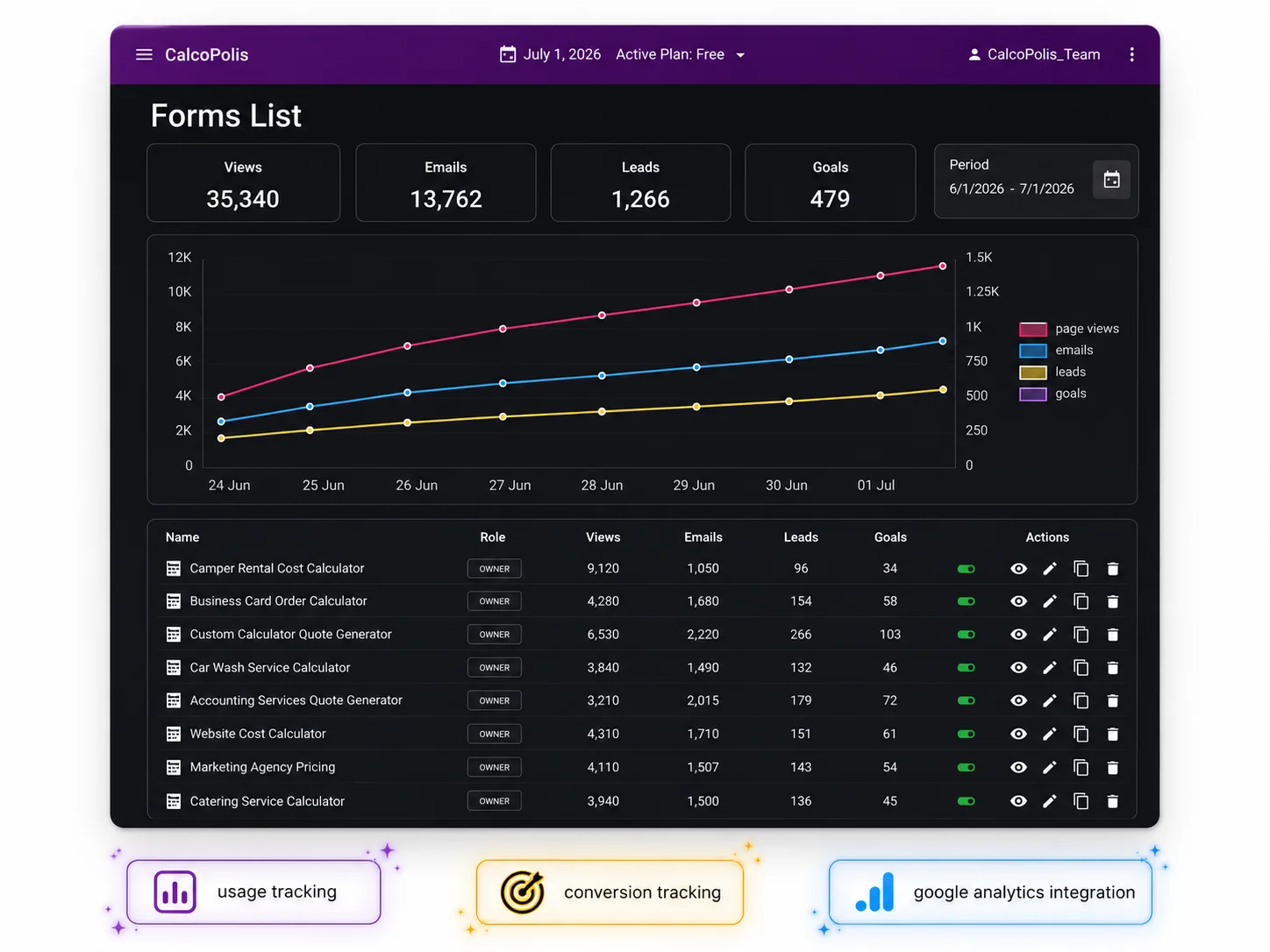
Analytics
See what works and improve your calculator
Track how people use your calculators, how many submit their details, and which calculators perform best. Improve based on data instead of guessing.
- Usage tracking
- Submission tracking
- Conversion performance
- Reports over time
- Google Analytics integration
Business angle: Find out which offers, calculators, and traffic sources bring the best leads.

Design & brand
Make it feel like part of your website
Your calculator should look professional and match your brand. Start from a template, choose a skin, adjust colors and fonts, or use custom CSS for full control.
- Ready-made templates
- Light and dark mode
- Custom themes
- Brand colors and fonts
- Custom CSS

Security
Safe to embed. Protected from spam.
Calcopolis calculators run in a secure environment and can be embedded on your website without compromising your page. Built-in spam protection helps keep fake submissions away from your sales pipeline.
- SSL support
- Sandboxed calculator embed
- Backend formula protection
- Google reCAPTCHA
- Reduced spam in leads and reports
What could you build with Calcopolis?
Start with one calculator. Turn it into more leads and better sales.
Build your first calculator, publish it on your website, and see how visitors interact with your offer.