AI Calculator Builder: Create, Refine, and Publish
Describe the calculator you need, and let AI create a working starting point. Keep refining its fields, formulas, and design through chat—or switch to the visual editor whenever you want more control. Then publish it on your website.
Start for free · No credit card required
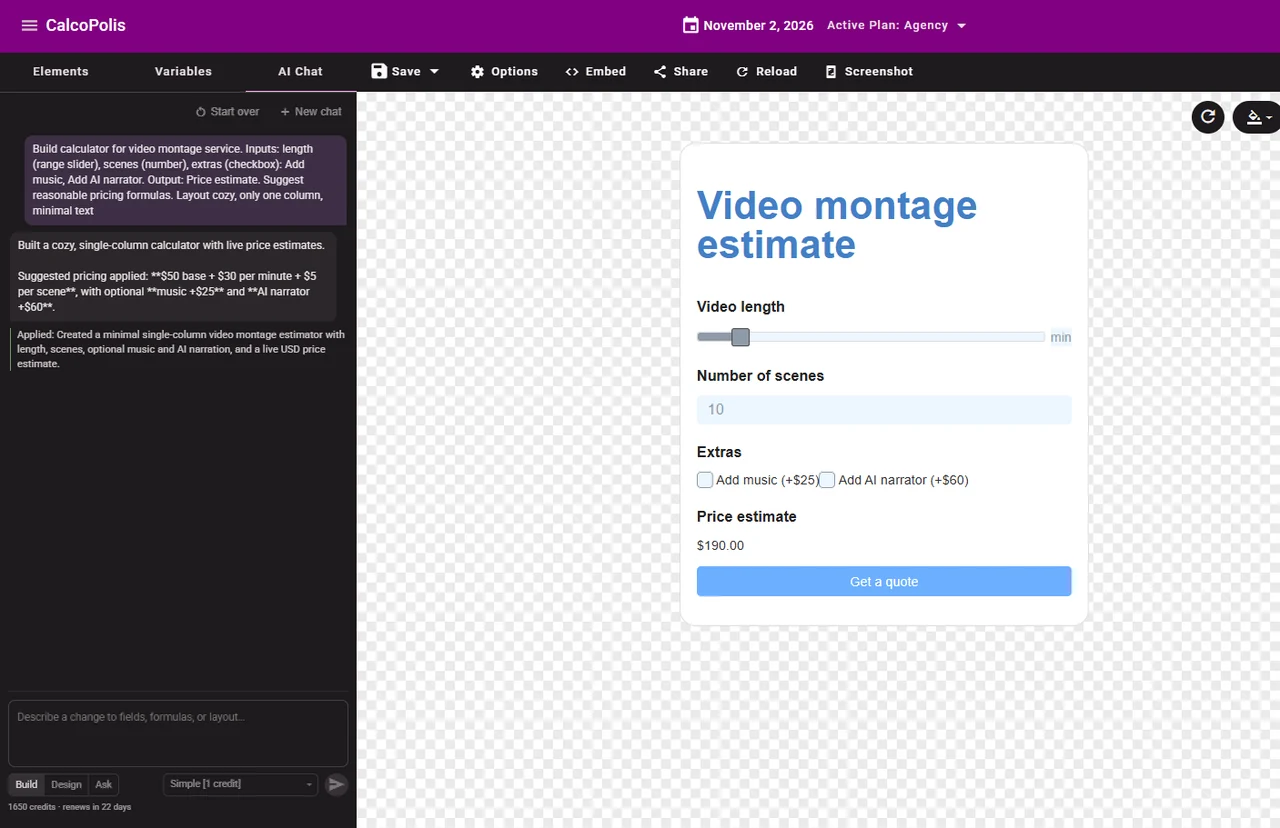
Watch an AI Calculator Take Shape
This real Calcopolis walkthrough shows the creation of a video editing estimate calculator. Start with an idea, watch a working version take shape, and see what you can build without starting from a blank form. The next step is yours: keep asking for changes until it fits your needs.
The example includes video length, scene count, optional extras, a calculated estimate and a quote button. You can ask AI to change any of these parts, then adjust details manually in the editor.
How to Build a Calculator with AI
Describe What You Want
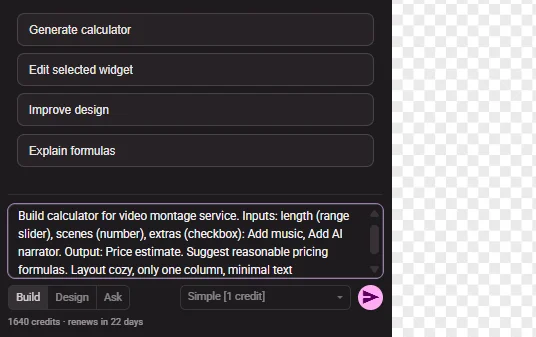
Explain the purpose of your calculator, the inputs visitors should provide and the result you want to show. AI gives you a first version to work from.
Refine, Test, and Adjust
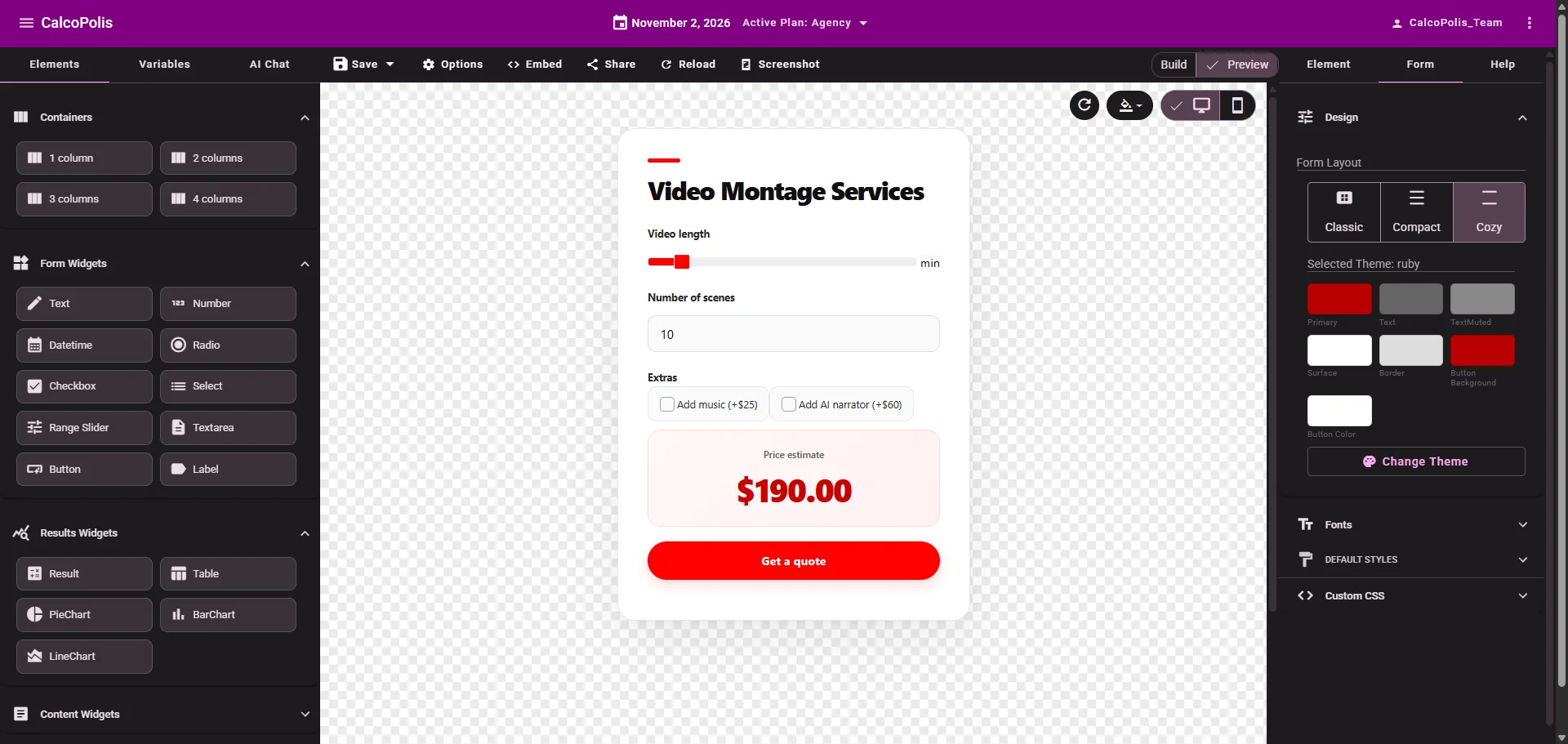
Try the calculator, inspect its results and request changes in plain language. Fine-tune fields, formulas and styling in the visual builder when that's easier. Repeat as needed.
Publish It on Your Website
When the calculator looks right and its calculations have been checked, publish it and use the project's supported embed method to put it on your site.

MORE THAN A ONE-TIME GENERATOR
The First Version Is Just the Beginning
An AI calculator generator helps you get started. The real flexibility comes from what happens next. Ask for a new input, explain a pricing rule, change the layout, or correct an assumption. Each follow-up brings the calculator closer to what you actually need.
- Start with a description — Tell AI what your calculator should ask, calculate and display.
- Improve it through conversation — Add fields, revise formulas, adjust wording or rethink the layout with follow-up requests.
- Take control in the editor — Fine-tune the result visually without relying on AI for every small change.
Example follow-ups:
- “Create a video editing estimate based on video length and number of scenes.”
- “Add optional music for $25 and an AI narrator for $60.”
- “Make the total more prominent and change the button to ‘Get a quote’.”
You don't have to plan every detail up front. Build, review, ask for a change, and repeat.
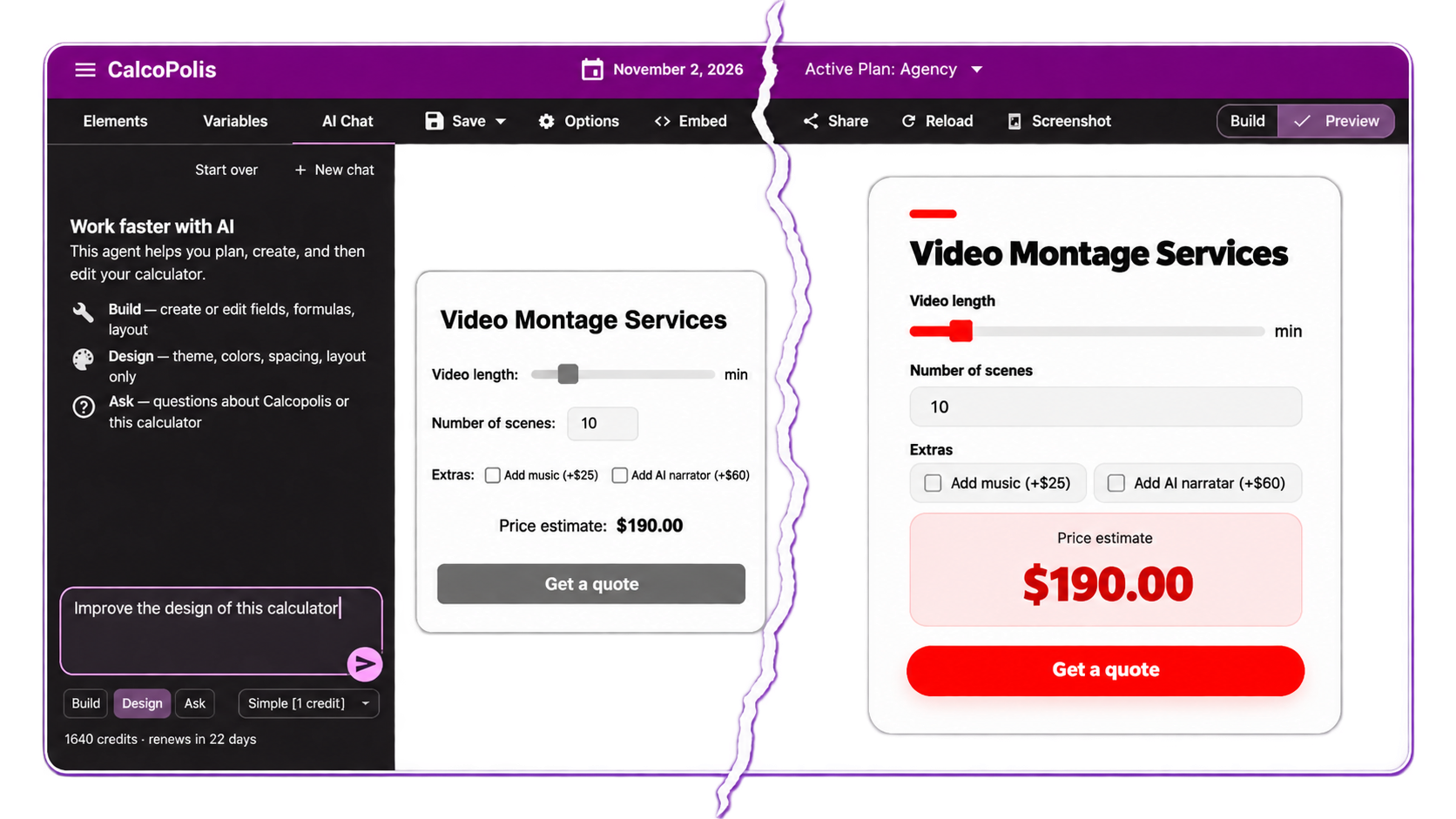
Spend Less Time Setting Up. More Time Making It Useful.
Skip the Blank Canvas
Start from a description instead of configuring every input and calculation from scratch. See a draft you can react to and improve.
Make It Fit Your Business
A generic calculator may not reflect your pricing, assumptions or process. Iterative AI edits help you shape a tool around the rules that actually matter to you.
Stay in Control
Use chat when it's convenient and the visual editor when you want precision. Review results, make manual adjustments and decide when your calculator is ready to publish.
An AI-Powered Calculator Builder You Can Keep Editing
CONVERSATIONAL EDITING
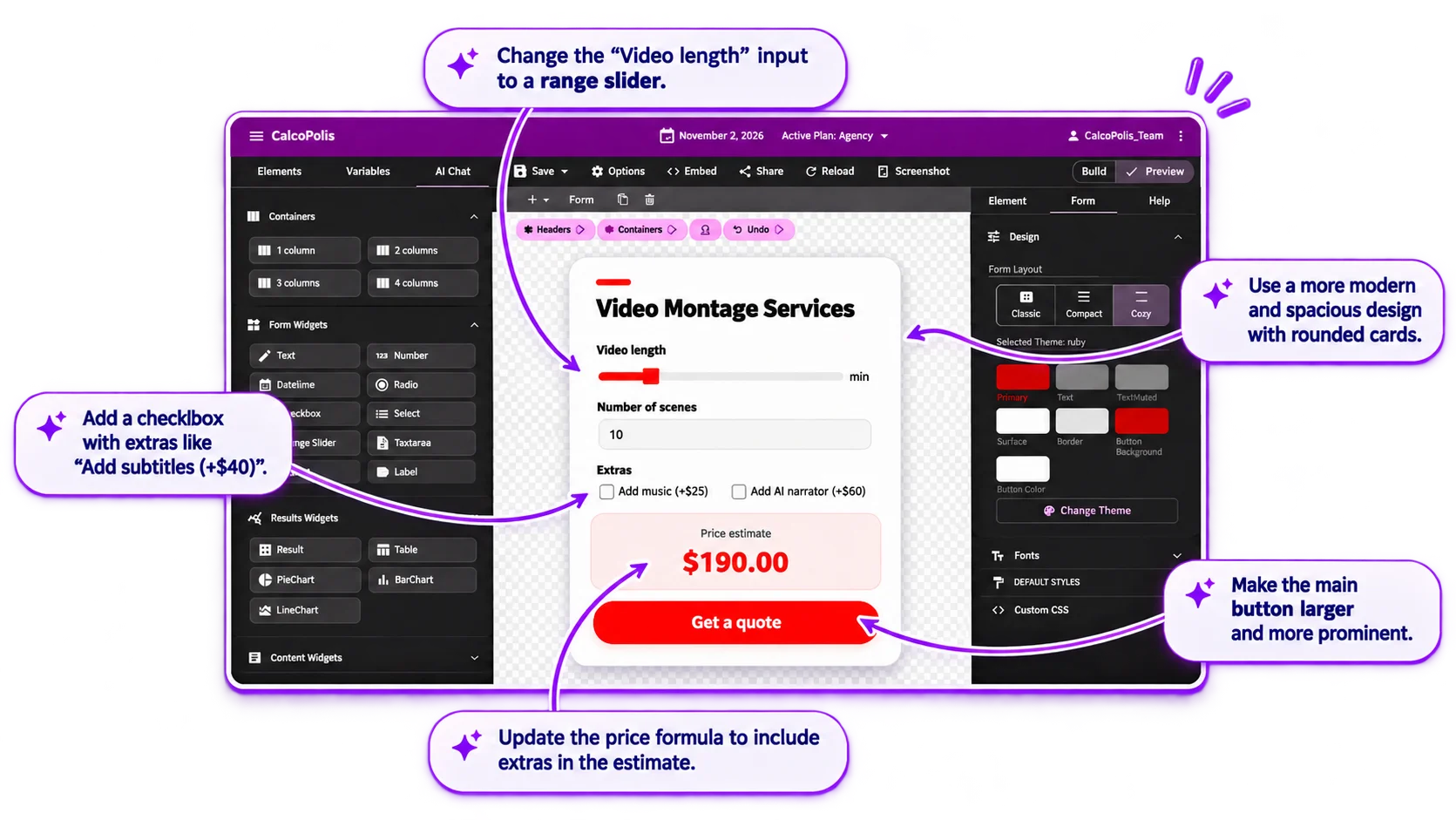
Edit Your Calculator by Talking to AI
Your next instruction doesn't have to start another project. Ask Calcopolis to modify the calculator you already have—from adding a field to changing how a result is calculated.
- Add, remove or rename inputs and outputs.
- Describe new rules or revisions in everyday language.
- Review the result and continue refining it.
AI + MANUAL CONTROL
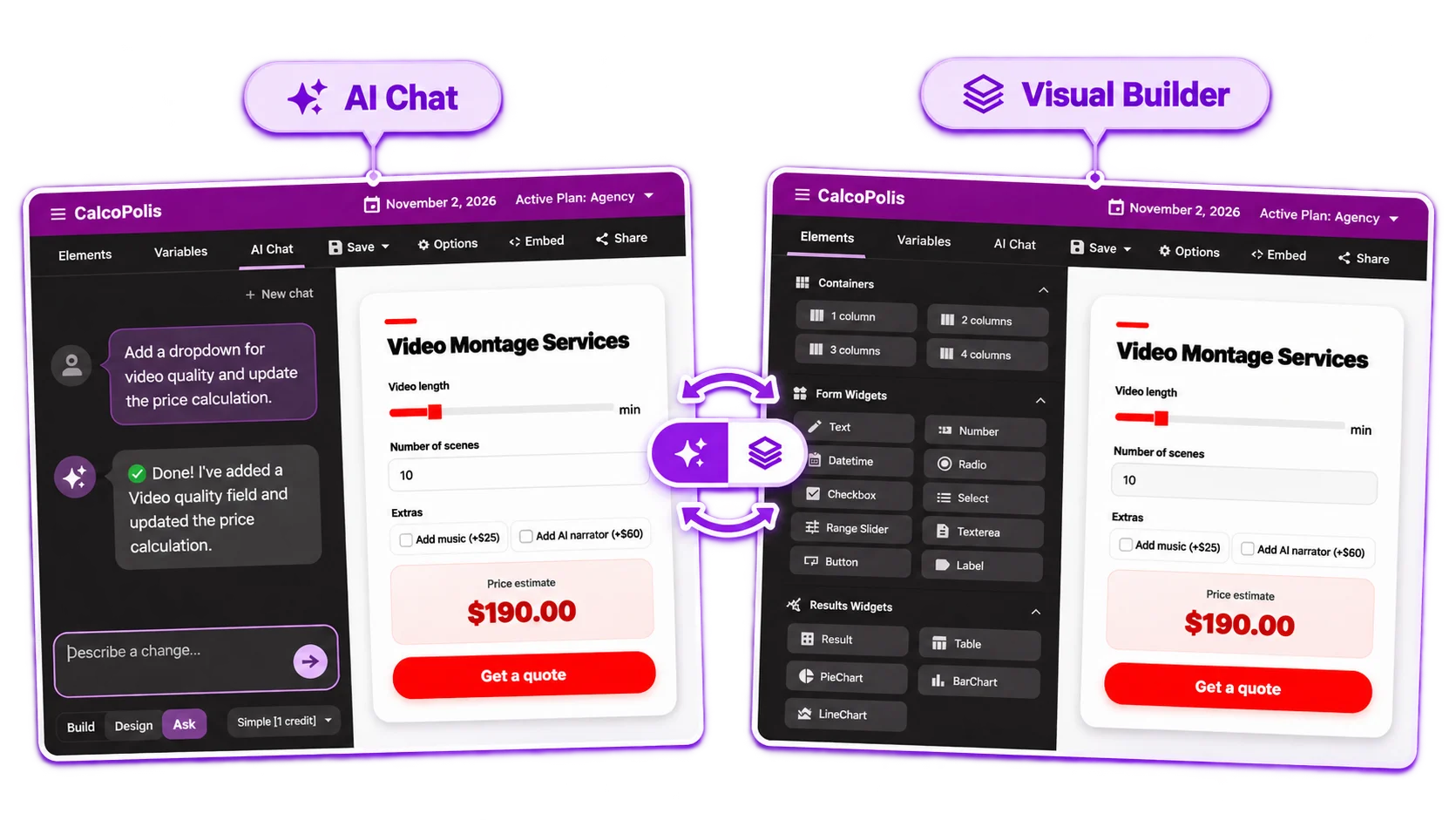
Switch Between AI and the Visual Builder
AI is a shortcut, not a lock-in. Arrange elements, adjust presentation and fine-tune your calculator in the editor. Go back to chat when a change is easier to explain than to configure.
- Make precise edits without another prompt.
- Move between conversational and visual editing.
- Keep control over the final user experience.
Explore changes with Undo and Redo available.
CALCULATIONS THAT MATCH YOUR IDEA
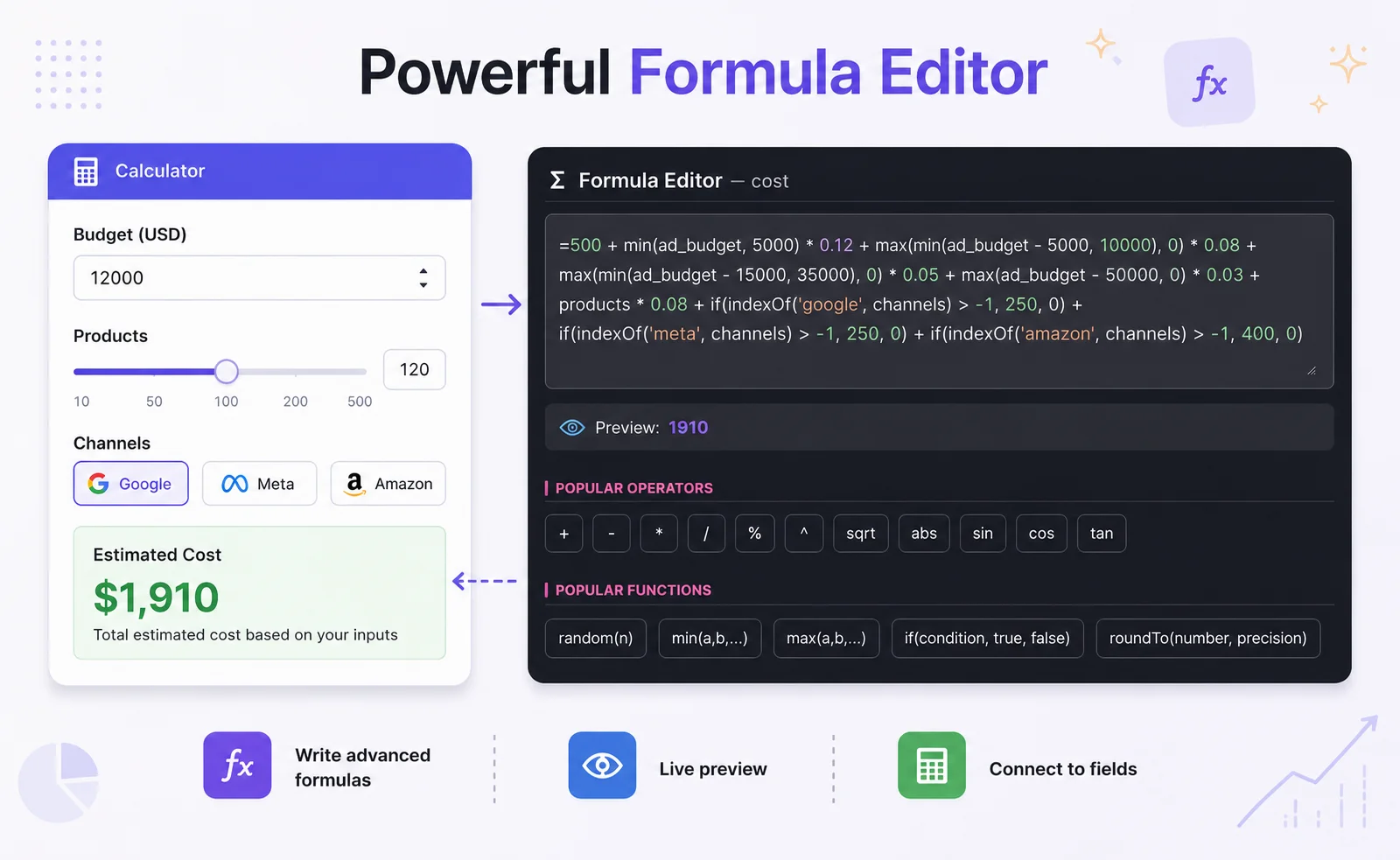
Get Help with Formulas and Logic
Not sure how to express a rule? Explain the calculation you have in mind and let AI help translate it into formula logic. Then test different inputs and review the results before publishing.
- Describe calculations in plain language.
- Iterate on conditions, additions and pricing rules.
- Inspect and validate the math with realistic examples.
What Can You Create with an AI Calculator Generator?
Service Cost Estimators
Create an interactive estimate for video editing, production, event services or other work with variable scope, options and add-ons. The video editing example above is one possible starting point.
Custom Pricing Calculators
Let visitors explore packages, quantities, discounts or optional services. Use AI to draft the calculation and keep refining your own pricing rules. See also the Pricing Calculator Builder.
ROI and Savings Calculators
Build an interactive tool that explores investment costs, expected savings and estimated returns. Explain the assumptions to AI, then review the calculations and refine the presentation. See also the ROI Calculator Builder.
From AI Conversation to Calculator on Your Website
Your calculator doesn't have to stay inside the builder. Once you've tested the formulas and finalized the experience, publish it and embed it on your website using Calcopolis's supported integration method. Visitors can then interact with the calculator you've created.
Built with AI. Refined by you. Ready for your website.
AI Calculator Builder FAQ
How can I create a calculator with AI?
Describe what the calculator should do, including its inputs and expected result. Calcopolis AI can create an initial version that you can test and improve through additional chat instructions or the visual builder.
Do I need to write the perfect prompt to get started?
No. You can begin with a basic idea and add details as you go. Building a useful calculator is usually an iterative process: generate a draft, test it, ask for changes and repeat until it fits your needs.
Can I manually edit a calculator generated by AI?
Yes. You can use the visual builder to adjust the calculator rather than describing every change to AI. Chat and manual editing are two ways to work on the same result.
Can AI help create calculator formulas?
Yes. Explain the calculation or rule you need, and AI can help create or modify its logic. Check the resulting formulas with representative inputs and expected answers, especially for business-critical calculations.
Can I add an AI-generated calculator to my website?
Yes. Once you're satisfied with the calculator, you can publish and embed it on a website that supports Calcopolis's embed method. Available integration options depend on your website platform.
Is Calcopolis AI Calculator Builder free to try?
Calcopolis offers a free starting option. New users receive 20 free AI credits to try the builder. Credit usage can vary between AI operations, so credits should not be treated as a fixed number of prompts.
Are AI-generated calculator results always accurate?
Not necessarily. AI can misunderstand requirements or produce an incorrect formula. Test your calculator with known examples, review the logic and verify the results before publishing it—especially for financial or other important decisions.
Your Calculator Starts with an Idea. Make It Your Own.
Tell AI what you want to build. Improve the first version through chat, fine-tune it visually and publish when you're ready.
Start for free · No credit card required