ROI Calculator Builder — Show Buyers the Value
Don't make prospects guess whether your solution will pay off. Build an interactive ROI calculator that turns their own numbers into estimated savings, ROI, and payback time — using AI and a visual builder.
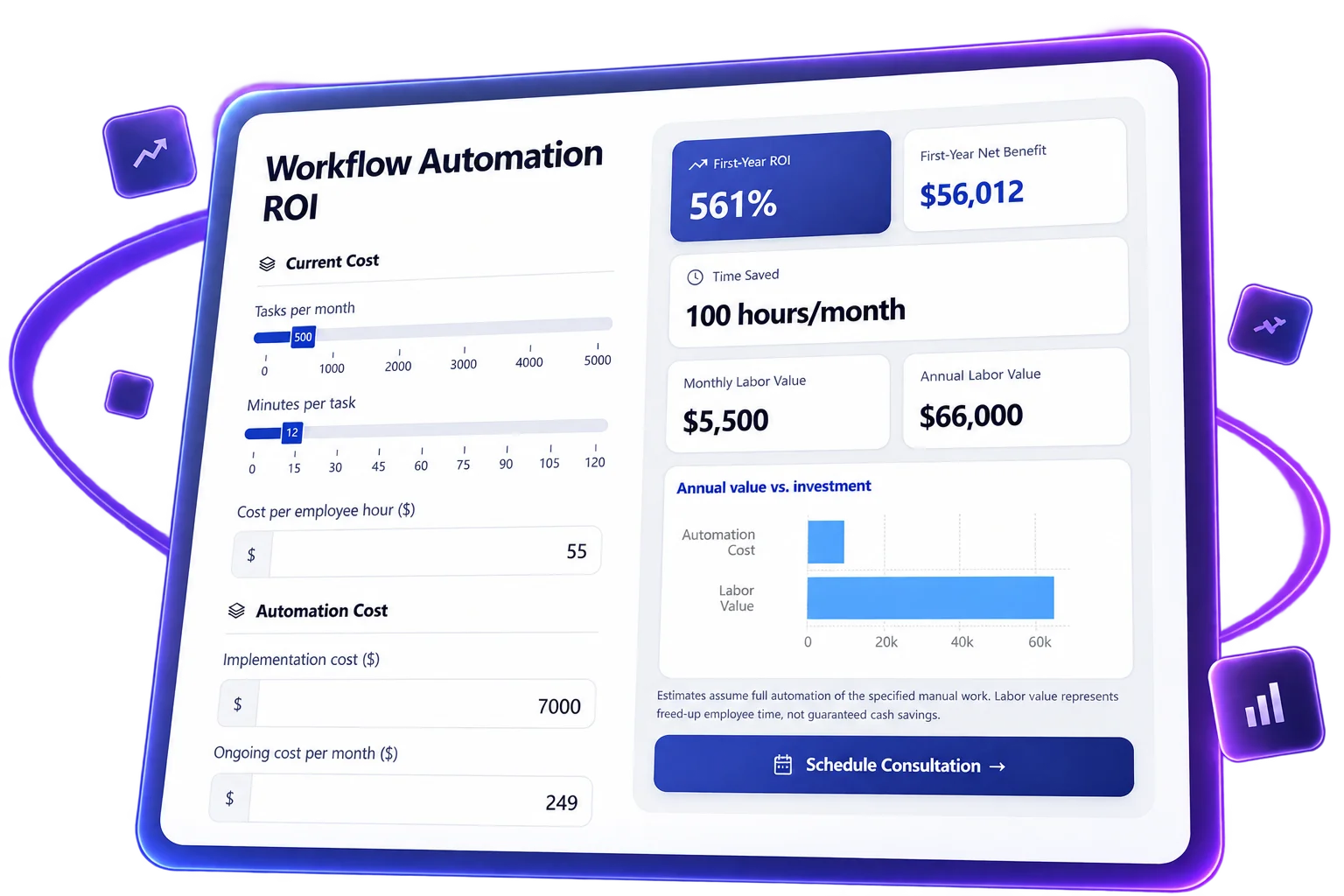
Try an ROI Calculator Your Buyers Can Use
Imagine you're selling workflow automation to a busy operations team. Change the number of monthly tasks, time saved per task, and implementation cost. See how those assumptions affect the estimated business value — then compare conservative, expected, and optimistic outcomes.
Built around your business case
Describe Your ROI Model. Let AI Build the First Version.
Start with the value your product creates: fewer manual hours, lower operating costs, or additional revenue. Tell Calcopolis what buyers should enter and what results they should see. Then review and refine the calculator in the visual Builder.
- Start with the outcome — Describe the inputs, assumptions, and results that matter to your buyers.
- Refine it by chatting — Ask AI to add a scenario selector, change the ROI time horizon, or update the payback formula.
- Stay in control — Review the fields, calculations, and presentation in the Builder before publishing.
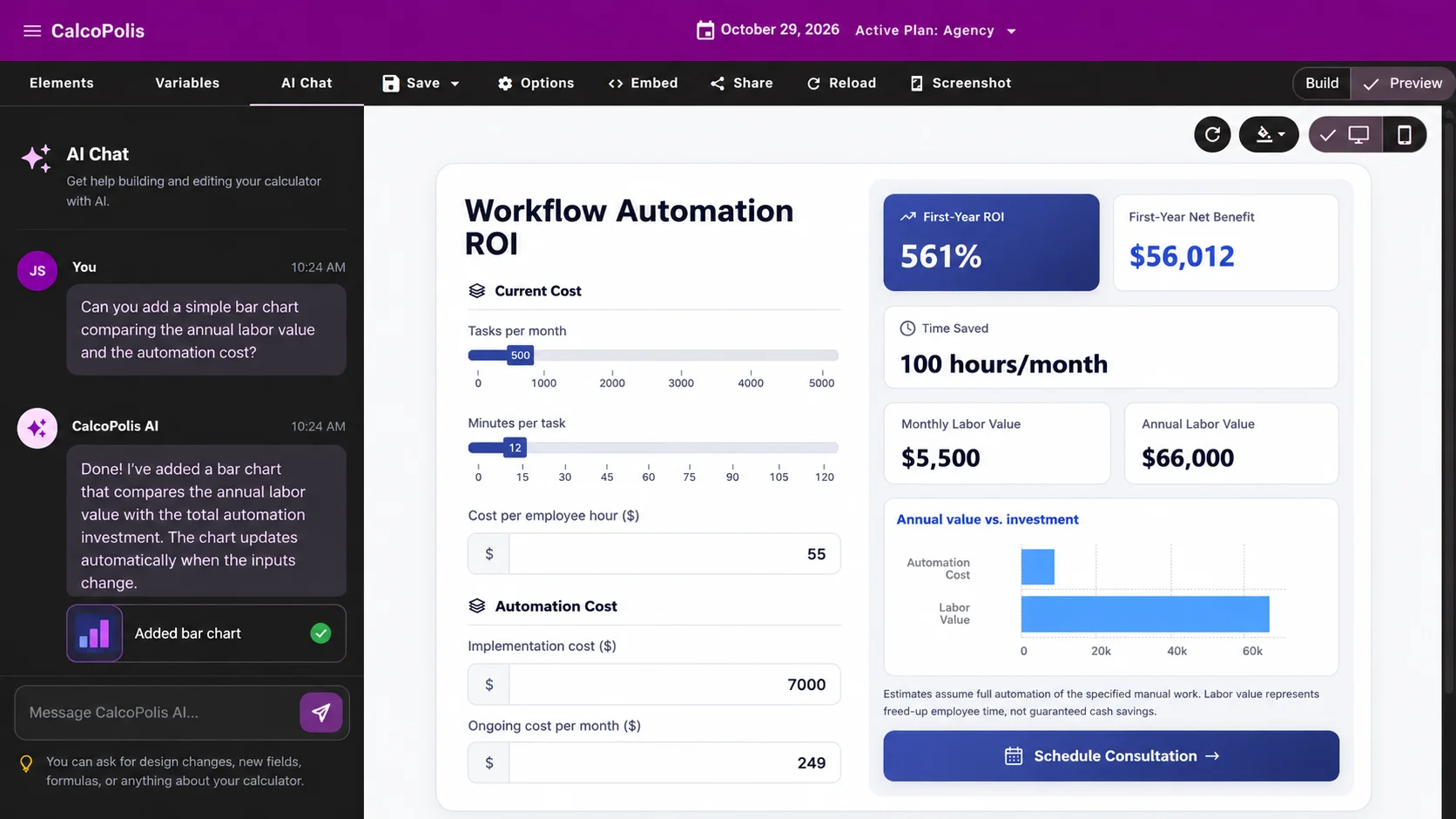
From Your Value Proposition to an Interactive ROI Calculator
Define the business case
Tell AI what your solution improves and which inputs buyers know, such as tasks completed, employee costs, or implementation expenses. Or start directly in the visual Builder.
Make the numbers meaningful
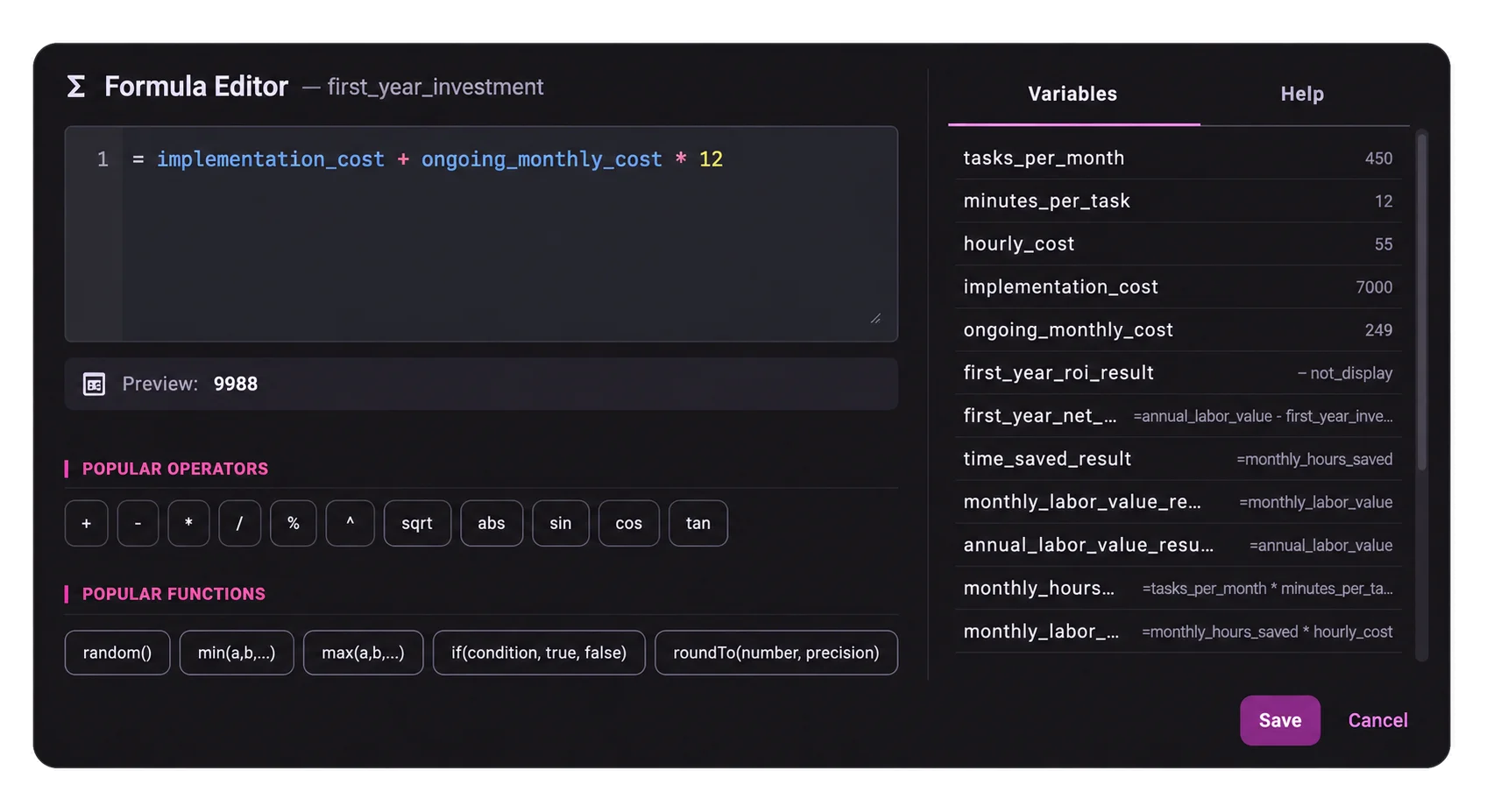
Customize the questions, formulas, assumptions, and results. Let buyers test scenarios so the estimated return reflects their situation rather than a generic claim.
Publish it where buyers research
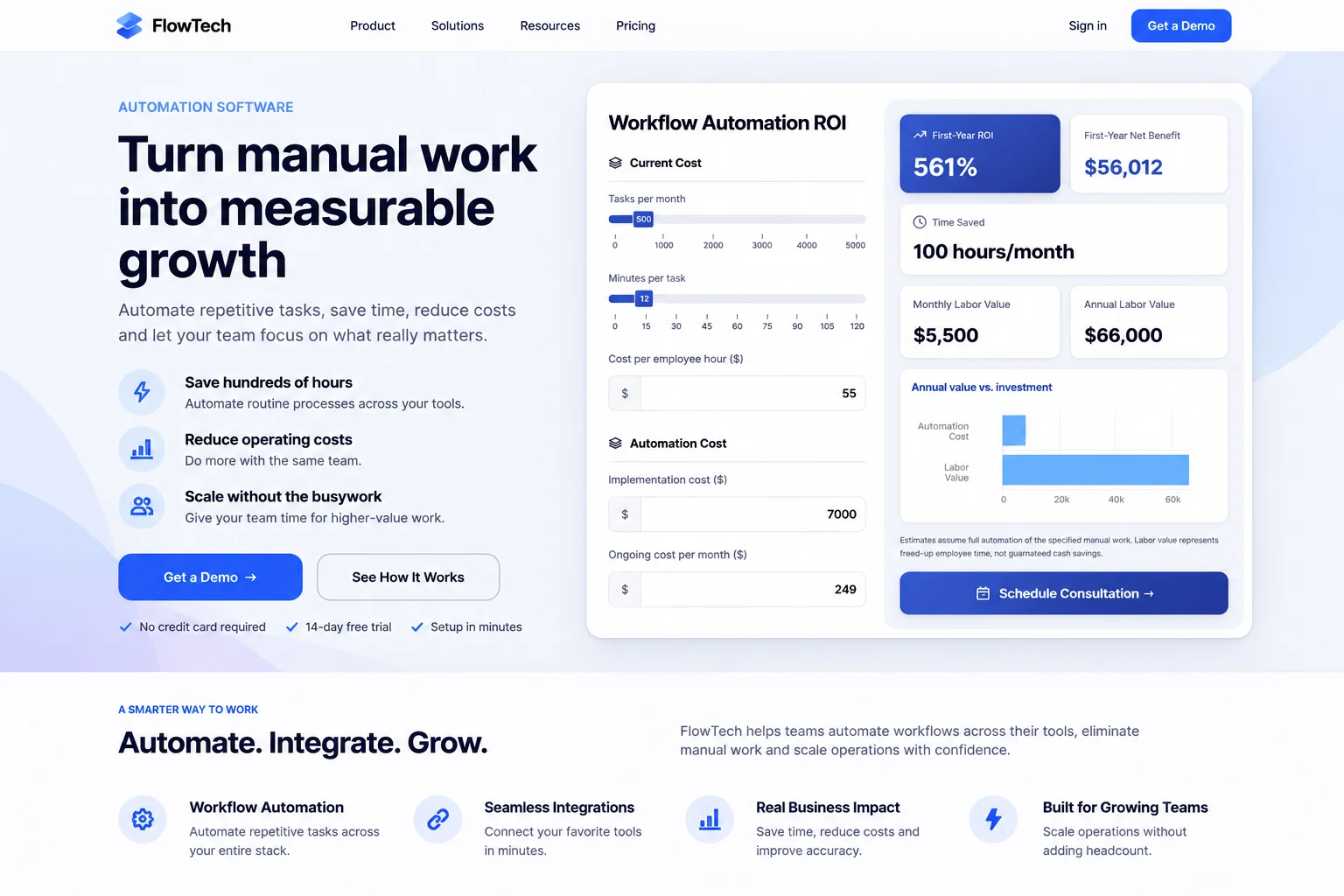
Add the calculator to your website or a dedicated campaign page. Give prospects a way to explore the numbers before — and during — a sales conversation.
Give Prospects a Business Case, Not Another Sales Claim
Make value tangible
Replace vague promises like “save time” with a personalized estimate of hours recovered, financial value, and time to payback.
Help buyers win internal approval
Equip champions with numbers they can discuss with finance, operations, or leadership — using assumptions their own team recognizes.
Move conversations beyond price
Show what the investment could return, not only what it costs. Use the calculator's assumptions to make your next sales discussion more specific.
Everything Buyers Need to Explore the Potential Return
Business-case calculations
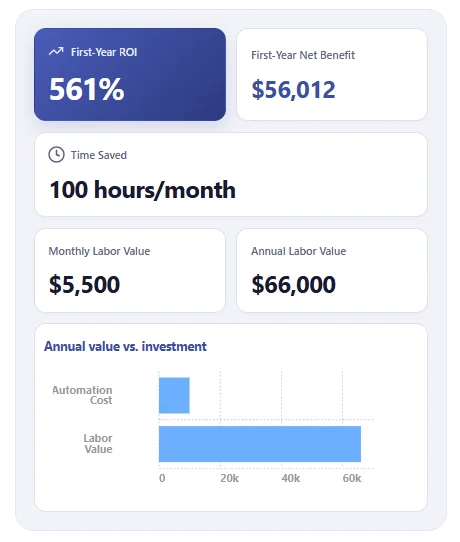
Show ROI, Payback, and Time Saved Together
A compelling business case goes beyond one percentage. Let buyers enter the costs and operational details they know, then see the financial and time-based outcomes that matter to their decision.
- Estimate return on investment over a defined period.
- Show an understandable payback estimate.
- Translate hours saved into potential financial value.
Scenario planning
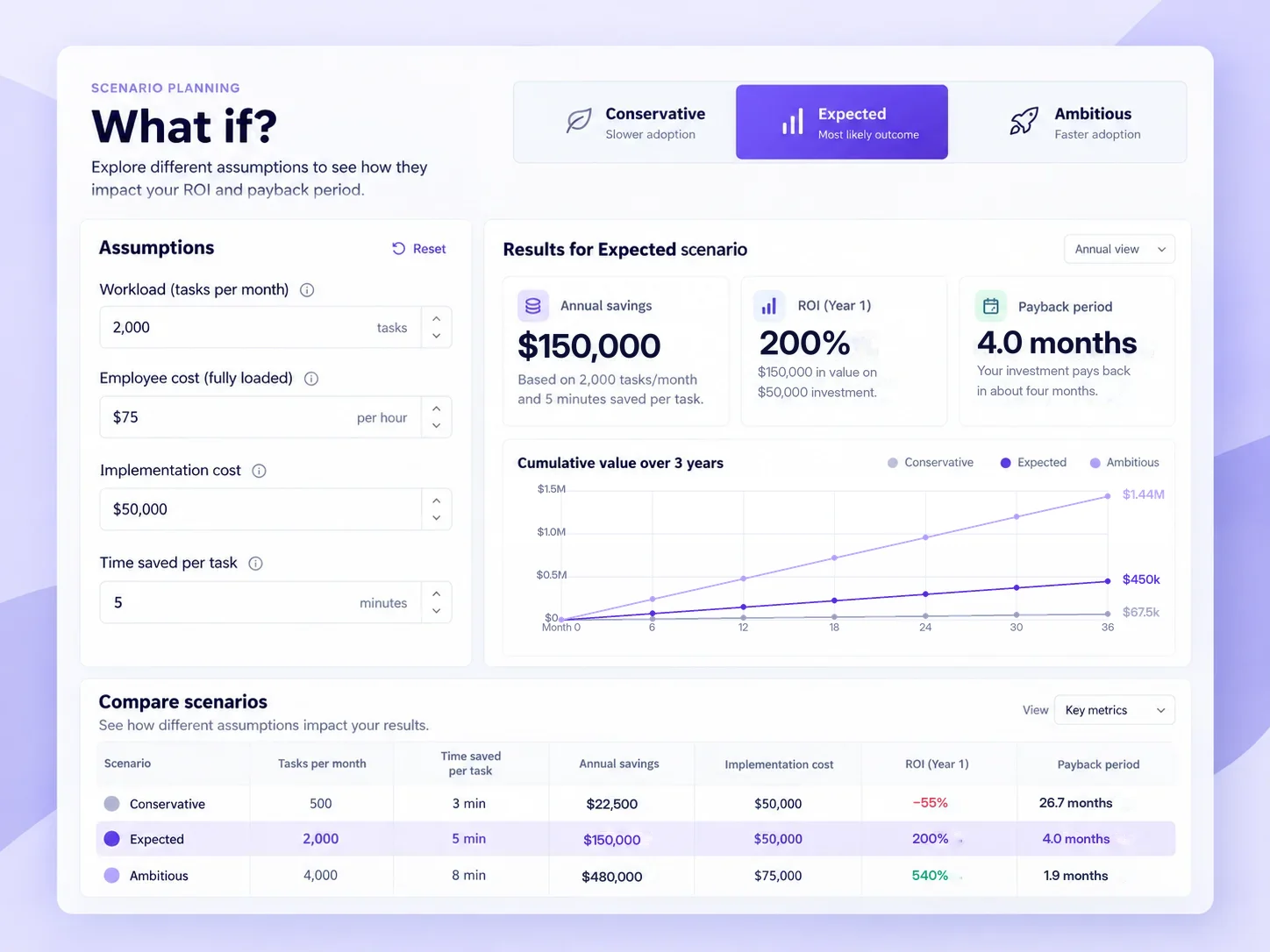
Let Buyers Ask “What If?”
Not every customer has the same workload, costs, or adoption rate. Give visitors a way to test conservative and ambitious assumptions instead of forcing them to accept a one-size-fits-all projection.
- Switch between clearly labeled scenarios.
- Change cost and savings assumptions.
- Compare how those choices affect ROI and payback.
Clear presentation
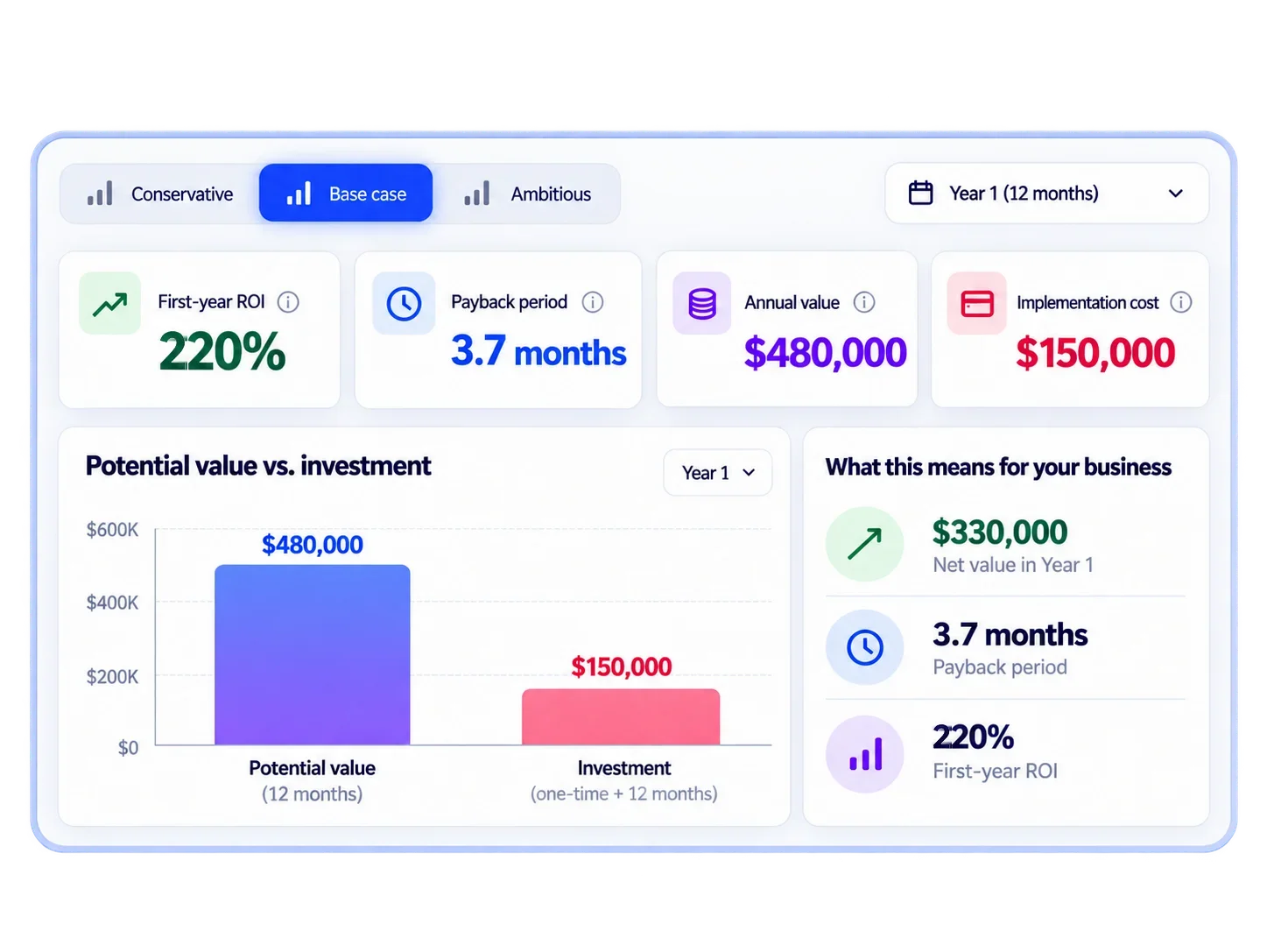
Make the Numbers Easy to Understand
A buyer shouldn't need to decode a spreadsheet. Present the estimated return with clear labels, a defined timeframe, and a visual comparison between potential value and investment.
- Prioritize the most important decision metrics.
- Put the cost and expected value in context.
- Use a comparison chart when the verified implementation supports it.
ROI Calculators for Solutions That Need to Prove Their Worth
B2B Software & Automation
Show how repetitive tasks, employee time, and software costs translate into a potential return from a new platform or workflow.
Consulting & Managed Services
Help prospects estimate the value of reduced operational effort, avoided expenses, or measurable process improvements before a discovery call.
Commercial Solar & Energy Projects
Let business buyers explore installation costs, estimated utility savings, and payback periods before requesting a detailed proposal.
Put the ROI Conversation on Your Website
Embed your ROI calculator where prospects are evaluating your solution — on a product page, a campaign landing page, or a dedicated business-case page. Visitors can adjust assumptions themselves and arrive at the sales conversation with more informed questions.
ROI Calculator Builder FAQ
Can I create an ROI calculator without coding?
Yes. Describe the intended inputs, business assumptions, and results to Calcopolis AI, then refine the calculator in the visual Builder. Review the formulas and test sample values before publishing.
What can an interactive ROI calculator show?
Depending on your model, it can estimate first-year ROI, time to payback, hours saved, cost reductions, or additional revenue. Label the assumptions and calculation period so visitors understand what each result means.
Can visitors compare different ROI scenarios?
You can build a calculator that lets visitors change assumptions or select predefined scenarios, such as conservative, expected, and optimistic. The comparison should update the same ROI and payback calculations consistently.
How is an ROI calculator different from a pricing calculator?
A pricing calculator estimates what someone will pay. An ROI calculator estimates what they might gain relative to the investment. Both can be useful, but an ROI calculator is designed to support the decision to buy. If you need a live price instead, see the Pricing Calculator Builder.
Can I add an ROI calculator to my website?
Yes. Calcopolis lets you publish calculators for use on websites. Use the embedding option supported by your current project setup and test the published result on desktop and mobile.
Are the savings and ROI results guaranteed?
No. Results are estimates based on the visitor's inputs and your model's assumptions. For example, time saved does not automatically equal reduced payroll expense. Make those limitations clear and use realistic figures.
Help Buyers See Why the Investment Makes Sense
Turn your product's value proposition into an interactive business case. Create an ROI calculator that lets each prospect explore the numbers that matter to them.