Form Builder with Calculations and Conditional Logic
Go beyond collecting answers. Build interactive forms that calculate totals, fees, scores, or custom results as people fill them out. Start with AI, adjust the fields and logic in the visual builder, and publish the form on your website.

Try a Form That Calculates as You Fill It Out
Explore an event registration form. Change your registration choices and see the total update before completing the form.
BUILD WITH AI
Describe Your Form. Let AI Build the First Version.
Tell Calcopolis what information your form should collect and what it needs to calculate. Generate a starting point, then refine its fields, formulas, and behavior through chat or the visual builder.
- Start with a description — Explain the form's purpose and the results it should produce.
- Edit the logic in plain language — Ask for changes to fees, conditions, or calculation rules.
- Fine-tune in the builder — Review fields, outputs, and user interactions before publishing.

How to Build a Form with Calculations
Describe the form
Start with AI or the visual builder. Add the questions, input types, and calculated results your form needs.
Set up the logic
Connect answers to formulas, choose when additional questions should appear, and validate the inputs that matter.

Publish and test
Check the calculations with realistic answers, then publish the form and embed it where visitors need it.

Turn Static Forms Into Useful Interactions
Eliminate manual calculations
Let the form do the arithmetic as users enter their answers. Reduce the need to work out fees, totals, or scores in spreadsheets after submission.
Give people an answer immediately
Show a useful result while the user is still completing the form, rather than making them wait for a separate calculation or follow-up.
Keep complex forms manageable
Reveal relevant questions only when needed. Help users focus on their next answer, even when the underlying business rules are more involved.
Calculations Are Built Into the Form — Not Bolted On
CALCULATED FIELDS
Calculate Results From Multiple Answers
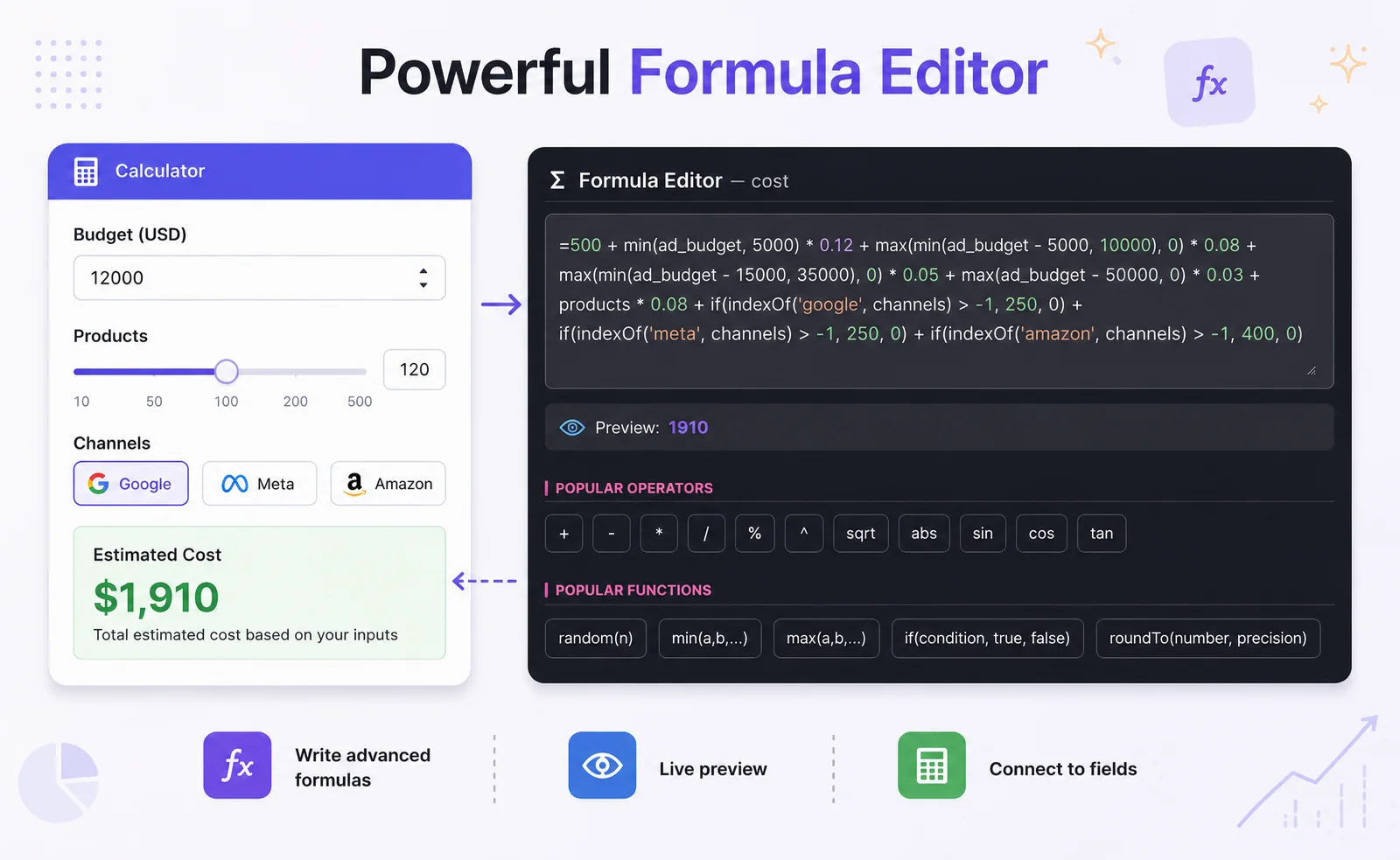
Turn form inputs into live calculated values. Combine numbers, selected options, and business rules to show a result that updates when an answer changes.
- Connect input fields to calculated outputs.
- Handle fees, totals, adjustments, and other formula-based results.
- Display results within the form itself.
CONDITIONAL LOGIC
Ask Different Questions Based on Previous Answers
One form does not have to show every possible question. Use responses to control which fields appear, while keeping the calculations relevant to the user's choices.
- Show or hide fields based on selections.
- Make the next questions relevant to the user.
- Combine conditional fields with calculated results.

FLEXIBLE FORM FLOW
Combine Field Types, Validation, and Multiple Steps
Build the surrounding form experience as carefully as the math. Collect structured answers, catch invalid entries, and organize longer forms into manageable steps.
- Use number inputs, selections, checkboxes, and text fields where appropriate.
- Validate required or incorrectly formatted answers.
- Organize questions and result summaries into steps.

What Can You Build With a Calculated Form?
Event and workshop registration
Let people select registration options and see their total before submitting the signup form.
Membership and application forms
Calculate dues, applicable fees, or scores from the information an applicant provides.
Assessments and eligibility forms
Collect answers across several questions, apply rules or point values, and present a calculated outcome.

Put the Calculated Form on Your Website
Build the form in Calcopolis, test how it behaves with different answers, and embed it on the page where your visitors need it. They can fill in the form and see the calculated result as part of one experience — without switching to a spreadsheet or a separate tool.
Frequently Asked Questions
What is a form builder with calculations?
It's a tool for building forms that perform calculations using visitors' answers. Instead of only collecting data, the form can immediately show a total, fee, score, or another calculated value.
Can a form update calculated fields automatically?
Yes. Calculated fields can depend on other inputs, so a result changes when the relevant answers change. This is useful for fees, totals, and other values that depend on several choices.
Can I create a calculated form with AI?
Yes. Describe the fields and calculations you need to create a first version, then review and refine it using Calcopolis AI chat and the visual builder.
Can I combine calculations with conditional logic?
Yes. Conditional questions can depend on earlier answers, while calculated results can use the information supplied in the form. This makes it possible to build more involved workflows without showing every field at once.
Can I create multi-step forms with validation?
Yes. You can break longer forms into steps and use validation to check the answers before the user proceeds or submits the form.
Can I put a form with calculated fields on my website?
Yes. Calcopolis forms can be published and embedded on a website, allowing visitors to complete the form and see the results in place.
Build Forms That Do More Than Collect Answers
Combine input fields, calculations, conditional questions, and instant results in one form. Start with AI and make the logic your own.