Pricing Calculator Builder for Your Website
Create a pricing calculator without coding. Describe your pricing to AI, customize it with our visual builder, and embed it on your website. Show customers live prices, discounts, and package options.
Start for free · No credit card required
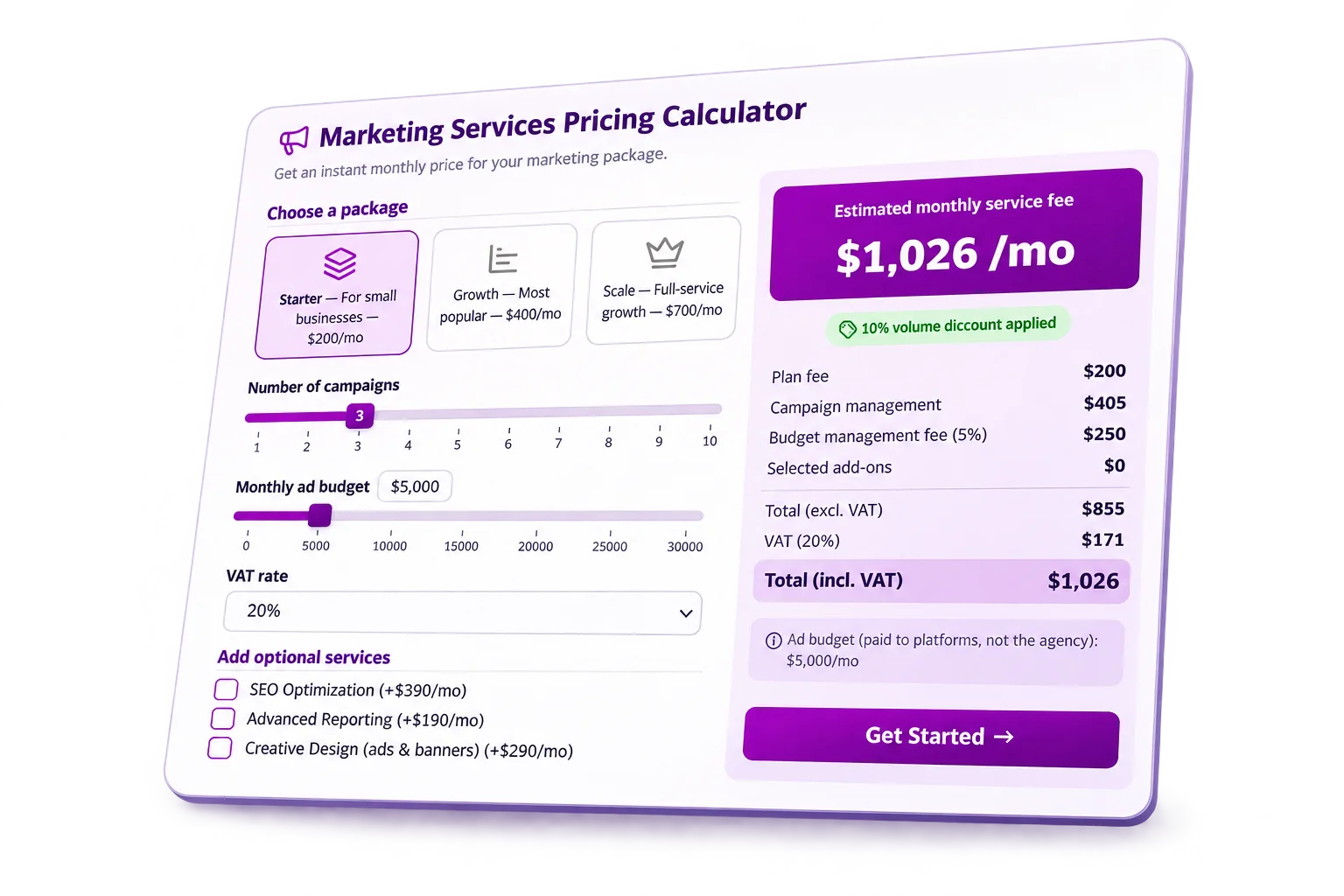
Try a Dynamic Pricing Calculator
Imagine a marketing agency that lets clients explore its monthly service fees. Change the number of campaigns, ad budget, service package, and extras to see the price update instantly.
Build with AI
Describe Your Pricing. Let AI Build the Calculator.
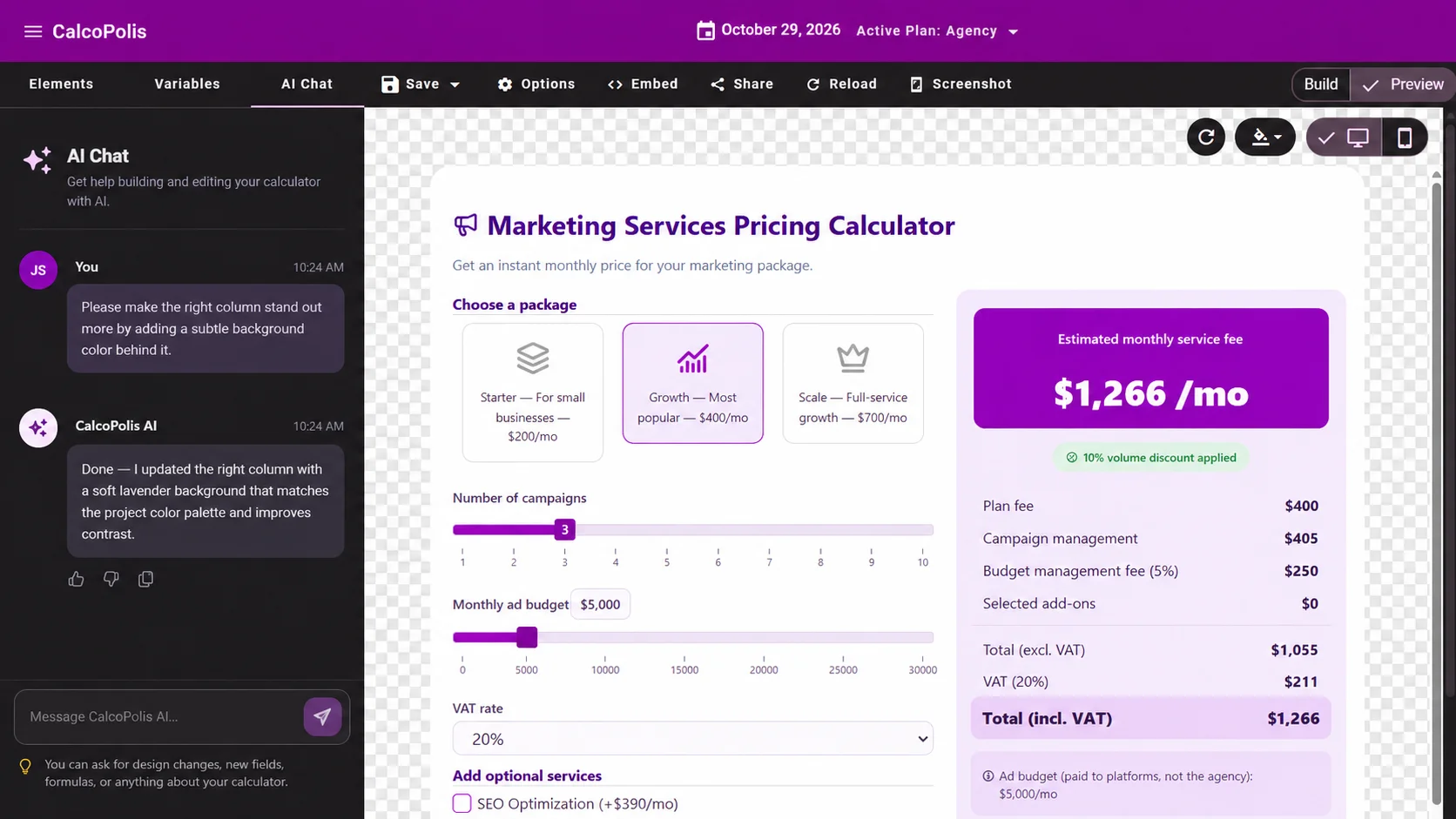
Tell Calcopolis how your business charges customers. AI creates your first calculator, and you can refine it through chat or customize it in the visual editor.
- Generate with AI — Turn a simple description into a working pricing calculator.
- Edit through chat — Ask AI to adjust formulas, fields, or design without starting over.
- Fine-tune visually — Customize the result in the visual builder before publishing.
From Idea to Live Pricing Calculator in Three Steps
Describe or Build
Start with an AI prompt or use the visual editor to create your pricing calculator.
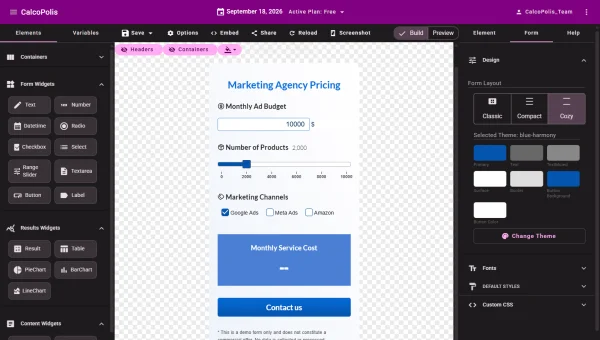
Customize Your Pricing
Adjust packages, formulas, discounts, taxes, and design. Ask AI to help whenever you need changes.
Publish on Your Website
Embed your calculator on your website and let customers explore personalized prices.

Make Pricing Easier to Understand
Show Prices Instantly
Visitors adjust their choices and get an updated price on the same page, without waiting for a manual calculation.
Explain What Affects the Cost
Make quantities, package differences, discounts, and extras visible instead of hiding them in a long price list.
Keep Pricing Consistent
Use the same calculation rules for every visitor, including volume discounts, minimum charges, and taxes.
Everything You Need to Build Flexible Pricing
Live calculations
Let Every Selection Update the Price
Create a dynamic pricing calculator that responds when someone changes a quantity, chooses a package, or selects an extra. The updated total appears right where the decision is being made.
- Real-time price updates
- Clear cost breakdowns
- No page reloads

Pricing rules
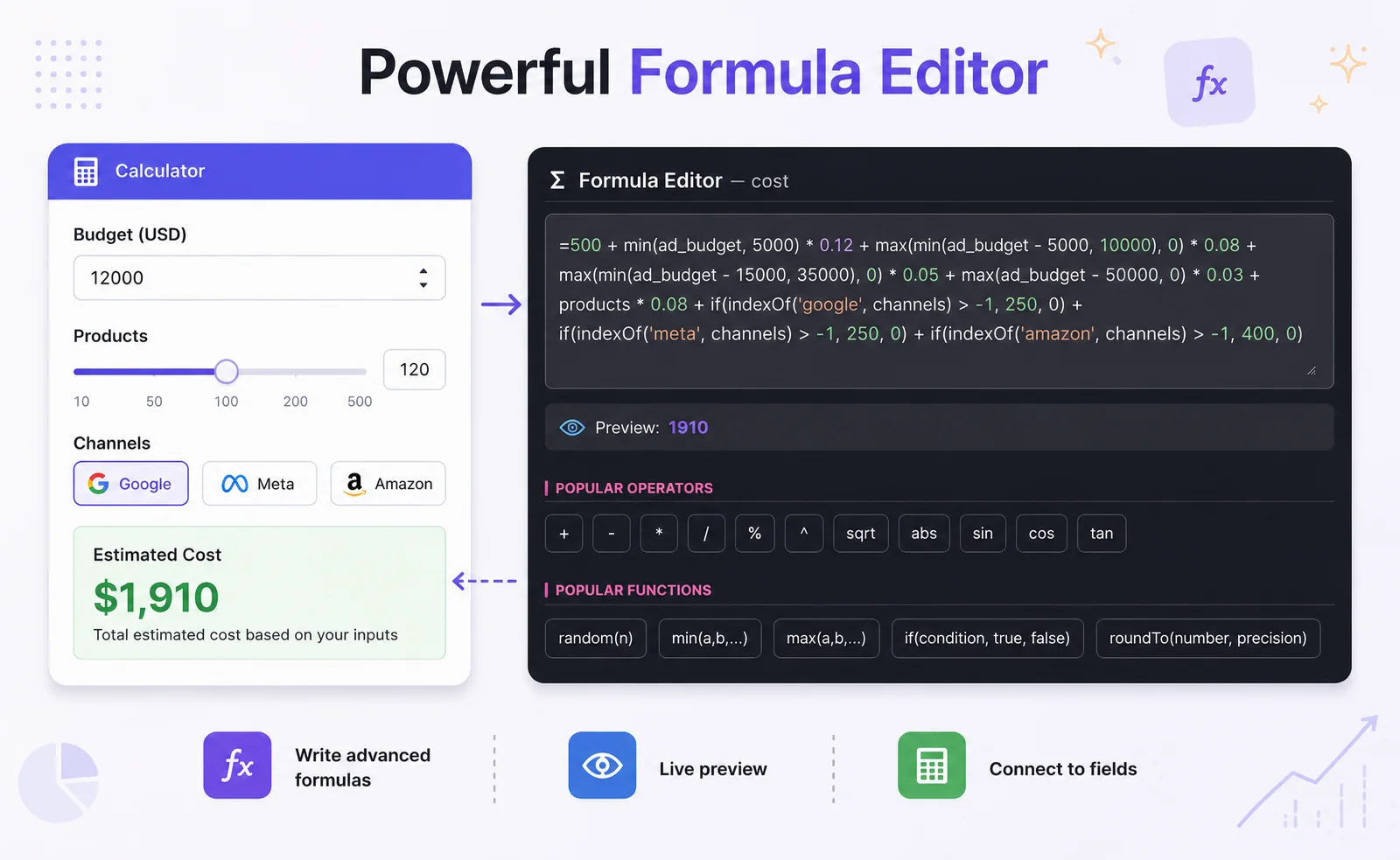
Handle Quantity Discounts and Pricing Tiers
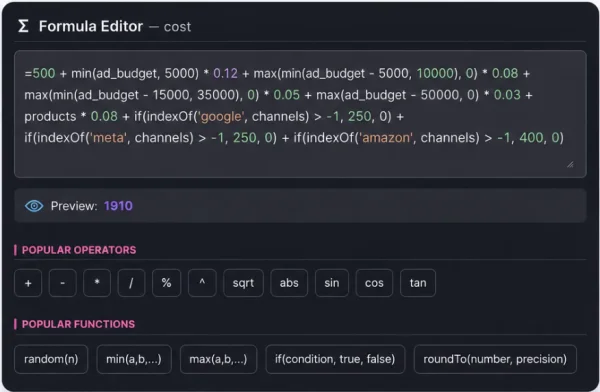
Set different rates for different quantities or spending levels. Apply a discount after a threshold, add a minimum fee, or combine several pricing rules in one calculation.
- Volume-based discounts
- Conditional formulas
- Minimum fees and surcharges
Custom options
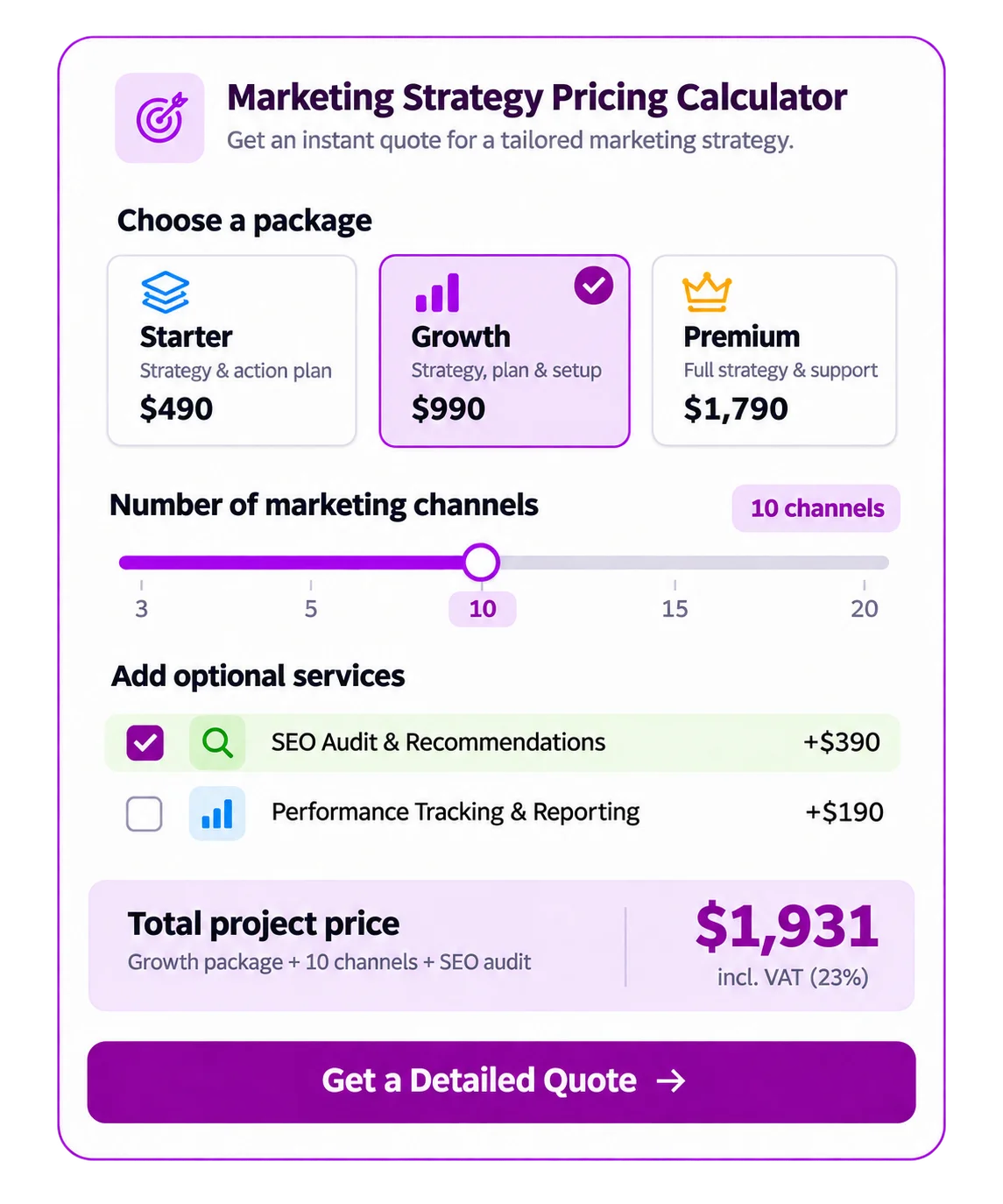
Combine Packages, Add-ons, and Taxes
Let visitors compare service packages, include optional extras, and see how taxes affect the total. Your website pricing calculator can reflect the way your business actually charges.
- Fixed and variable fees
- Optional add-ons
- Net and tax-inclusive totals
What Can You Price with a Calculator?
Marketing Services
Monthly fees based on campaigns, ad budget, packages, and optional support.
Cleaning and Maintenance
Pricing by property size, service frequency, rooms, and selected extras.
Printing and Production
Quantities, materials, finishes, setup charges, and volume discounts in one estimate.
Put Your Pricing Calculator Where Customers Need It
Embed the calculator on a service or product page so visitors can explore personalized prices without leaving your site.
Frequently Asked Questions
Can AI create a pricing calculator for me?
Yes. Describe your pricing model in Calcopolis AI Chat, including packages, quantities, discounts, or optional services. AI can generate a calculator and help you refine its fields, formulas, and design through conversation. You can also make changes manually in the visual builder.
Can I build a pricing calculator without coding?
Yes. Start with AI or the visual editor to add fields and arrange your calculator. Create pricing logic with formulas instead of writing application code.
Can prices update automatically when customers change their selections?
Yes. A calculator can recalculate its results as visitors change quantities, packages, or add-ons. Configure automatic calculation to display updated values immediately.
Can I create tiered pricing and quantity discounts?
Yes. Use conditional formulas to apply different rates or discounts at defined thresholds. You can also set minimum charges or add surcharges when specific conditions are met.
Can I show prices with or without VAT?
Yes. You can add tax calculations to your pricing formulas and display net and tax-inclusive totals. You define the rates and rules appropriate for your business.
Can I add a pricing calculator to my existing website?
Yes. Publish the calculator, then copy its embed code into a page that supports custom HTML or script embeds, including many popular website platforms.
Ready to Build Your Own Pricing Calculator?
Start with AI or build visually. Create a calculator that matches your pricing model and publish it on your website.
Start for free · No credit card required