Build a Product Pricing Configurator for Your Website
Let customers choose the size, material, style, and extras of a custom product — and see the price change with their choices. Build the experience with AI, refine the pricing rules visually, and add it to your website.
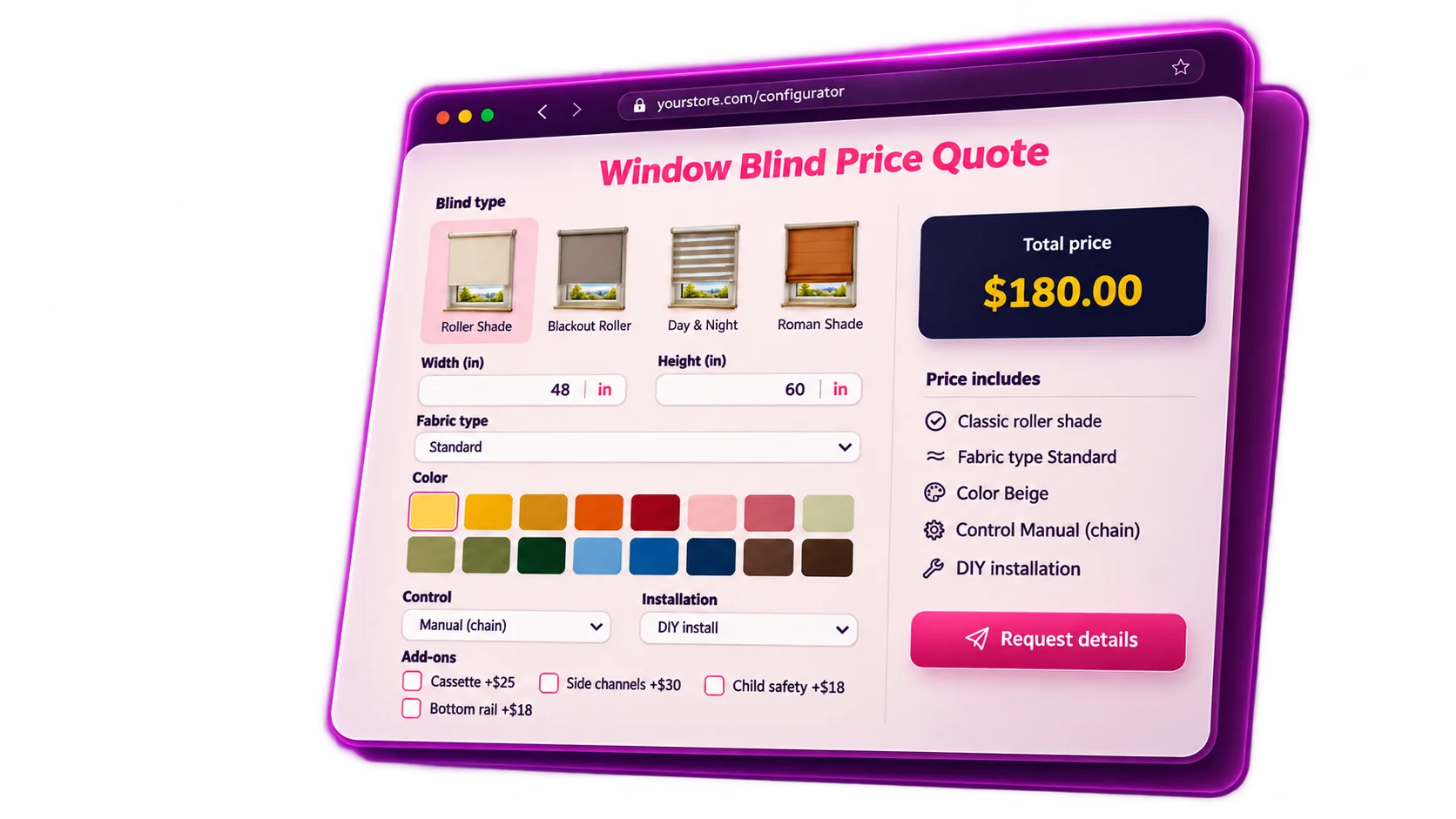
Try Configuring a Product Yourself
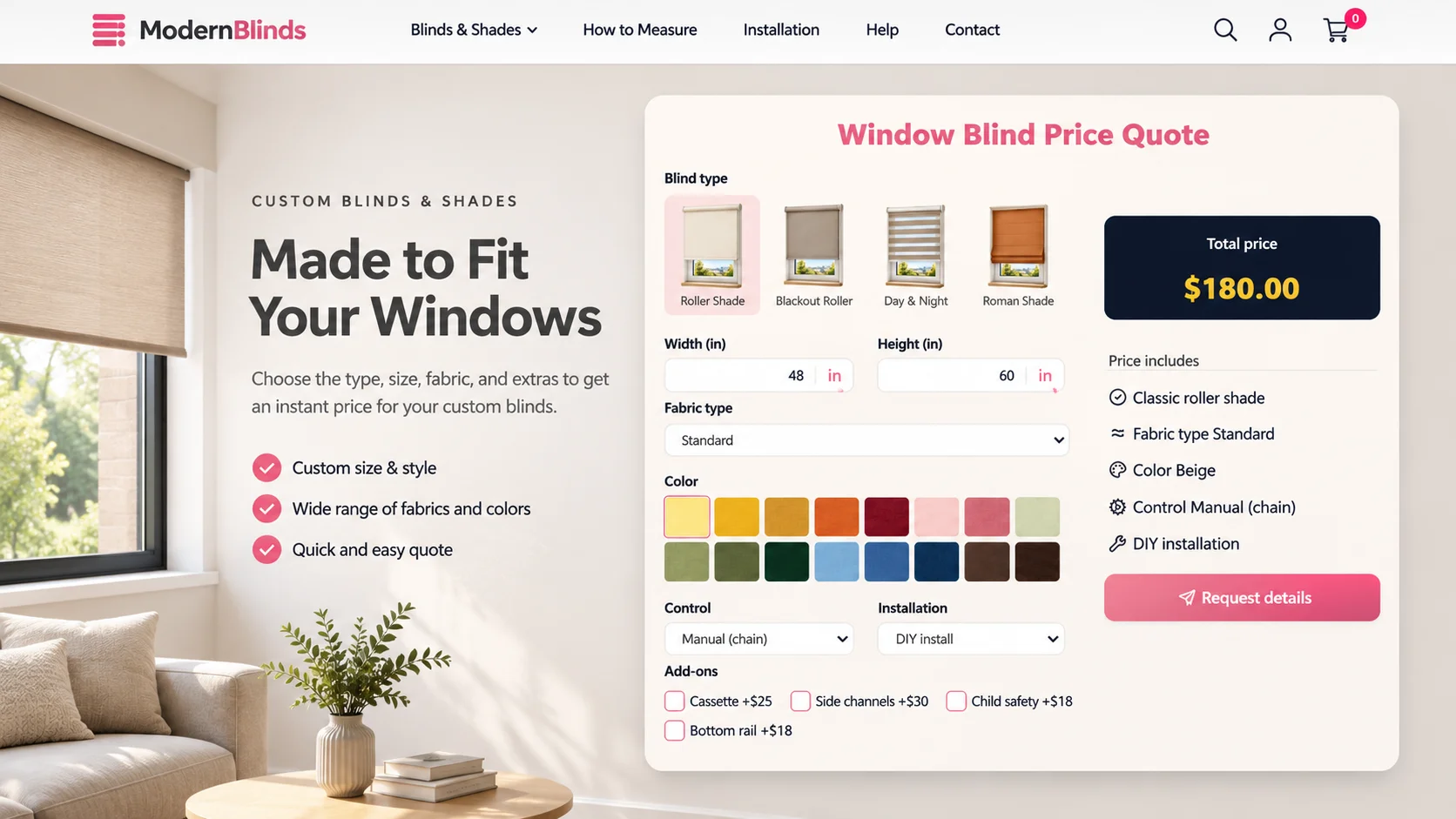
Start with a blind style, then change the width, height, fabric, or color. Add an optional cassette or side channels and watch how the total price responds. It's the kind of self-service buying experience you can offer for your own customizable products.
AI-ASSISTED BUILDER
Create Complex Product Options Without Complex Setup
Describe how your product is priced and let AI help build or change the configuration logic. Then use the visual Builder to adjust fields, choices, and calculations as your catalog evolves.
- Start from your product rules — Explain which dimensions, styles, materials, and options affect the price.
- Make changes in plain language — Ask AI to update a surcharge, introduce a new choice, or adjust a condition.
- Stay in control — Review and refine the configurator in the visual Builder before publishing.
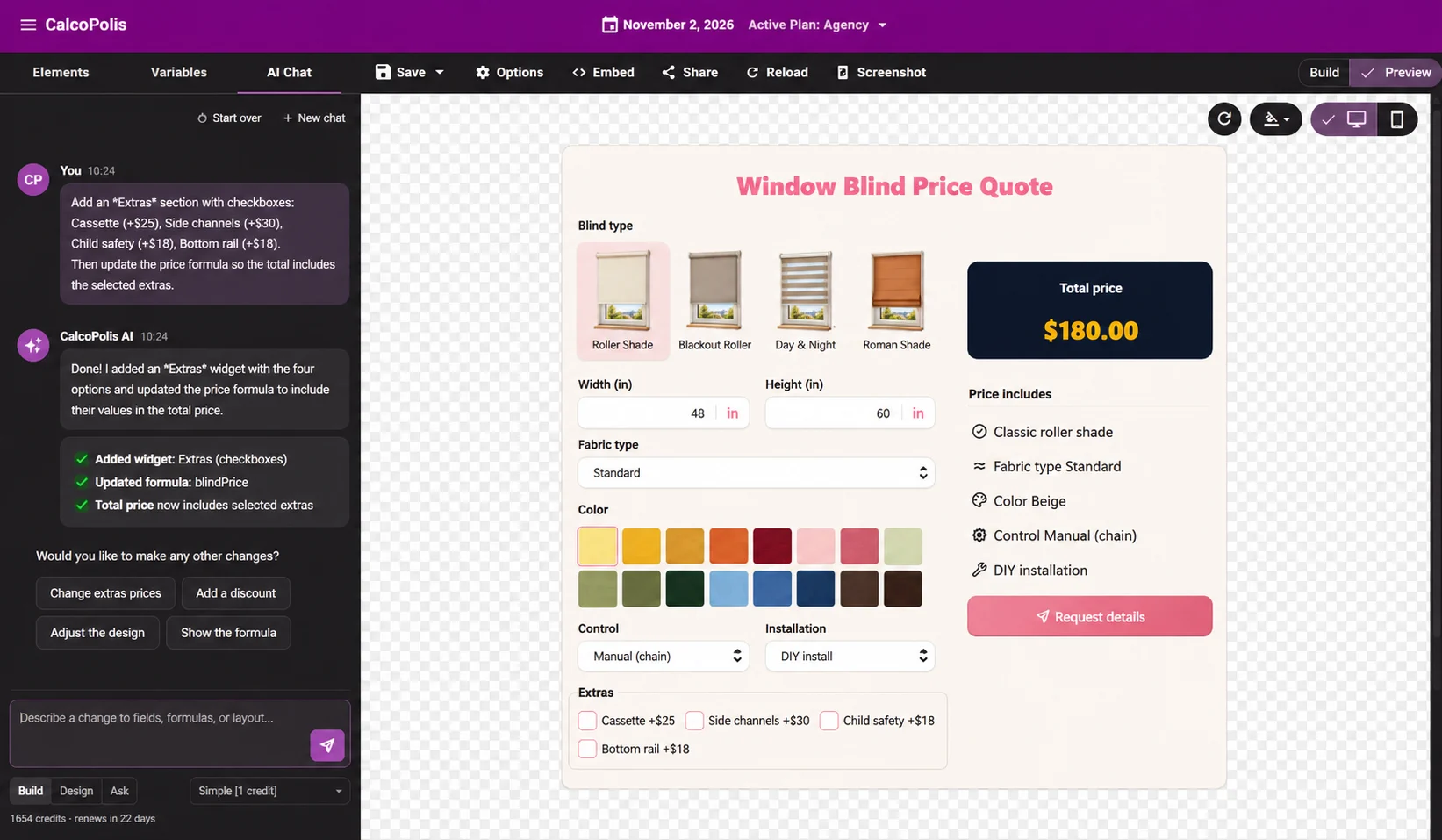
From Product Rules to an Interactive Configurator
Define the choices
Start with the options customers need to select: product type, dimensions, materials, finishes, and quantities. Use AI to help organize them into a clear product configuration form.
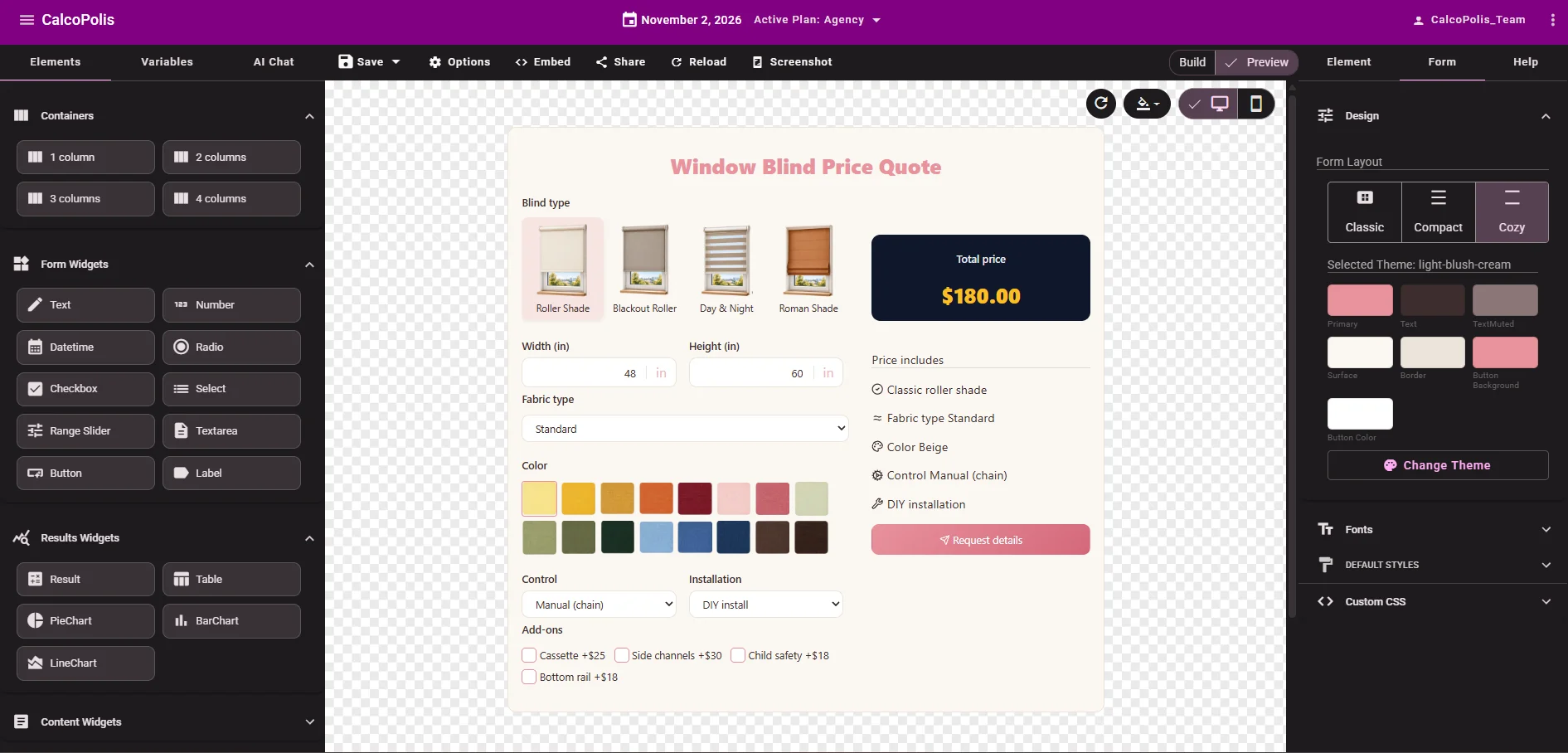
Set the pricing logic
Use the Builder to connect options with prices, formulas, add-on charges, and rules for when certain choices apply. Preview the result as you make changes.
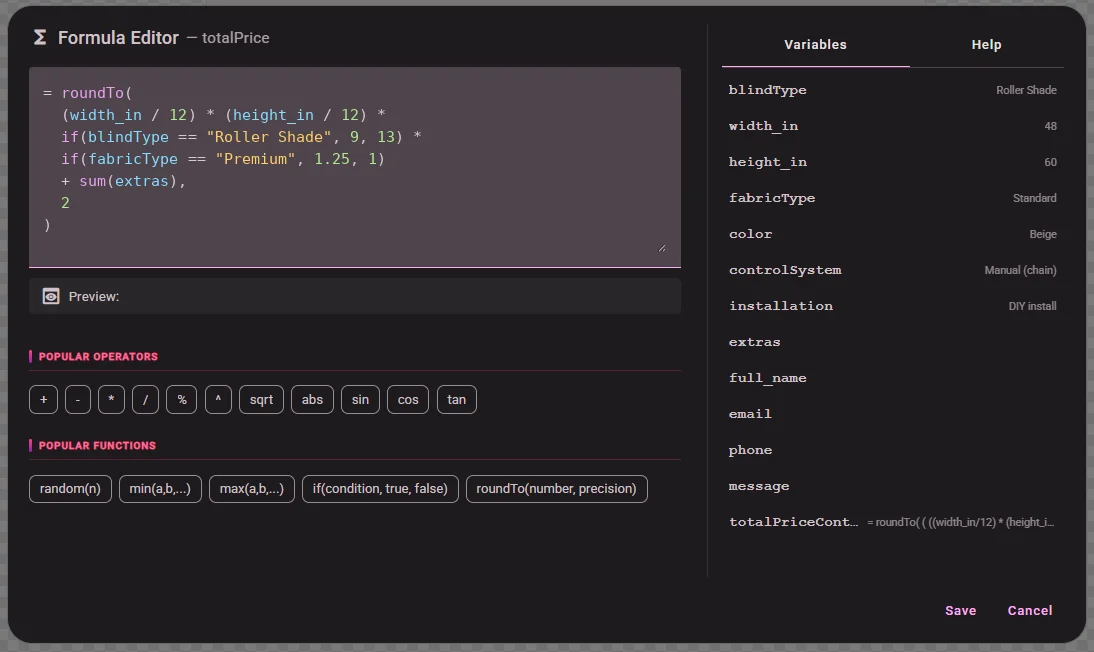
Put it on your website
Publish your configurator and embed it where customers explore your products. They can customize their selection and see the resulting price without navigating a static price list.
Make Custom Products Easier to Buy
Give Customers a Price Before They Contact You
Replace vague “contact us for pricing” moments with a guided experience. Customers can explore sizes, materials, and extras and understand how each choice affects the total.
Spend Less Time on Repetitive Price Questions
Let your pricing rules handle common product combinations. Your team can focus on unusual requirements instead of repeatedly calculating standard variations by hand.
Collect More Specific Product Enquiries
When someone reaches out, they've already considered the details that matter: dimensions, style, material, and optional upgrades. That makes the next conversation more useful.
Pricing That Follows Every Product Choice
SIZE-BASED PRICING
Calculate Prices from Custom Measurements
For made-to-measure products, dimensions aren't just a form field — they help determine the price. Build calculations around width, height, area, or other numeric inputs instead of forcing customers into a handful of fixed sizes.
- Use measurements as inputs to your pricing formula.
- Apply different calculations to different product styles.
- Update the displayed total as values change.
VARIANTS & CONDITIONAL OPTIONS
Show the Right Choices for Each Product
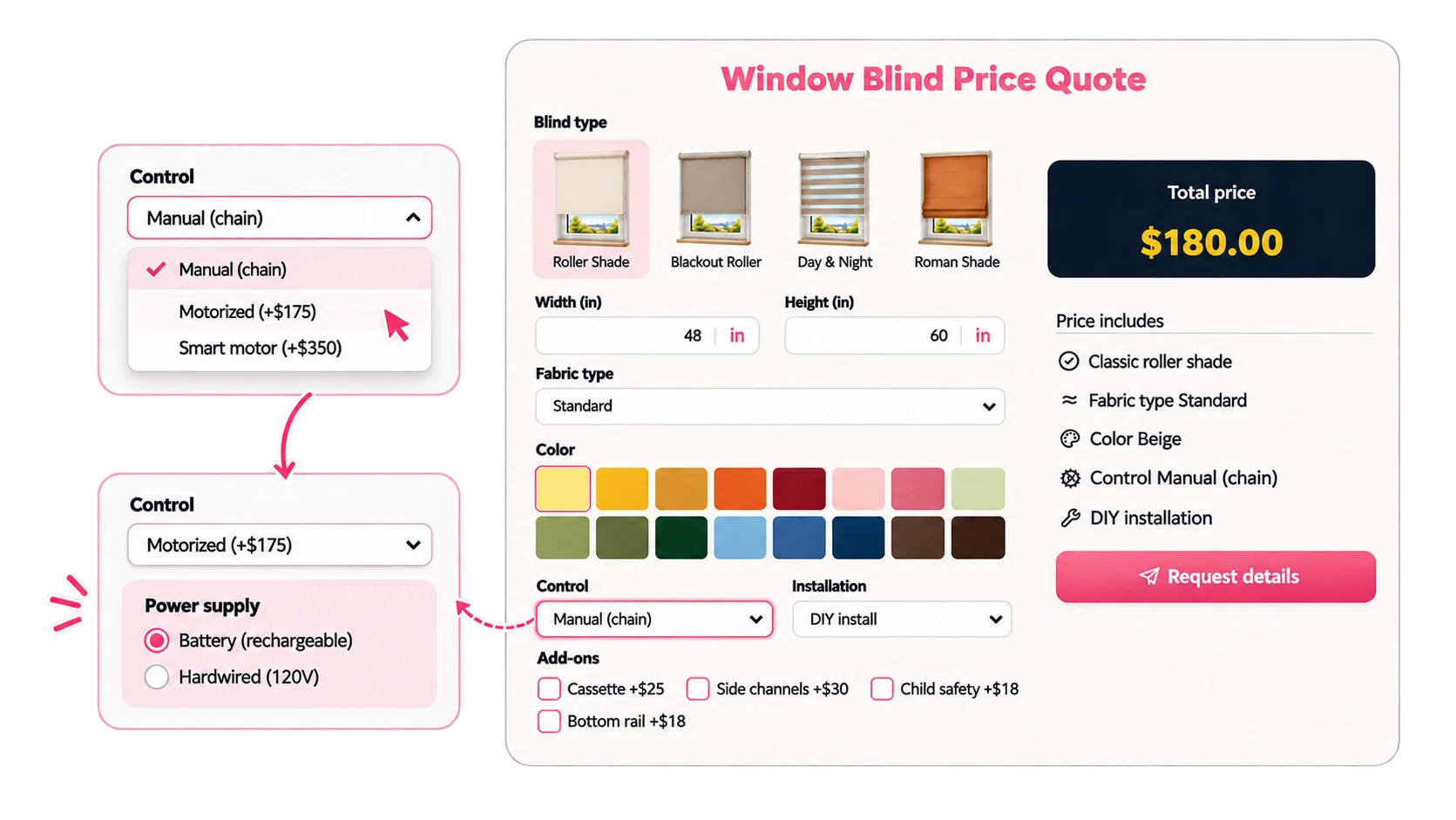
Different products call for different choices. Let customers select a style, fabric, color, and control option, while conditional rules can guide which fields and combinations are relevant.
- Offer product styles, materials, finishes, and colors.
- Show or hide choices based on earlier selections.
- Give variants their own price adjustments where needed.
EXTRAS & ORDER RULES
Include Upgrades, Add-Ons, and Quantity Rules
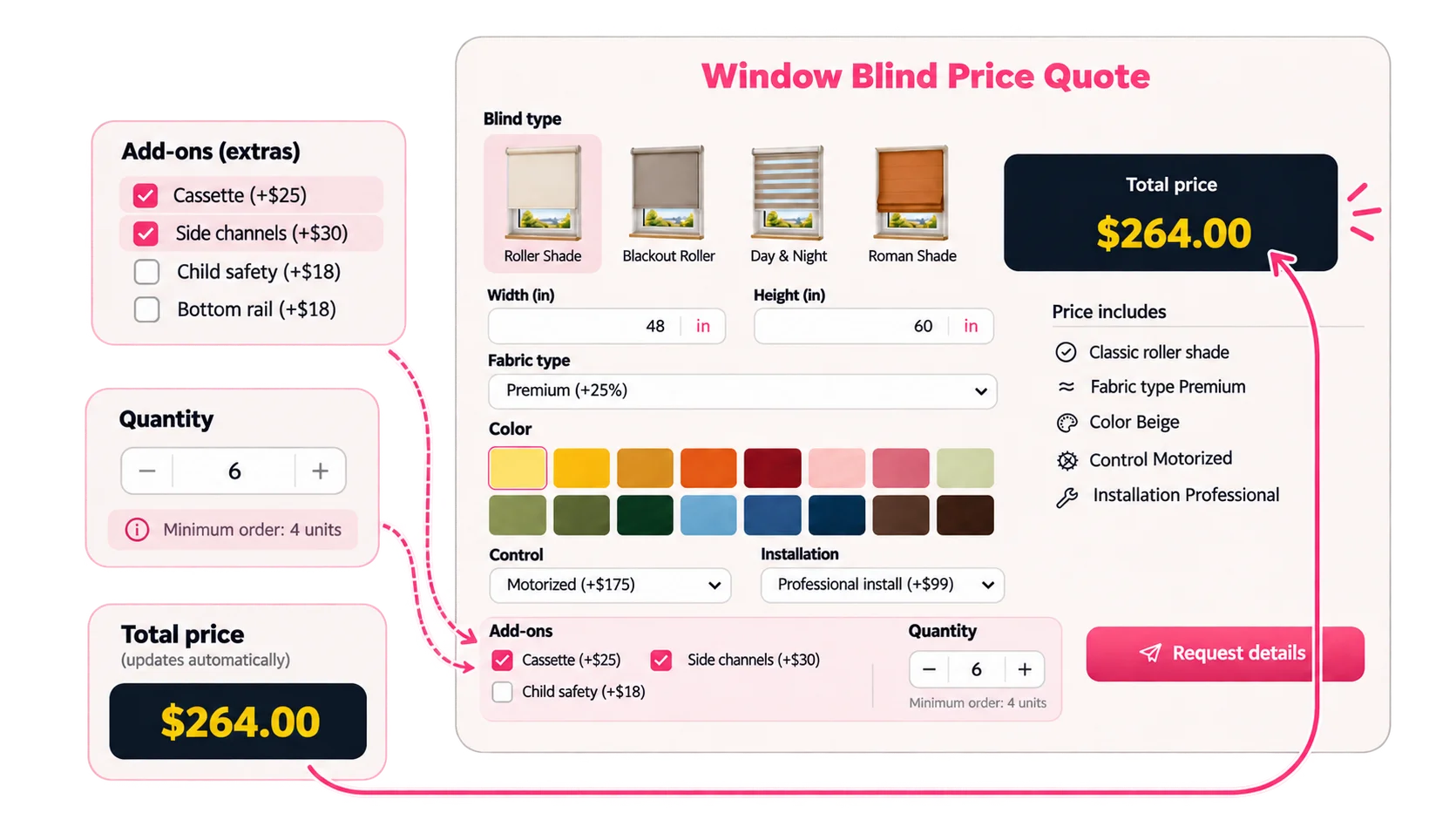
A base product price rarely tells the whole story. Add charges for accessories or upgrades and use quantity rules where your product requires a minimum order or price adjustments based on the amount selected.
- Add fixed or calculated surcharges for extras.
- Use quantity inputs and minimum order rules when applicable.
- Keep the total responsive to the customer's selections.
Built for Products That Don't Have One Fixed Price
Window Blinds & Custom Home Products
Let shoppers choose a blind style, size, fabric, color, and accessories, then see an updated price for their specific combination.
Made-to-Measure Furniture & Fixtures
Offer dimension, material, finish, and upgrade options in one guided experience instead of relying solely on a static catalog.
Printing, Labels & Packaging
Calculate prices from specifications such as dimensions, material, order quantity, and optional finishing, including minimum order rules where relevant.
Put Your Product Configurator Where Customers Shop
Embed the configurator on a product page or a dedicated custom-order page. Customers can choose specifications and view their calculated price in the same place they discover the product — without needing a separate spreadsheet or price inquiry for every variation.
Product Pricing Configurator FAQ
What is a product pricing configurator?
A product pricing configurator lets customers choose a product's specifications — such as size, material, variant, or accessories — and calculates a price based on those selections. It's especially useful when a physical product doesn't have one fixed price.
Can I build a custom product price calculator without coding?
Yes. Calcopolis combines AI-assisted creation and editing with a visual Builder. You can define product options and pricing calculations, preview the result, and adjust the configuration as needed.
Can different product options affect the final price?
Yes. You can use product selections, numeric inputs, and pricing rules to calculate different totals. For example, changing the blind dimensions or adding optional side channels can change the displayed price.
Can I show different options depending on what a customer selects?
Yes. Conditional logic can make fields or choices relevant to a selected product type, helping customers work through a configuration without seeing every possible option at once.
Can I add a product configuration form to my website?
Yes. Publish your configurator and use Calcopolis's website embedding flow to place it on a relevant product or custom-order page.
Is this a 3D product configurator or an enterprise CPQ system?
No. This solution focuses on interactive product choices and rule-based price calculations. It is not presented as a 3D visualizer, CAD tool, manufacturing system, or enterprise CPQ platform.
Let Customers Configure the Product — and See the Price
Turn dimensions, materials, variants, and add-ons into an interactive buying experience tailored to your products.