Lead Generation Calculator Builder That Turns Visitors into Leads
Give visitors a reason to engage before asking for their email. Create an interactive calculator that reveals a useful insight, offers a personalized next step, and captures the details behind each inquiry. Start with AI, refine it visually, and publish with Calcopolis.
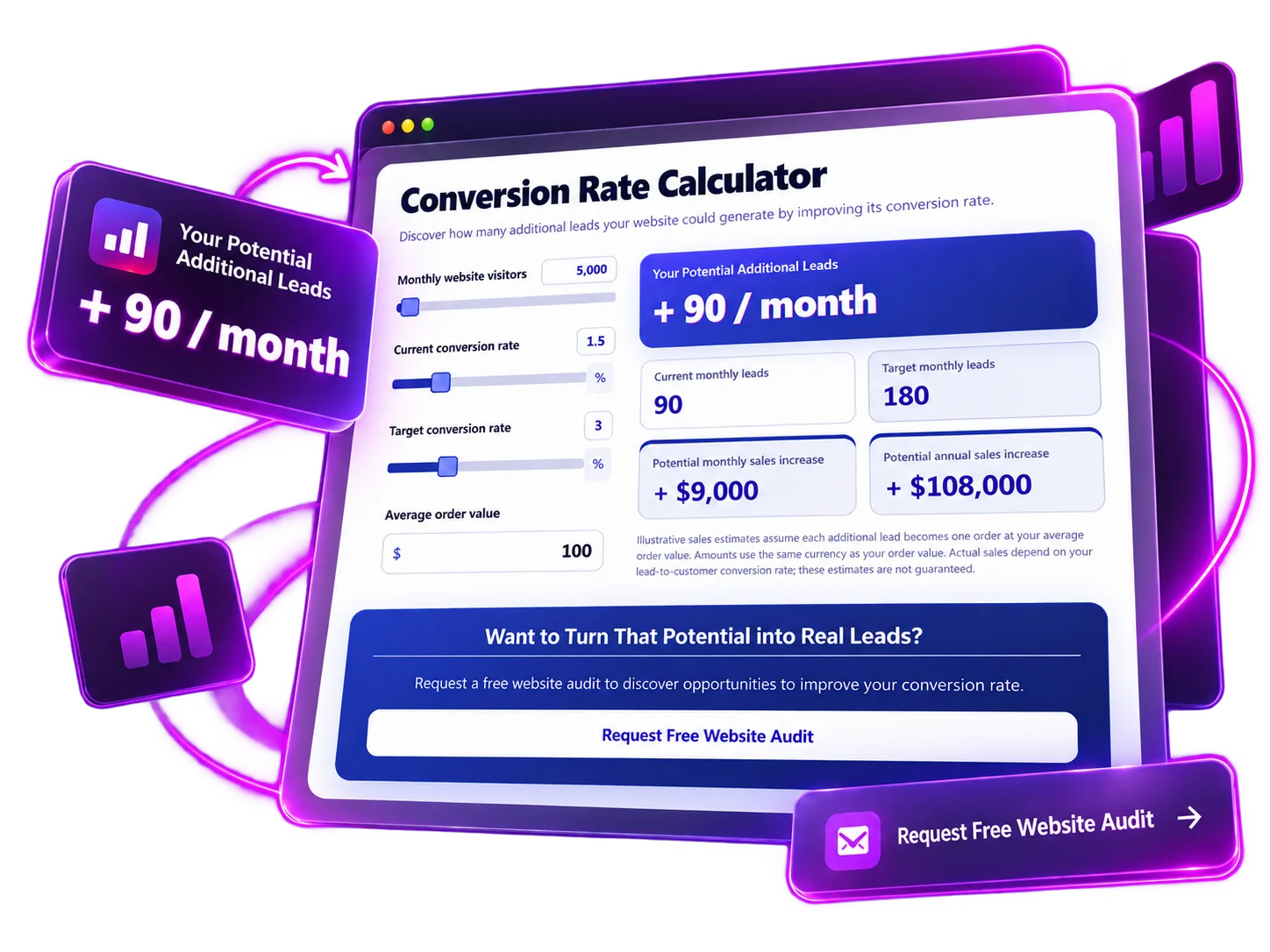
Try a Lead Generation Calculator in Action
Imagine a marketing agency offering a quick website growth check. Change the traffic and conversion rates to see how many additional leads a site could generate at a higher conversion rate. Then explore the natural next step: requesting a free website audit.
AI + VISUAL BUILDER
Create Your Calculator Lead Magnet with AI
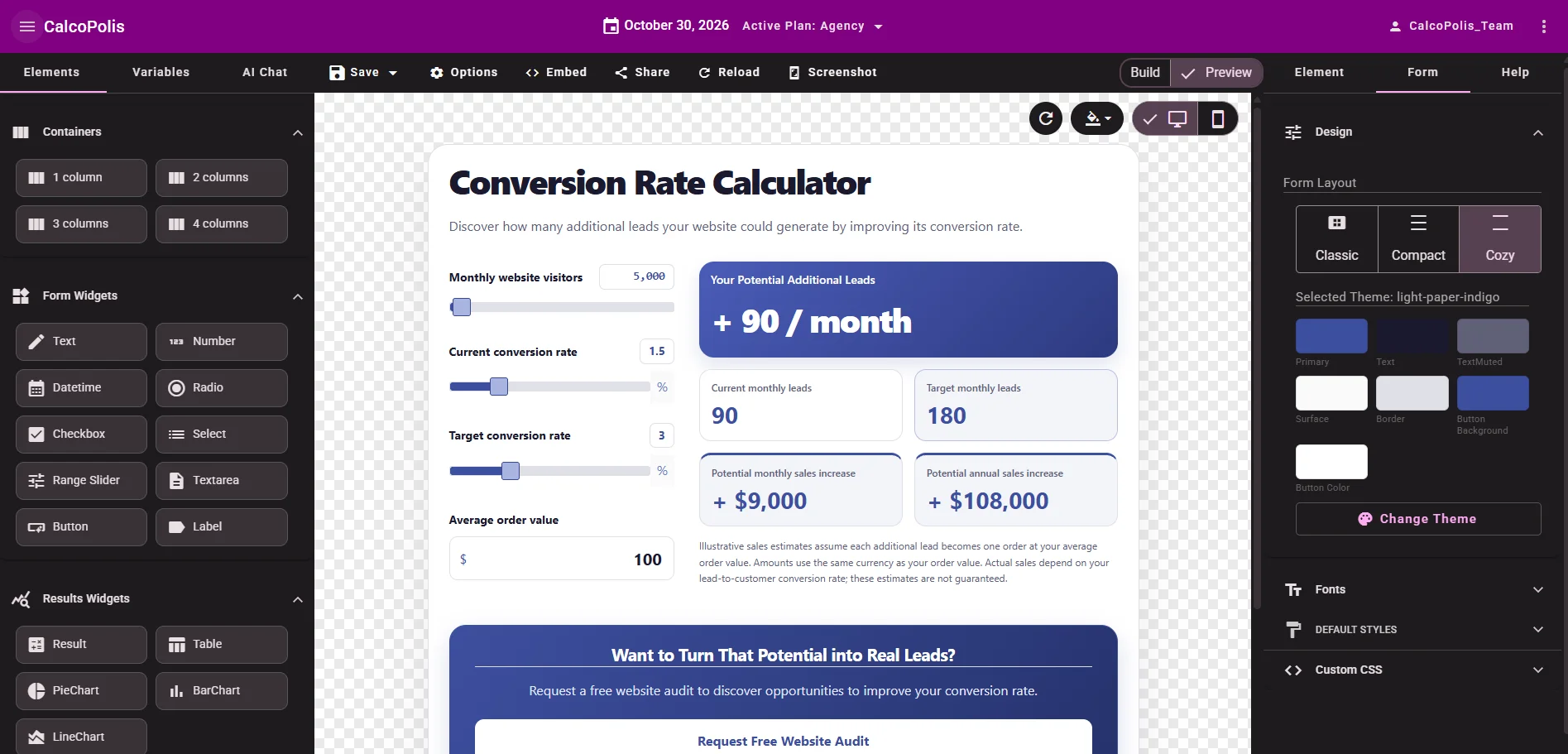
You don't need to build every question or calculation from scratch. Tell Calcopolis what visitors should calculate and what happens after the result. Use AI chat to create or adjust the experience, then fine-tune the fields, wording and layout in the visual Builder.
- Start with an idea — Describe your audience, the insight you want to offer and which details matter for follow-up.
- Make changes in chat — Ask to show the estimate before the contact request or make Website URL a required field.
- Customize visually — Review the live preview, adjust labels and design, and refine the experience before publishing.
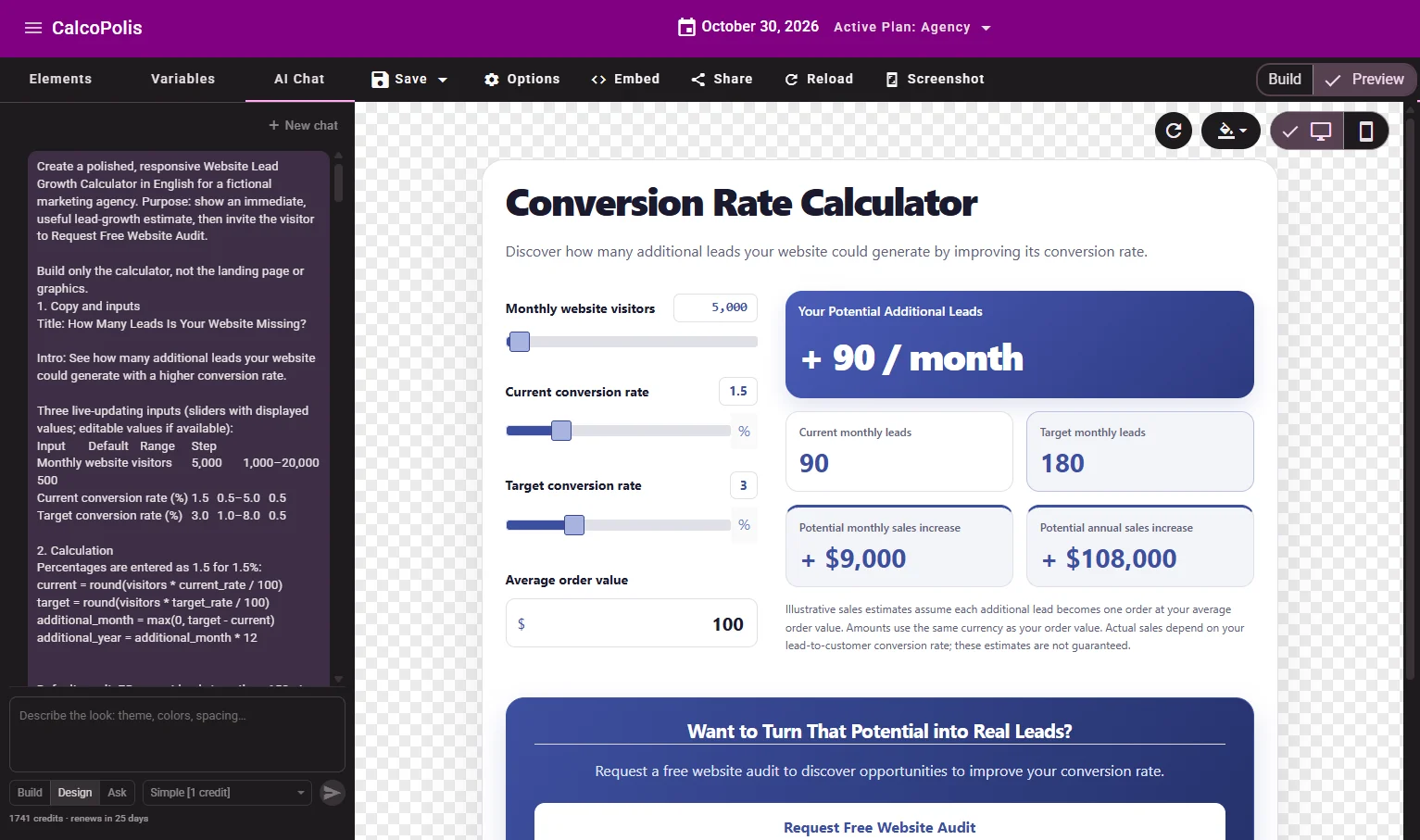
Turn a Calculator Idea into a Lead Capture Experience
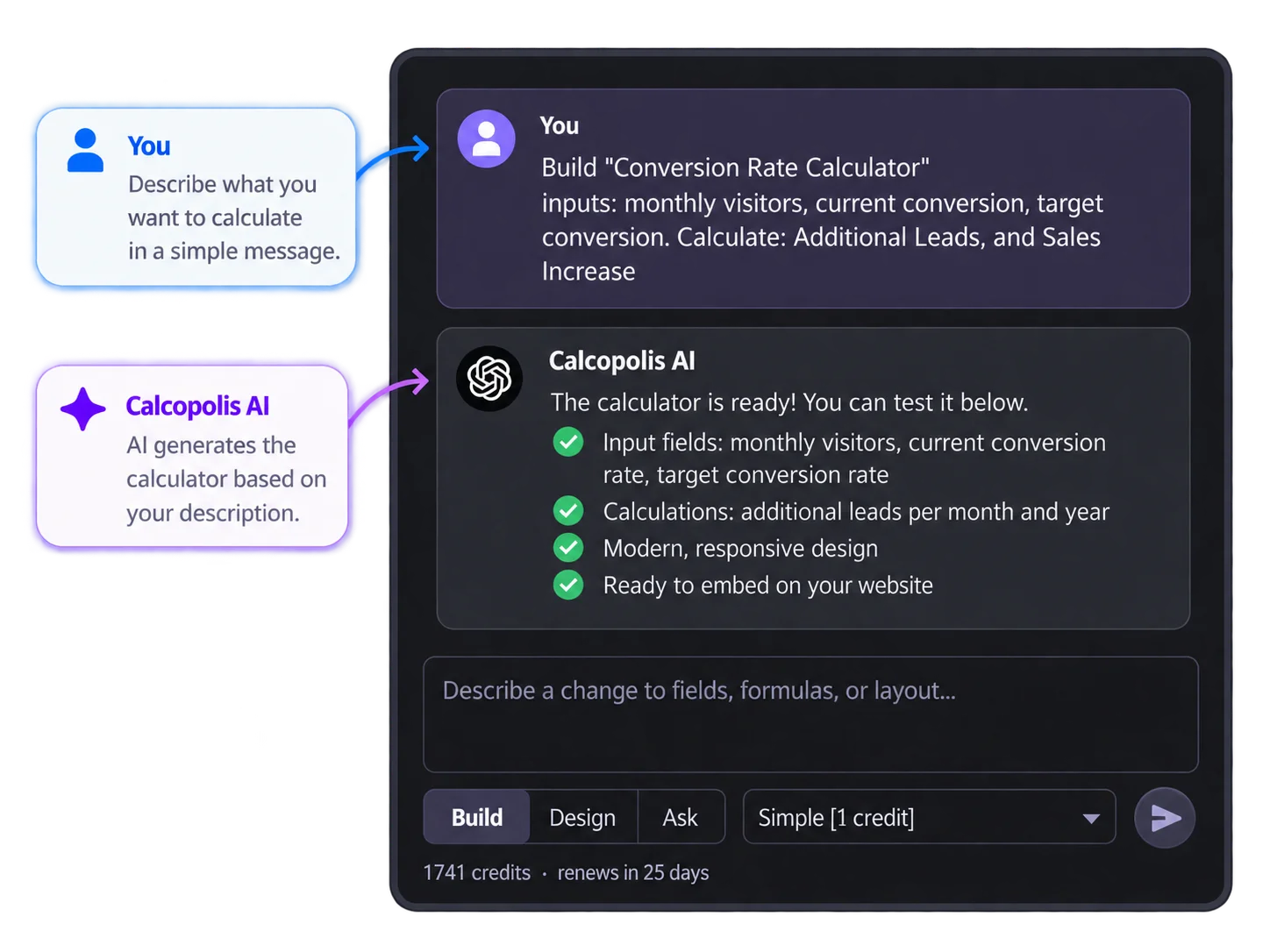
Describe the Value You Want to Offer
Tell Calcopolis what visitors should calculate — for example, potential extra website leads — or start directly in the Builder. AI can help turn the idea into interactive inputs and a useful result.
 >
>
Connect the Result to a Relevant Next Step
Show an immediate estimate, then invite people to request a personalized audit, assessment or consultation. Adjust the form fields and wording in the visual Builder.
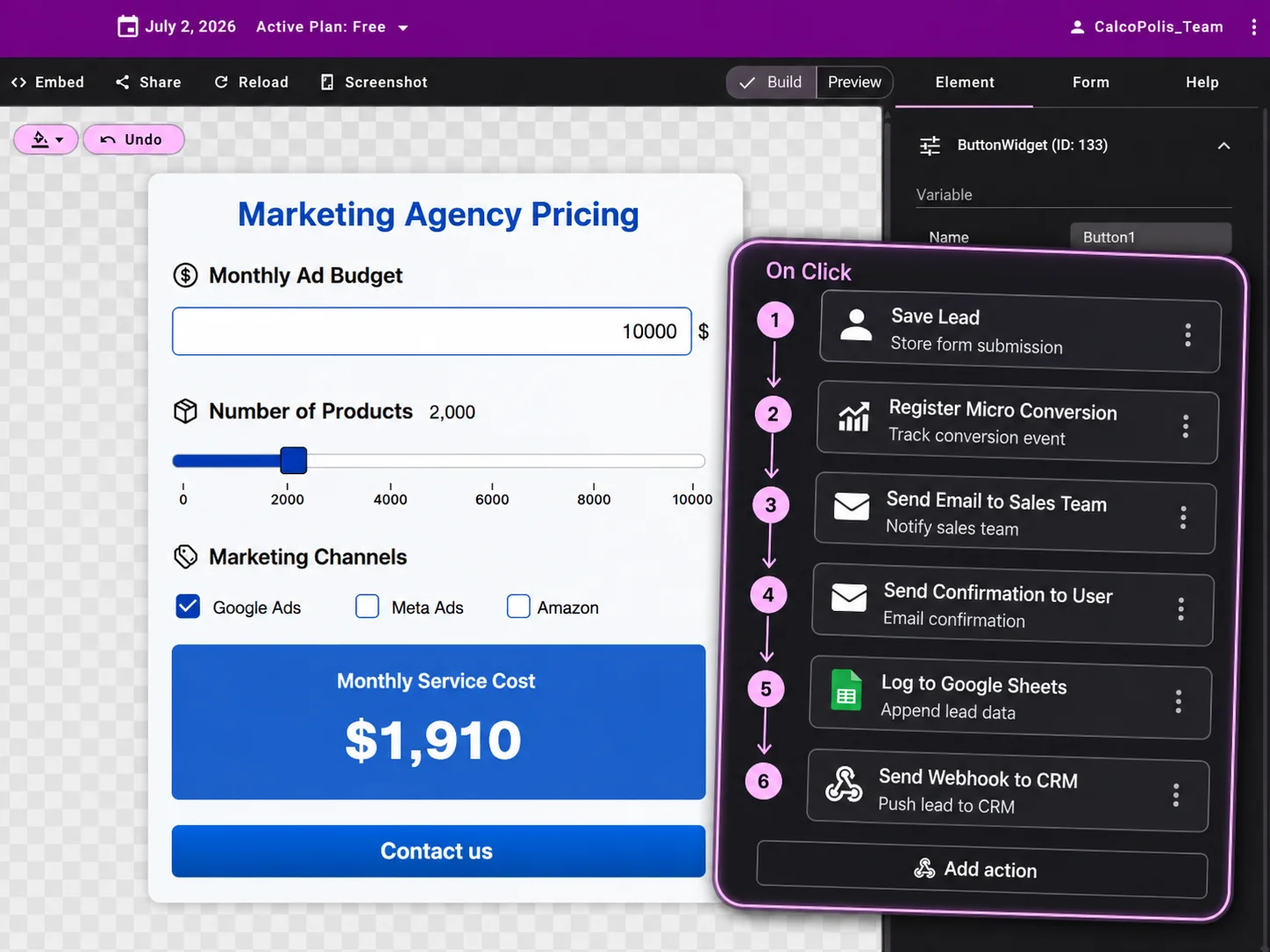
Publish It on Your Website
Embed the calculator on a landing page or website. When visitors submit an inquiry, use the answers they provided to make your follow-up more relevant.

Why Use a Calculator for Lead Generation?
Give Visitors a Reason to Engage
Offer a meaningful estimate instead of asking people to fill out a generic form immediately. Let them explore the numbers that matter to them before they decide to get in touch.
Understand Every Inquiry Better
A calculator can capture the context behind a request — visitor goals, current situation and selected inputs — so your team can start a more relevant conversation.
Make the Next Step Feel Natural
Follow a useful result with an offer that fits, such as a website audit or personalized assessment. The lead form becomes a logical next step rather than an interruption.
Lead Capture Features Built Around the Calculation
VALUE BEFORE THE FORM
Show a Useful Result Before Asking for Contact Details
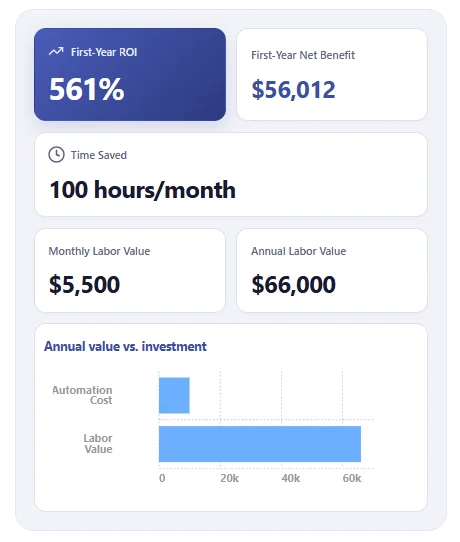
A calculator lead magnet earns attention by answering a question first. Let visitors explore their own numbers, see the potential outcome and then decide whether a personalized audit or assessment is worth requesting.
- Live calculations based on visitor inputs
- Clear, instantly visible results
- A contextual invitation to take the next step
QUALIFIED LEADS
Capture Contact Details and Calculator Answers Together
Get more than an email address. Collect contact details alongside the relevant calculator inputs so your team understands what sparked the request and can follow up with a more informed message.
- Contact fields connected to the calculator journey
- Relevant answers and results included in the inquiry, where supported
- Email notifications and webhook routing to CRM or automation tools on eligible plans
IMPROVE OVER TIME
See How Visitors Respond to Your Calculator
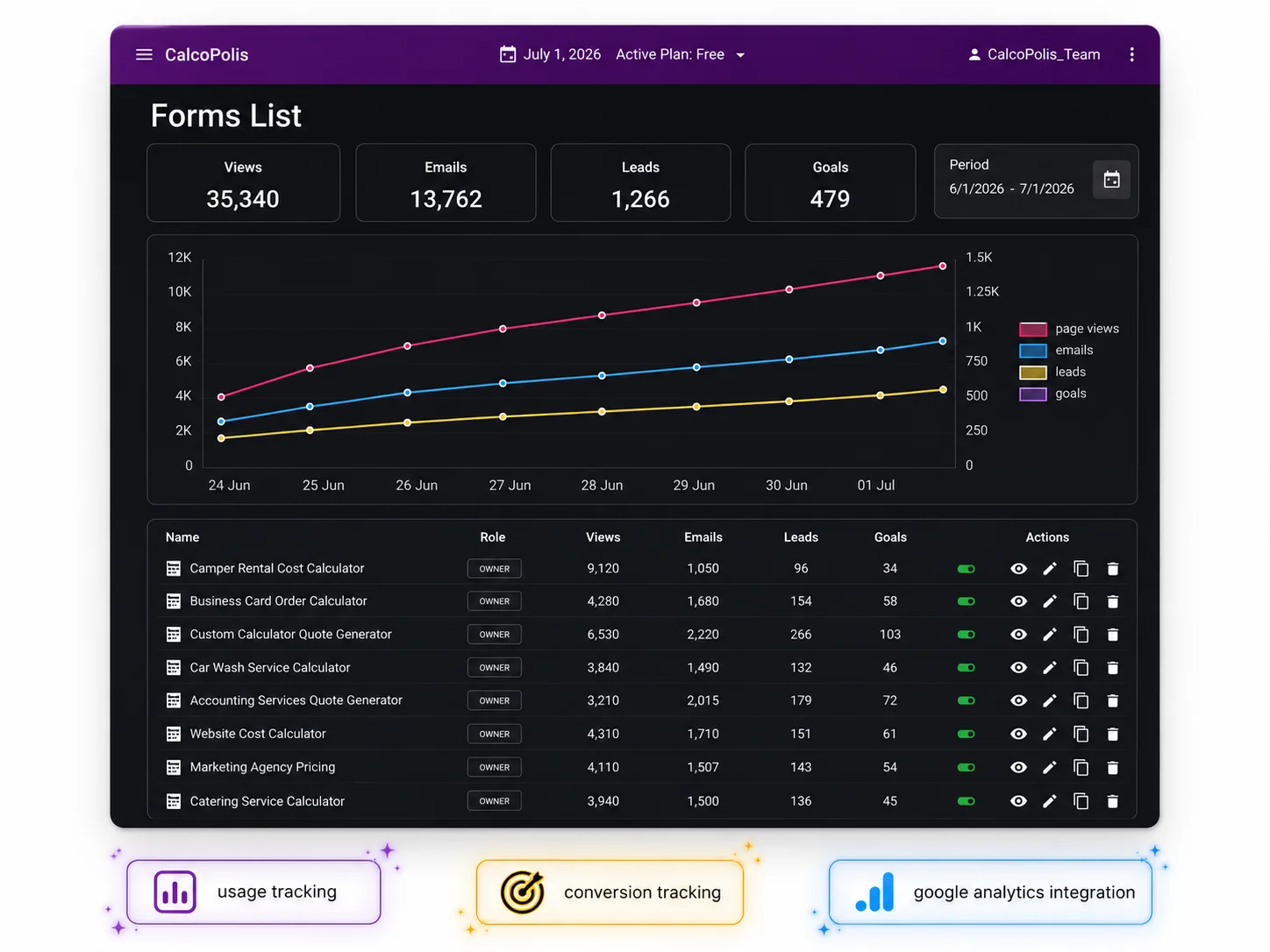
Review the activity your Calcopolis setup actually records, then refine the questions, result presentation and follow-up offer. Use evidence from real visits and submissions instead of guessing what your audience wants.
- Review available calculator usage information such as views
- Check recorded submissions and inquiry outcomes in Leads
- Iterate on the result and lead-capture message
Lead Generation Calculators for Different Businesses
Marketing Agencies: Website Growth Checks
Offer a quick lead-growth estimate, then invite a potential client to request a website audit. Their inputs provide useful context before your first conversation.
Home Services: Personalized Assessments
Give visitors a rough energy-use or property-readiness estimate and follow it with an invitation to request a tailored assessment.
B2B Consulting: Business Benchmarks
Help prospects explore workload, capacity or operational bottlenecks, then offer a consultation focused on the area they want to improve.
Build, Embed, and Manage the Lead Journey in One Place
With Calcopolis, the questions, calculation, result and contact request can form one connected experience. Embed your interactive lead generation tool on your site and make changes from the Builder when your offer evolves. Use email notifications, webhooks or other available integrations to connect captured inquiries to your follow-up process.
Frequently Asked Questions About Lead Generation Calculators
What is a lead generation calculator?
A lead generation calculator gives visitors a useful estimate or personalized insight and invites them to share contact details for a relevant next step. Unlike a standard contact form, it can also collect the answers that help explain what the visitor needs.
Can I build a lead generation calculator without coding?
Calcopolis combines AI-assisted creation with a visual Builder. Describe the calculator you want, then refine the inputs, calculations, messages and contact form without building a custom application from scratch.
What makes a calculator a good lead magnet?
It should answer a question your audience cares about and make the result personal. A calculator lead magnet can show an instant estimate, then offer something more specific — such as an audit or tailored assessment — in exchange for a contact request.
Do visitors have to enter an email before seeing results?
Not necessarily. You can design a journey that reveals an initial result first, then asks for contact information when the visitor wants a personalized next step. Check which steps and visibility options your calculator configuration supports.
Can I use calculator responses in follow-up or CRM workflows?
Calculator inputs can add valuable context to an inquiry. The exact submission data, notifications, webhooks and CRM destinations depend on your Calcopolis setup and the integrations currently available.
How is this different from a quote calculator?
A lead generation calculator provides an insight to start a relationship — for example, a website growth estimate followed by an audit request. A quote calculator estimates the price of a specific service or order. For that workflow, see the Quote Calculator Builder.
Turn a Useful Calculation into Your Next Conversation
Give visitors an instant reason to engage, then invite them to take a meaningful next step. Create your lead generation calculator with AI, fine-tune it visually and publish it on your website with Calcopolis.