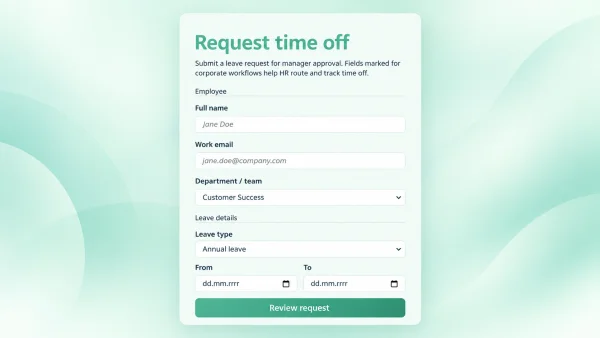
A self-serve product return form turns messy “how do I return this?” messages into a clean, step-by-step request. Shoppers enter product name, SKU, quantity, and order number, review a summary, confirm, and get the return shipping address — without waiting for your team.
Why store owners embed this template
Returns are inevitable; chaos is not. Putting an online return request on your help or order-status page sets expectations, standardizes the data your warehouse needs, and makes your brand look organized. Fewer incomplete emails mean faster processing and happier customers.
- Fewer tickets — customers complete the form instead of guessing what to send.
- Cleaner ops — every request includes product, SKU, quantity, and order number.
- Clear next step — the confirmation screen shows where to ship the return.
- SEO-friendly page — a dedicated product-return-form landing page can rank for “product return form”, “online return request”, and “RMA form” style queries while converting visitors into structured submissions.
How the flow works
- Customer fills in product and order details.
- They review a return summary and the returns-center address.
- They confirm and see a thank-you screen they can use when packing the shipment.
You can rename labels, swap the return address, restyle with your theme, and keep the same three-step logic.
Automations you can connect
Out of the box the template guides the customer; with Calcopolis actions you can wire returns into your stack:
- Email notifications — send the customer a confirmation with the return address, and alert warehouse or support when someone clicks Confirm.
- Google Sheets — append each return as a new row (product, SKU, quantity, order #) for a simple returns log.
- Webhooks — POST submissions to Zapier, Make, n8n, or your API to create RMA tickets in a helpdesk, update Shopify/WooCommerce notes, or notify Slack.
- Lead / submission storage — keep return requests inside Calcopolis for follow-up and reporting.
Best place to publish it
Embed the form on a page titled around product return form or start a return, link it from order emails and the FAQ, and use clear headings so search engines and customers both understand the intent. The form stays lightweight for mobile — important when shoppers start a return from a phone.
Customize for your brand
Change copy, address, validation rules, and styling (this template uses the Garden Fresh theme). Add extra fields (reason for return, photos, preferred refund method) when you are ready — the multi-step structure already supports growing with your process.